
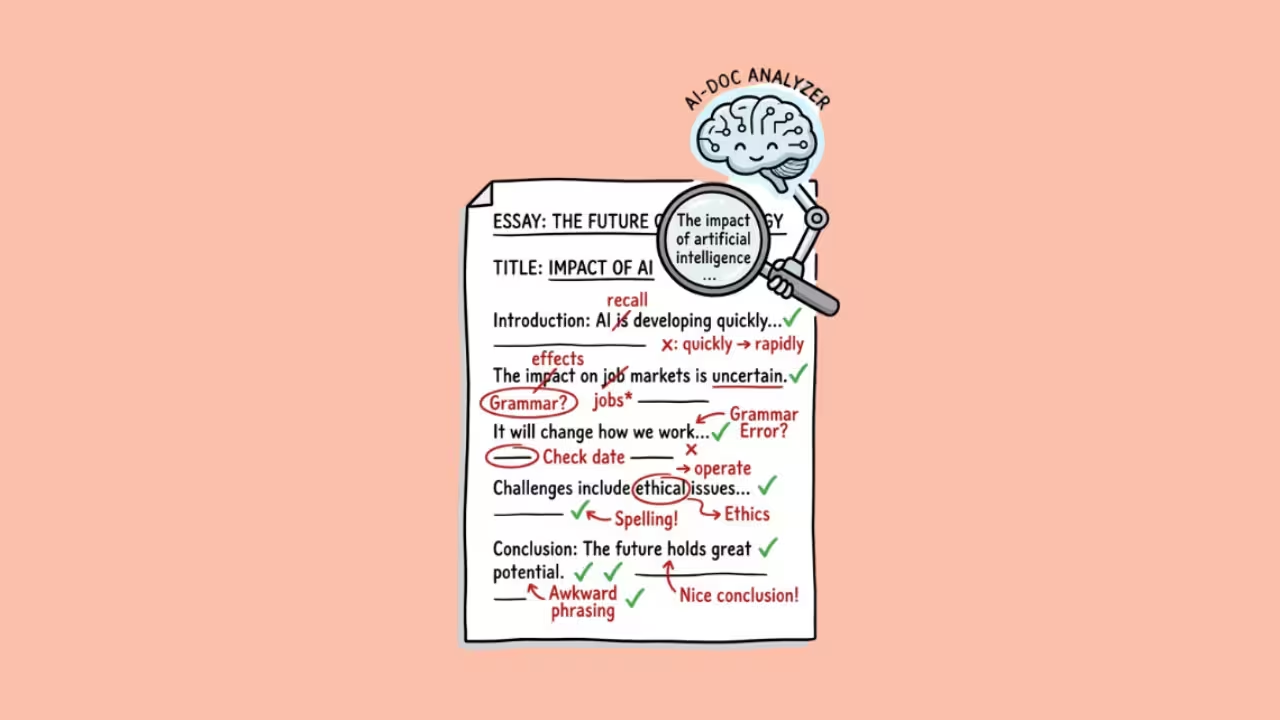

Grammarly AI features are the artificial intelligence capabilities built into Grammarly, the writing assistant used by 30 million people daily.
These features go far beyond the spell-checker most people signed up for.
In 2026, Grammarly uses AI to check grammar, detect tone, rewrite sentences, generate content from prompts, detect AI-written text, humanize AI output, check for plagiarism, and enforce brand voice consistency across teams.
After using Grammarly Pro daily for years across blog posts, client emails, social media copy, and long-form articles, I can tell you that the AI features have transformed what this tool does.
It started as the green underline that fixed your typos. It is now a full writing partner that drafts, rewrites, and polishes your work across every app on your computer.
This article breaks down every Grammarly AI feature, explains the ones people search for most (the AI detector, the AI humanizer, and whether Grammarly itself “counts as AI”), and gives you an honest assessment of what works and what falls short.
Does Grammarly Count as AI?
Yes. This is not a gray area.
Grammarly has been an AI-powered tool since its early days, using natural language processing and machine learning for grammar and style corrections.
Since 2023, it has also used large language models for generative features (drafting, rewriting, brainstorming). If you use Grammarly in any capacity, you are using AI.
This matters for students, academics, and professionals working under AI usage policies. If your university or employer prohibits AI tools, Grammarly falls under that prohibition. Not just the generative features.
The grammar checking itself runs on AI models that analyze your text on cloud servers and return suggestions. Grammarly’s architecture is cloud-based, meaning your text is processed on external servers, not locally on your device.
The honest distinction: using Grammarly to fix a comma splice is very different from using Grammarly to generate an entire paragraph. Most institutions that restrict AI usage draw the line at generation, not correction.
But technically, both are AI. Know where your institution or employer draws that line before you assume Grammarly is exempt.
What Are All of Grammarly’s AI Features?
Correction Features (AI-Powered Analysis)
Grammar, Spelling, and Punctuation. The original feature. Grammarly catches errors in real time with 93 to 98 percent accuracy across English text. It works inside browsers, desktop apps, mobile keyboards, and integrations with Google Docs, Microsoft Word, Slack, Notion, LinkedIn, Gmail, Outlook, and over a million other apps.
Tone Detection. Grammarly analyzes your text and tells you how it will come across to the reader: confident, friendly, formal, urgent, diplomatic, or dozens of other tones. I use this constantly on client emails. The difference between sounding “direct” and sounding “aggressive” is often one sentence, and tone detection catches it before you hit send.
Clarity and Conciseness Suggestions. The AI flags wordy phrases, passive voice overuse, unclear antecedents, and overly complex sentence structures. It suggests shorter, clearer alternatives. On the Pro plan, these suggestions are more aggressive and context-aware than the free tier.
Rewriting Features (AI-Powered Editing)
Full-Sentence Rewrites. Highlight a clunky sentence, and Grammarly restructures it while preserving your meaning. This is one of the most underrated features. In my testing, it consistently produced cleaner versions of sentences I had been staring at for too long. It does not generate new content. It makes your existing content better.
Tone Adjustment Rewrites. Tell Grammarly to make a paragraph sound more professional, more casual, more confident, or more empathetic, and it rewrites accordingly. I tested this on a client rejection email. The “direct” version sounded harsh. One click on “diplomatic” and the same information landed softly without losing clarity.
Generative Features (AI Content Creation)
Generative AI Assistant (formerly GrammarlyGO). This is Grammarly’s content generation engine. You give it a prompt (“write a follow-up email to a client who missed our meeting” or “draft an introduction for a blog about AI writing tools”), and it generates a first draft.
You can regenerate, refine your prompt, or adjust the tone before accepting.
Prompt limits vary by plan:
| Plan | AI prompts per month | Price |
| Free | 100 | $0 |
| Pro | 1,000 | $12/month (annual) |
| Enterprise | Custom | Custom pricing |
In my experience, the generative AI handles short-form content well: emails, social media posts, LinkedIn comments, meeting notes, and Slack messages.
For long-form content like blog posts or articles, it produces serviceable first drafts that still need significant human editing. It will not replace a content writer. It will give a content writer a running start.
Brainstorming and Ideation. Ask Grammarly to suggest blog topic ideas, outline structures, or counterarguments for an essay. The suggestions are generic but useful as starting points when you are staring at a blank page.
Detection and Integrity Features
Plagiarism Checker. Compares your text against billions of web pages and academic databases. Available on Pro and above. Catches direct matches and close paraphrasing. It does not catch AI-generated text (that is the AI detector’s job).
What Is the Grammarly AI Detector?
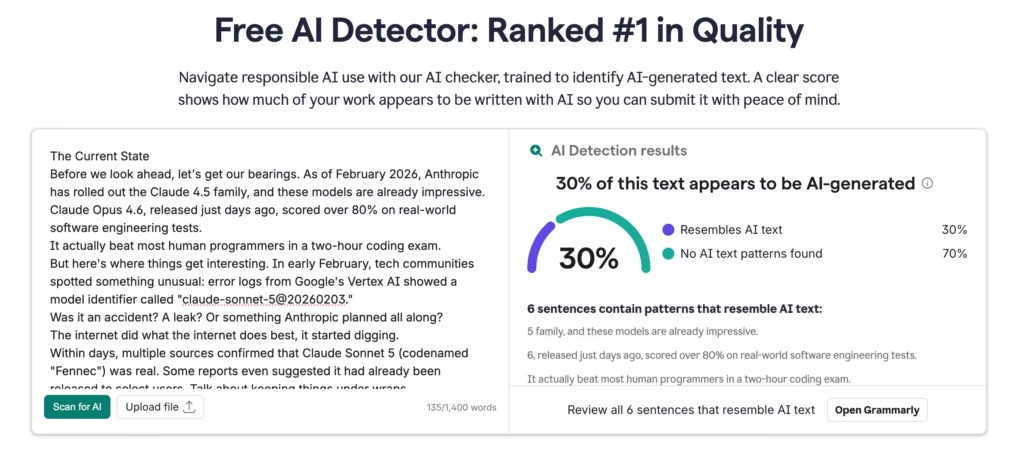
The Grammarly AI detector is a free tool that analyzes text and estimates what percentage was likely written by AI. It is available to everyone, no account or signup required. You paste text into the checker, and it returns a percentage score.
Grammarly claims their AI detector is ranked #1 on RAID’s independent quality benchmark, one of the most recognized evaluations for distinguishing human and AI-generated text.
Here is what my testing and independent reviews found:
| Content type | Detection accuracy |
| Raw, unedited ChatGPT or GPT-4 output | High (reliably flagged as AI) |
| Human-written text | High (rarely false-flagged) |
| AI text processed through a humanizer | Low (accuracy drops significantly) |
The Grammarly AI detector catches obvious AI text well and avoids false positives on human writing (which is arguably more important). But it struggles with AI text that has been lightly edited or run through a humanizer tool.
HumanText.pro’s 2026 review described it as “a security guard who’s great at spotting obvious intruders but gets easily fooled by a decent disguise.”
For a free tool with no signup required, the Grammarly AI detector is a solid first-pass check. For high-stakes environments (academic submissions, publishing), pair it with a second detector like GPTZero or Turnitin for confirmation.
What Is the Grammarly AI Humanizer?
The Grammarly AI humanizer is a feature that rewrites AI-generated text to sound more natural and human. It is accessible inside the Grammarly editor on both free and paid plans.
Here is what Grammarly says about it that most users miss: Grammarly explicitly states on its own AI humanizer page that “this tool is not intended to bypass AI detectors.” That single line explains why so many users feel disappointed.
They expect a detector-evading rewrite tool. What they get is a style polisher.
In independent testing:
| Test | Result |
| ChatGPT text processed through Grammarly humanizer, then checked by ZeroGPT | 88.2% flagged as AI-generated |
| Same text checked by Grammarly’s own AI detector | 91% flagged as AI-generated |
| Same text checked by QuillBot detector | Still flagged as predominantly AI |
The humanizer improves readability. It reduces stiffness. It makes AI drafts less robotic.
But it does not remove the deeper linguistic patterns that AI detectors look for. If your goal is polished writing that happens to come from AI, Grammarly’s humanizer helps. If your goal is making AI text undetectable, it does not do that, and Grammarly does not claim it does.
My honest take: the humanizer is useful as a final polish step for content where detection is not a concern (marketing emails, internal docs, social posts). For academic submissions or any context where AI detection matters, the humanizer is not enough. You need to either write the content yourself or use a dedicated bypass tool (with all the ethical considerations that implies).
What Changed in 2025 and 2026?
Two developments worth knowing:
The Superhuman rebrand (October 2025). Grammarly’s parent company rebranded as “Superhuman” and launched the Superhuman Suite, bundling Grammarly with Coda (collaborative workspace), Superhuman Mail (AI email client), and Superhuman Go (proactive AI assistant).
The Grammarly product kept its name. The practical impact for most users: none, unless you subscribe to the suite.
Expert Review discontinued (March 2026). Grammarly had introduced an “Expert Review” feature that attributed editing suggestions to subject-matter experts. It was discontinued in March 2026 following criticism and user complaints. If you relied on this feature, it is gone.
How Does Grammarly Compare to Other AI Writing Tools?
| Feature | Grammarly | ProWritingAid | Hemingway Editor | Jasper AI | QuillBot |
| Core strength | Grammar + tone + generation across all apps | Deep stylistic analysis for long-form | Readability scoring | Marketing content generation | Paraphrasing and rewriting |
| AI content generation | Yes (100-2,000 prompts/month) | Limited | No | Yes (unlimited) | Limited |
| AI detector | Yes (free, #1 on RAID) | No | No | No | Yes |
| AI humanizer | Yes (style polisher, not bypass tool) | No | No | No | Yes |
| Plagiarism checker | Yes (Pro and above) | Yes (Premium) | No | No | No |
| Tone detection | Yes (real-time) | Basic | No | No | No |
| Cross-platform | Browser, desktop, mobile, 1M+ app integrations | Browser, desktop | Web only | Web, Chrome extension | Browser, desktop |
| Starting price | $12/month | $30/month | $10/month | $59/month | $9.95/month |
| Best for | Everyday writing across all platforms | Long-form authors and editors | Quick readability checks | Marketing teams | Budget paraphrasing |
Who Should Pay for Grammarly AI Features?
| Your situation | Recommendation |
| Write emails, Slack messages, and short docs daily | Pro ($12/month. The tone detection and rewrites pay for themselves in clearer communication. |
| Need to check if content is AI-generated | Free tier. The AI detector requires no account and no payment. |
| Want to make AI drafts sound more natural | Free tier handles basic humanization. Do not expect it to bypass detectors. |
| Write long-form content professionally | Pro for generation + ProWritingAid for deep editing. Use both. |
| Run a team that needs brand voice consistency | Business plan. Brand voice and admin controls justify the cost. |
| Just need grammar and spelling fixes | Free tier. It catches the errors that matter at zero cost. |
| Want a full AI content generator | Skip Grammarly. Use Jasper, Claude, or ChatGPT instead. Grammarly generates short-form well but is not a content engine. |
FAQs
1) Does Grammarly count as AI?
Yes. Grammarly uses natural language processing, machine learning, and large language models across all its features. Using Grammarly in any capacity (even just grammar checking) is using AI. Most institutions that restrict AI usage draw the line at content generation rather than grammar correction, but the technical answer is that all of Grammarly is AI-powered.
2) Is the Grammarly AI detector free?
Yes. The Grammarly AI detector is completely free with no account or signup required. Paste any text and get an instant AI probability score.
3) Can the Grammarly AI humanizer bypass AI detectors?
No. Grammarly itself says the humanizer is "not intended to bypass AI detectors." Testing confirms this: AI text processed through the humanizer was still flagged at 88 to 91 percent by major detectors including Grammarly's own. It improves readability, not detectability.
4) Is Grammarly Pro worth $12/month?
For anyone who writes professionally (emails, reports, proposals, content), yes. The tone detection, full-sentence rewrites, and 1,000 generative AI prompts per month save enough time and prevent enough miscommunication to justify the cost. For casual personal use, the free tier is usually enough.
5) Does Grammarly's AI detector catch all AI writing?
No. It catches raw, unedited AI text reliably. It struggles with AI text that has been edited by a human or processed through a humanizer. For high-stakes detection, pair it with GPTZero or Turnitin.
6) Is Grammarly safe for academic use?
Grammarly's grammar and style correction features are generally accepted in academic settings. The generative AI features (drafting, rewriting) may violate academic integrity policies depending on your institution. Check your school's specific AI usage policy before using generative features on assignments.
