
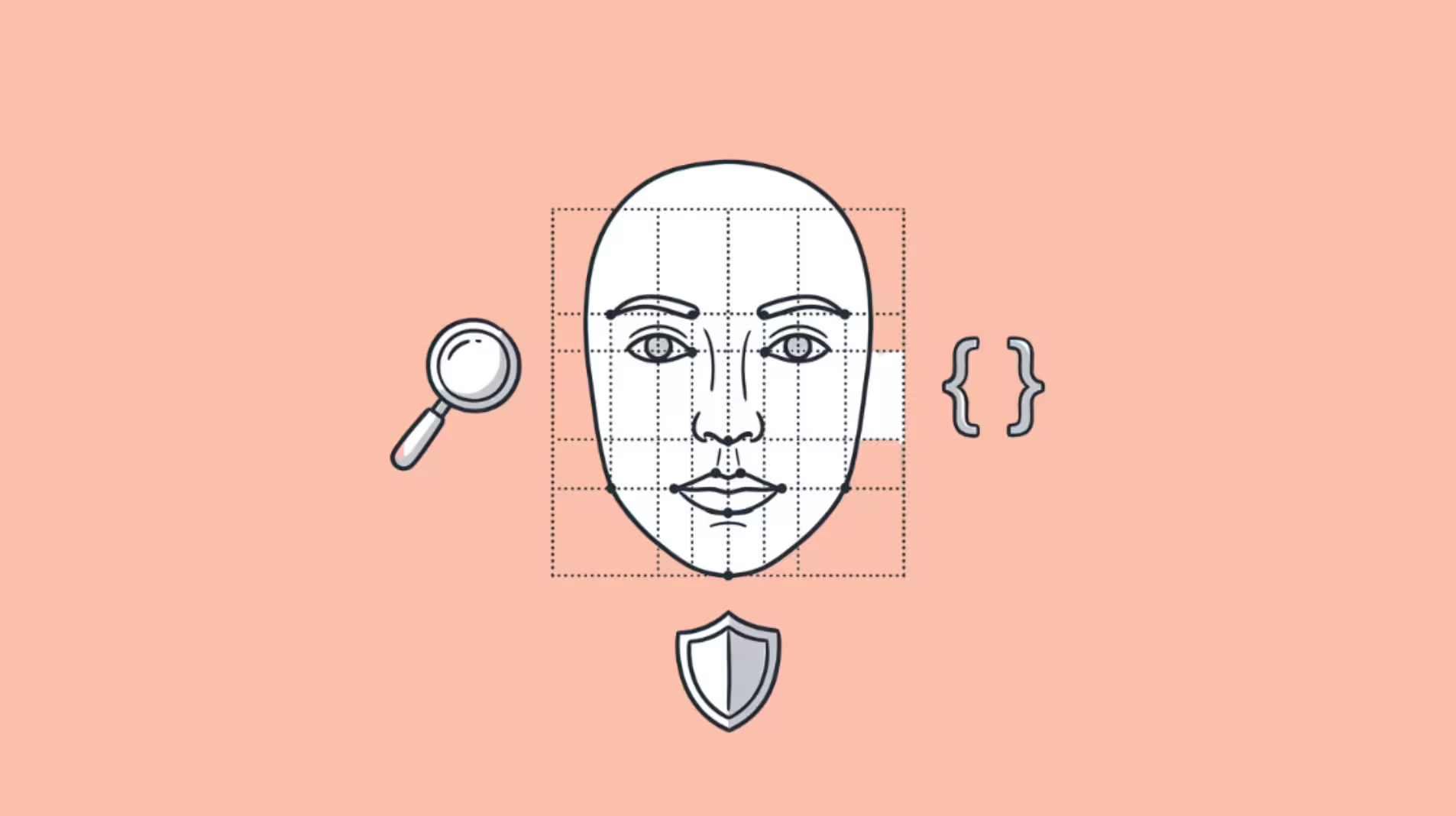

To face swap a video for Reels or TikTok, upload a clear photo of your face and a source clip to an AI face swap tool, and it maps your face onto the person in the clip while keeping their motion, expression and lighting. Modern tools render the swap in under a minute and export vertically, so it drops straight into your feed with no editing skills required.
Why do creators use face swap?
Face swap turns a trend you cannot physically shoot into one you can post. You can put yourself into a movie scene, a viral dance or a meme without a costume, a location or a film crew — the AI handles the mapping onto footage that already exists.
It also stops the scroll. A familiar clip with an unexpected face earns a double-take, and that surprise is what drives comments and shares. For creators, it is a fast way to ride a trending sound or format while still making the post unmistakably yours.
How do you swap faces in a video?
The process is short and works from a phone or a browser. You give the tool two things — a face and a clip — and it does the rest.
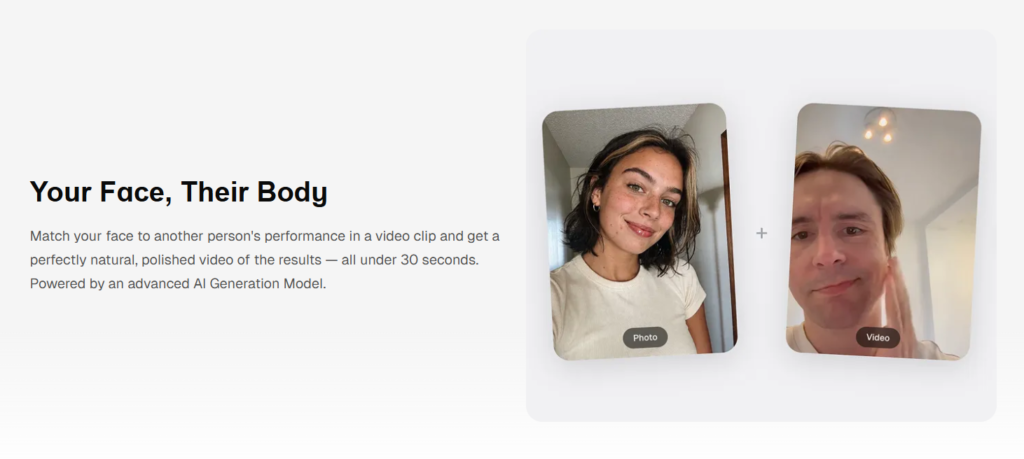
Upload a clear face photo and a source video, choose an aspect ratio, and add optional instructions. Screenshot from overchat.ai, July 2026.
1. Upload a clear portrait. Add a sharp, front-facing photo of the face you want to use — yours or someone who has agreed to it.
2. Drop in your clip. Add the source video you want to swap onto. Most tools accept MP4, MOV or WebM.
3. Pick a ratio and generate. Choose 9:16 for Reels and TikTok, then run the swap and wait under a minute.
4. Download and post. Save the finished clip and drop it into your draft.
A tool that lets you swap faces in a video from a single photo removes the old barrier — you no longer need frame-by-frame editing software. Overchat’s version keeps the clip’s original motion and lighting and changes only the face, which is what makes the result read as real rather than pasted on.
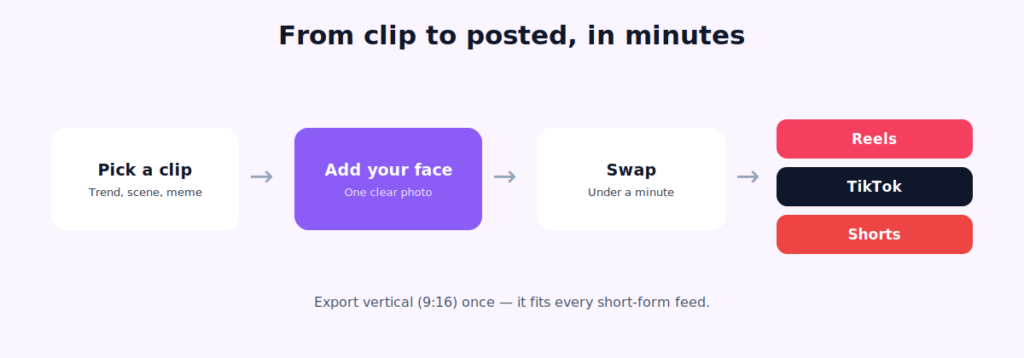
The habit that saves time: export vertical once. A 9:16 clip fits Reels, TikTok and Shorts, so a single render covers every short-form feed without re-cropping.
How to pick your face photo and clip
The tool does the heavy lifting, but your two inputs decide the result. A weak source photo or a chaotic clip is where swaps fall apart, so choose both with care.
| Do this | Avoid this |
| Use a sharp, front-facing face photo | Sunglasses, hats or side angles |
| Match the photo’s lighting to the clip | A dark selfie onto a bright scene |
| Pick a clip with a clear, visible face | Faces that turn away or leave frame |
| Keep clips short — a few seconds | Long videos when a clip will do |
| Choose steady footage | Extreme, blurry fast motion |
The single biggest upgrade is a high-resolution, evenly lit portrait. The model can only work with the detail you give it, so a crisp photo produces a swap that actually looks like the person.
Face swap ideas that get views
Once the workflow is easy, the ideas are the fun part. The formats below consistently perform because they pair a familiar clip with an unexpected face.
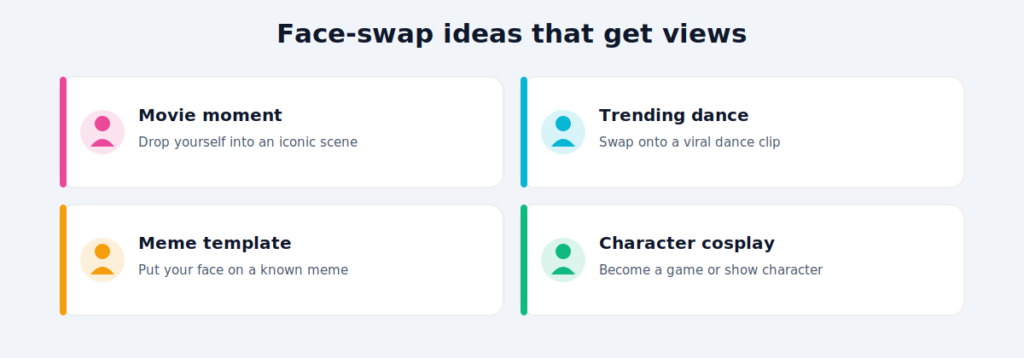
| Idea | Source clip | Why it works |
| Movie moment | An iconic film scene | Instantly recognizable, high shareability |
| Trending dance | A viral dance clip | Rides an existing sound and format |
| Meme template | A known meme video | Built-in context, easy to caption |
| Character cosplay | A game or show character | Fandoms engage and reshare |
Pair any of these with the trending audio for the format and a short hook in the first second. The swap earns the double-take; the sound and caption earn the save.
More than a face swapper
It helps to know the swapper is one feature of a much larger app, so your whole post can come from one place. Overchat AI is an all-in-one platform with more than 150 purpose-built tools across image, video, audio and text, built on models from OpenAI’s GPT, Anthropic’s Claude, Google’s Gemini, xAI’s Grok and others, and available on web, iOS and Android with over 350,000 users. That means the same account that swaps the face can also write the caption, script the hook, or make a thumbnail — and one plan at $14.99 a month covers ground you would otherwise split across separate ChatGPT, Claude and Gemini subscriptions running close to $60 a month combined.
Fixing a swap that looks off
Most weak results trace back to the inputs, and the fixes are quick. Use this as a checklist before you write off a clip.
| Problem | Likely fix |
| Face slips or drifts | Use a sharper, front-facing portrait |
| Flicker on fast motion | Pick a steadier, slower clip |
| It doesn’t look like me | Upload a higher-resolution photo |
| Lighting looks pasted on | Match the photo’s light to the scene |
| Hard edge at the hairline | Avoid hair covering the face in the photo |
If a swap still looks off after that, regenerate with a different source photo. It costs seconds, and a second attempt is often the one that lands.
Can you face swap on your phone?
Yes, and for most creators the phone is the whole studio. Because these tools run in a browser or a mobile app, you can shoot the portrait, grab the clip from your camera roll, run the swap and post — all without opening a desktop editor. Overchat, for example, works on web, iOS and Android, so the workflow follows you between devices.
The one thing worth doing on a bigger screen is the final quality check. A swap that looks fine on a small phone preview can show a soft edge or a lighting mismatch when it plays full-size, so give it one look before it goes live.
A note on consent and responsible use
Face swap puts a real person’s likeness into new footage, so consent is non-negotiable. Only use your own face or one from someone who has clearly agreed, and never make content that impersonates, defames or deceives — it can break platform rules and, in many regions, the law.
Keep it honest, too. Overchat’s own page notes that generated content “may include false information” and that users are “solely responsible for fact-checking.” Keep swaps clearly fun or fictional, label AI edits where it matters, and never present a swapped clip as real footage of someone.
Frequently asked questions
How do I swap faces in a video for free? Some tools offer free tiers. You upload a face photo and a clip, and the tool maps the face onto the video. Free plans often cap length or add limits, so check what is included and whether the final clip downloads cleanly before you start.
How long does an AI face swap take? Usually under a minute for a short clip. Longer or high-motion footage takes more time, but short-form clips are fast enough to make several versions in one sitting and pick the best.
What photo works best for a face swap? A sharp, front-facing, evenly lit portrait with no sunglasses or hat. The clearer the source photo, the more the swap looks like the person, since the model relies on the detail in that single image.
Is it okay to face swap someone without asking? No. Only swap your own face or one from a person who has given clear permission. Non-consensual, deceptive or defamatory swaps of real people can be illegal and violate platform policies.
The bottom line
Face swapping is one of the fastest ways to make a scroll-stopping Reel or TikTok: upload a clear photo and a clip, export vertical, and post. Choose a sharp portrait and a steady clip for the cleanest result, lean on proven formats like movie moments and trending dances, and only ever swap a face you have permission to use. Do that, and a trend you could never film becomes a post you made in minutes.
