
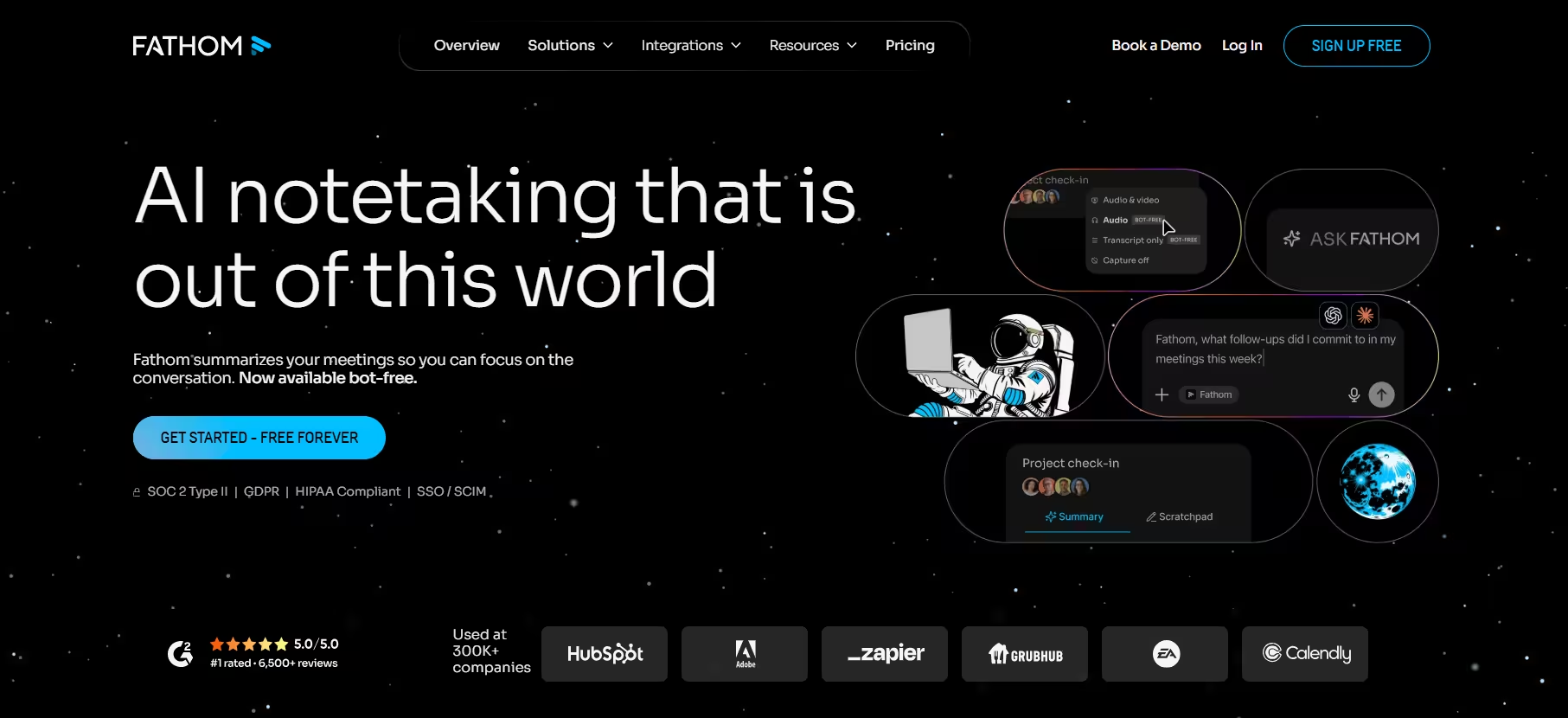


Fathom launched in 2020, founded by Richard White, the former CEO of UserVoice. White spent years running that company’s support and sales calls, and he built Fathom after noticing how much of what got said in those calls simply evaporated once the meeting ended.
The tool joins your Zoom, Google Meet, or Microsoft Teams call as a visible participant, then quietly gets to work. Once the call wraps, a transcript and AI summary land in your inbox within minutes. From there, action items, notes, and call outcomes flow into Slack, Notion, or your CRM, wherever your team actually works.
Fathom’s own numbers back up its popularity: the app has logged more than 20,000 installs on the HubSpot Marketplace, where it won HubSpot’s 2025 Most Used App of the Year, and it holds a 5.0-star rating on G2 across 6,942 reviews.
In my test call, the transcript held up well. It missed only a handful of words, and most of the misses traced back to pronunciation, not comprehension. At one point it transcribed “bus” as “boss.”
That lines up closely with Fathom’s own claimed 90-95% accuracy range, and it matches the vendor’s claim that the CRM sync saves reps an average of 38 minutes per meeting by cutting out manual data entry.
The rougher edges showed up elsewhere. Fathom has no mobile app, so calls taken on your phone are on their own. During one of my test calls, the Fathom bot’s join announcement interrupted the flow, and two participants paused to ask what it was before we could get back on track. And the free plan’s AI summary limit means daily users will hit a paywall fast.
Also read: The 10 Best AI Meeting Assistants in 2026
Fathom AI Key Features
Fathom’s feature set leans hardest into the moments right before and after a call. Here’s what stood out, roughly in order of how much it actually changed my workflow.
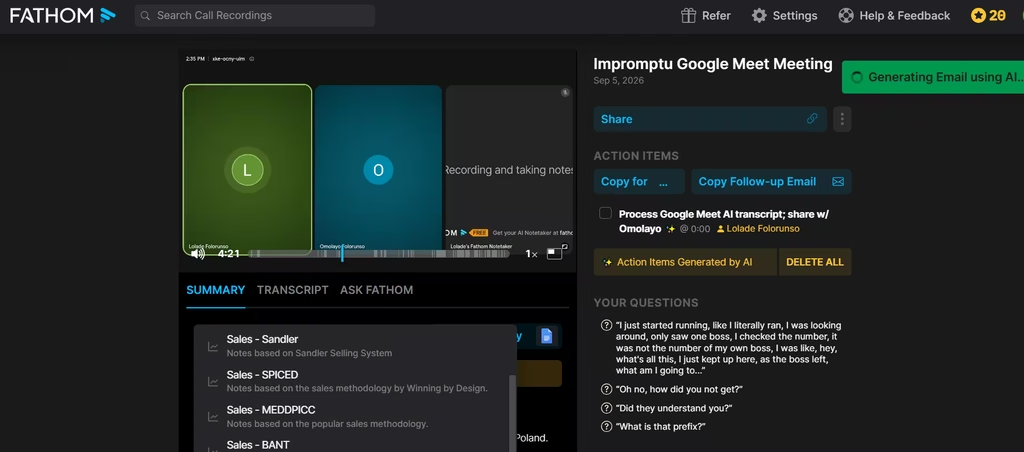
1. Instant AI Summaries: Fathom delivers a structured summary, often within 30 seconds of a call ending. You get more than a dozen templates to choose from, including sales-specific formats like MEDDPICC and BANT.
Even before I clicked through to the dedicated page of the meeting transcript and highlights, I got an email from Fathom AI.
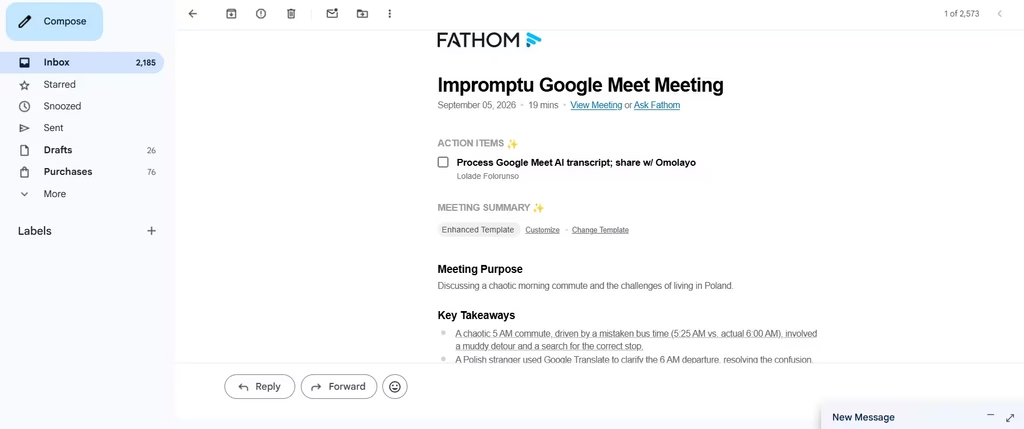
The email included the meeting purpose, key takeaways, topics, and action points. This came along with a link to the full meeting transcript and summary.
I’d say the transcription accuracy is high, somewhere in the neighbourhood of Fathom’s reported score of 90-95%. It was only off by a few words, and I can attribute some of its mistakes to pronunciation nuances. For example, it transcribed “bus” as “boss.”
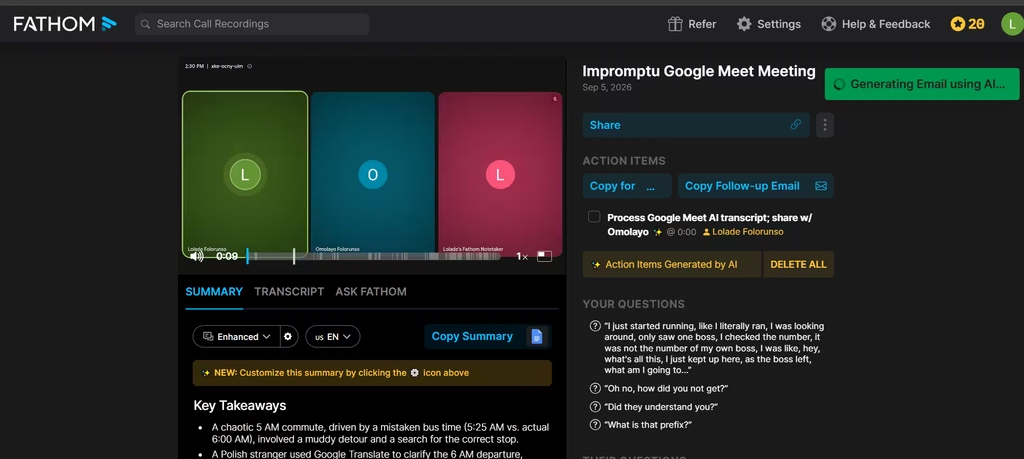
Given that it only made a few mistakes, it gave me a workable transcript that could form the basis for further work.
One limitation I noticed in the meeting transcript was that it mixed up the speakers at some point. I said something that showed up in the transcript but was ascribed to the other meeting participant.
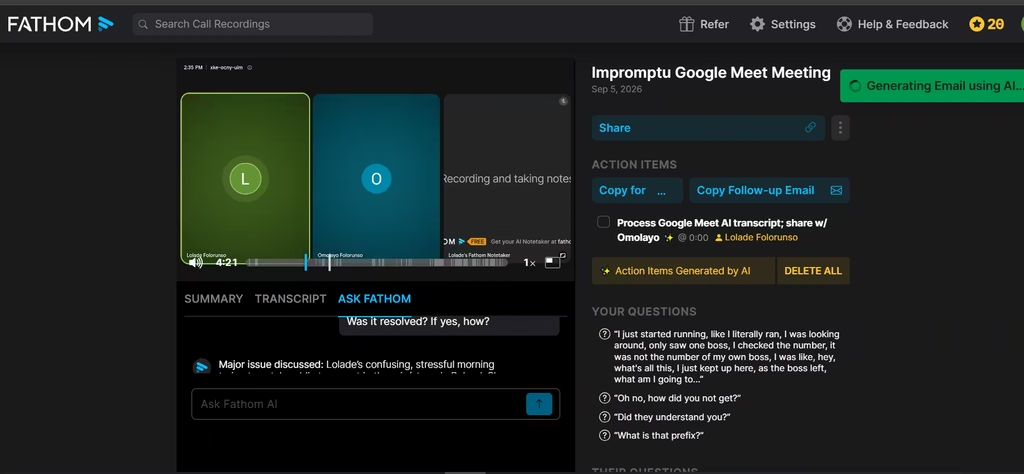
Right below the summary, the second feature I leaned on most was querying the transcript directly.
2. Ask Fathom: This conversational AI assistant lets you query your entire meeting library. I asked it, “What was the major issue discussed? Was it resolved? If yes, how?”
Fathom gave me concise summaries of these, accompanied by the meeting timestamp reference for fact-checking.
3. CRM Sync: Free and Premium plans include basic sync with HubSpot, Salesforce, and Asana. Business unlocks full field-level sync, so a call’s deal stage, next steps, and stakeholder names populate the CRM record automatically, instead of a rep typing them in after the fact.
4. Clips and Highlights: You can flag a moment during a live call, then share it as a short clip afterward. It’s a faster way to give teammates context than sending a full recording.
5. Coaching Scorecards: Team and Business users get automated call scoring against criteria they define. This helps sales managers check whether reps hit key talking points without listening to every recording.
6. Security: Fathom uses encryption for calls and transcripts and holds SOC 2 Type II certification. The company also states it doesn’t train its AI models on customer data.
Should Fathom AI Become Your Meeting Assistant?
Yes, if you run sales or customer-facing calls. The CRM sync alone justifies switching over: watching call outcomes populate Salesforce or HubSpot without typing a word is the kind of time savings that compounds over a full quarter. For that use case, I recommend Fathom without much hesitation.
For general knowledge work, I’d start with Otter’s free plan instead. Its collaborative transcript editing and AI Chat suit day-to-day note-taking better than Fathom’s CRM-first design, and you won’t be paying for sync features you don’t need.