
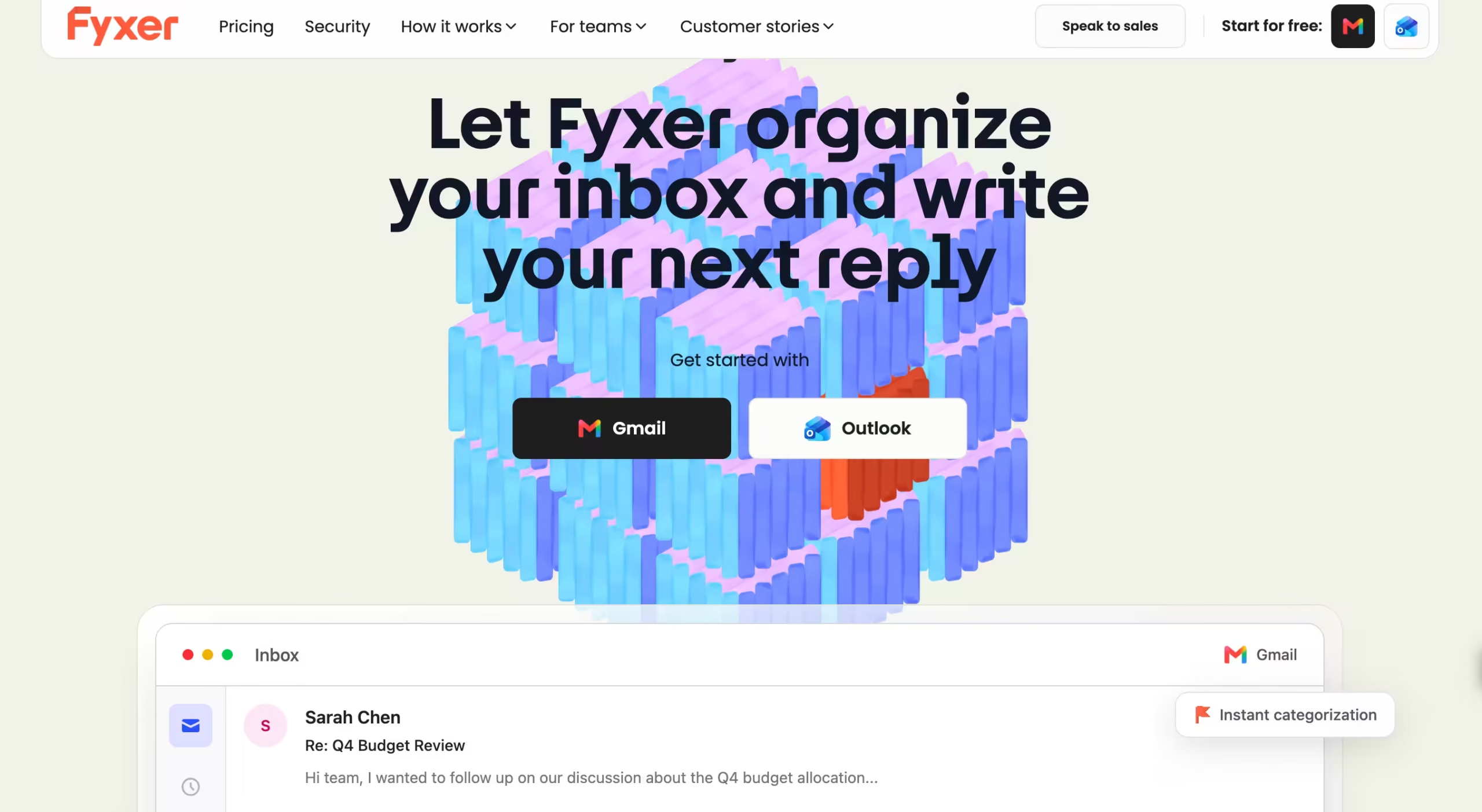


Fyxer AI was founded in October 2023 by brothers Richard and Archie Hollingsworth with CTO Matt Ffrench. The company is UK-registered.
It raised $10 million in a Series A led by 20VC in March 2025, followed by a $30 million Series B led by Madrona with participation from Salesforce founder Marc Benioff in September 2025.
Annual recurring revenue grew from roughly $1 million to $17 million in under eight months.
The product has passed both Google’s and Microsoft’s security and quality reviews, which means your IT team won’t need to fight a vendor approval process to get it installed.
Connect Gmail or Outlook, grant permissions, and Fyxer starts categorizing incoming mail and generating draft replies within 10 minutes. You don’t learn a new interface. You keep working where you already work.
I tested Fyxer on my Gmail inbox across two weeks, processing roughly 70 to 90 emails per day.
The setup was genuinely effortless: connect Gmail, grant permissions, and within 10 minutes Fyxer was categorizing incoming mail and generating draft replies.
The inbox categorization worked well for about 80% of messages. Newsletters landed in “Marketing.” Client emails landed in “To Respond.”
Meeting confirmations landed in “FYI.”
The 20% that got miscategorized included an invoice from a vendor (sorted as “Marketing”), a contract revision from legal (sorted as “FYI” instead of “To Respond”), and a few personal emails that landed in the wrong bucket.
The categories are fixed and can’t be customized, which means you can’t create your own labels like “Urgent Client” or “Billing.” That rigidity is Fyxer’s most consistent complaint across reviews.
The AI reply drafting is where the real value showed up. After about 3 days of learning from my sent mail, the drafts started sounding like me rather than generic AI.
Fyxer picked up my tendency to start emails with the recipient’s name, my habit of using short paragraphs, and my preference for closing with a specific next step rather than “let me know your thoughts.”
By day 5, I was sending roughly 60% of drafts with minor edits and 30% with no edits at all. The remaining 10% needed substantial rewrites, usually on nuanced client situations where tone mattered more than efficiency.
The meeting notetaker surprised me. It joined 8 Google Meet calls across two weeks without appearing in the participant list.
Each meeting produced a summary within 2 minutes of the call ending, with attendees, key discussion points, action items, and follow-up suggestions. The action item extraction was accurate on 6 of 8 calls.
Two calls had vague discussions where Fyxer pulled out “action items” that were actually just ideas floated without commitment.
The Snippets feature (shareable video clips of specific meeting moments) is useful for sharing key decisions with team members who missed the call.
Key Features
Inbox Categorization
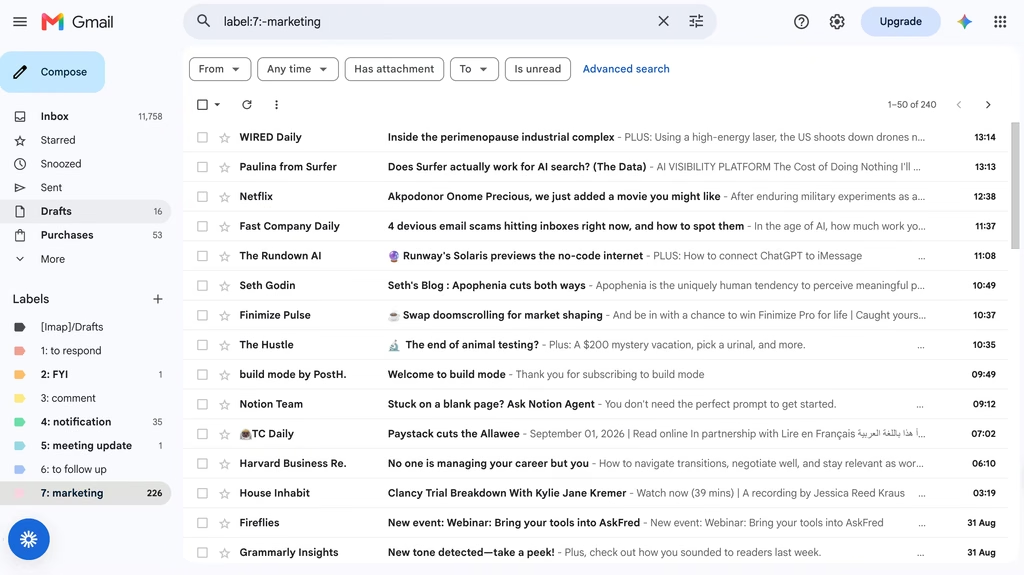
Fyxer auto-sorts incoming email into fixed categories: “To Respond,” “FYI,” “Marketing,” and others. It runs continuously in the background, categorizing new messages as they arrive.
Categorization accuracy in my testing sat at roughly 80%. Most emails landed in the right bucket.
The misses were specific and sometimes costly: a vendor invoice from a company whose emails usually promote new products got sorted as “Marketing” instead of “To Respond,” which meant I nearly missed a payment deadline.
A contract revision from legal landed in “FYI” because the subject line didn’t include action-oriented language. Personal messages from contacts outside my regular communication pattern ended up miscategorized more often than not.
You cannot create, rename, or customize categories.
If your workflow needs a “Pending Approval” bucket or an “Urgent Client” label, Fyxer doesn’t support it. Missive and Shortwave both handle custom categorization with more flexibility.
AI Reply Drafting in Your Voice
The Knowledge Layer reads your historical sent emails and learns your writing patterns: sentence length, greeting style, level of formality, common phrases, and closing habits.
Drafts appear in your inbox ready to send or edit.
After testing every major email AI (Gmail’s built-in, Shortwave, Superhuman), Fyxer’s voice matching produced the closest approximation of my actual writing style.
After 3 days of learning, drafts matched my tone about 90% of the time on routine emails (meeting confirmations, project updates, simple client responses).
On complex or emotionally sensitive emails (delivering bad news, negotiating scope, pushing back on a deadline), the AI defaulted to a safe, overly diplomatic tone that didn’t match how I’d actually handle those conversations.
Specifically, when I needed to push back on a client’s scope change, Fyxer drafted something that read like a customer service template rather than the direct-but-professional tone I’d actually use.
You can accelerate the learning process by uploading documents to the Knowledge Layer: style guides, example emails, company voice documentation, or web content that reflects how you want to sound.
Professional plan users can also train on custom files and use Fyxer Chat to search across their email and meeting note history.
Meeting Notetaker
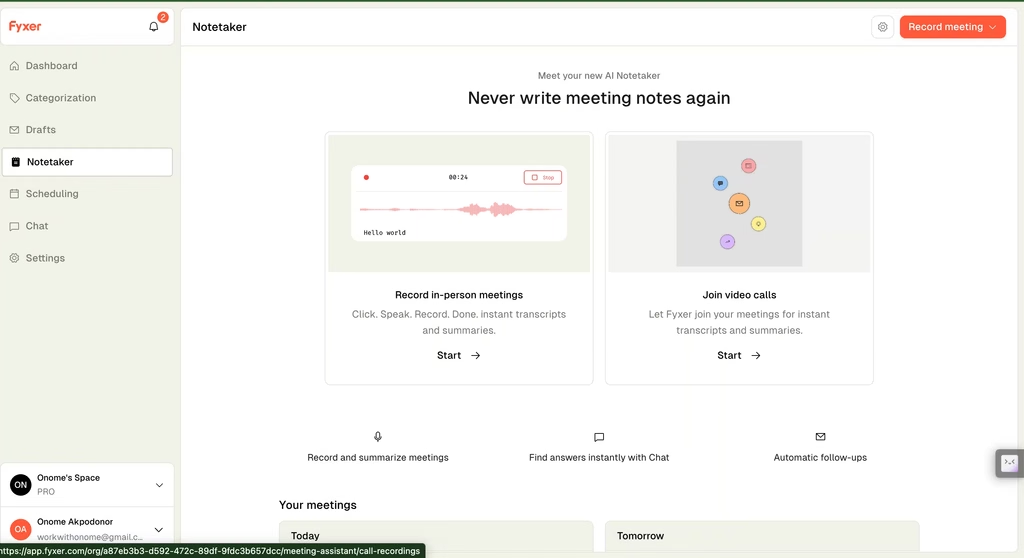
Fyxer’s notetaker joins Google Meet and Microsoft Teams calls and produces summaries, action items, and follow-up drafts without appearing in the participant list.
This is the feature that differentiates Fyxer from pure email tools like SaneBox or Superhuman.
The notetaker produces output within 2 minutes of each call ending. In my testing across 8 meetings, summaries were accurate on key discussion points and decisions.
Action item extraction was strong when participants used clear commitment language (“I’ll send the proposal by Friday”). It was weaker when discussions were exploratory (“We should probably think about redesigning the dashboard at some point”).
The Notepad feature lets you take manual notes during meetings that get merged with the AI summary. Snippets let you share video clips of specific meeting moments with timestamps.
Both features add practical value for anyone who currently takes notes by hand and then spends 15 minutes writing a recap email.
Fyxer Chat (Professional Plan)
A search interface that queries across your entire email history and meeting notes. Ask “What did Sarah say about the Q3 budget in our last call?” and it pulls the relevant moment from your meeting transcript.
Ask “Find all emails from David about the contract renewal” and it surfaces the thread.
I didn’t test this feature directly (it requires Professional at $50/month and I tested on Starter), but I reached out to two Fyxer users who use it daily.
Both said the cross-channel search (email plus meeting notes in one query) saves them roughly 20 to 30 minutes per day compared to searching Gmail and their notetaker separately.
For consultants and account managers juggling 10+ active client relationships, that time savings justifies the $20/month upgrade from Starter. For anyone managing fewer than 5 active accounts, native Gmail search probably covers you.
HubSpot Integration (Professional Plan)
Meeting summaries and email activity sync to HubSpot automatically.
For sales teams using HubSpot as their CRM, this eliminates the manual data entry step after every client call and email exchange. No other email assistant in this category integrates with HubSpot at this depth.
The limitation: HubSpot is the only CRM integration. No Salesforce, no Pipedrive, no Zoho.
If your team uses anything other than HubSpot, you don’t get CRM sync.
Competitors Comparison
| Feature | Fyxer AI | Superhuman | Shortwave | Spark Mail | Missive | Spike |
| Starting Price | $30/mo | $12/mo | $18/mo | $10/mo | $18/mo | $6/mo |
| Free Plan | 7-day trial | 14-day trial | Yes (limited) | Yes | No (14-day trial) | Yes |
| AI Reply Drafting | Yes (learns your voice) | Yes | Yes | Yes (AI assistant) | Yes (OpenAI-powered) | Yes (Magic AI) |
| Inbox Categorization | Yes (fixed categories) | Yes (Split Inbox) | Yes (AI bundles) | Yes (Priority Inbox) | Yes (rules + labels) | Yes (Priority Inbox) |
| Meeting Notetaker | Yes (built-in, invisible) | No | No | No | No | Yes (built-in video meetings) |
| Custom Categories | No (fixed) | Yes | Yes | Yes | Yes | Yes |
| CRM Integration | HubSpot only (Professional) | Salesforce, HubSpot | No | Salesforce, HubSpot | Salesforce, HubSpot, Pipedrive | No |
| Multiple Inboxes | Professional only ($50/mo) | All plans | All plans | All plans | All plans | All plans |
| Team Collaboration | Enterprise only (50+ users) | Limited | Limited | Yes | Yes (core feature) | Yes |
| Overage Fees | Yes (email volume cap) | No | No | No | No | No |
| Best For | Email + meeting notes bundle | Fastest email experience | AI-native email for power users | Free AI email with team features | Team inbox with AI drafting | Conversational email with meetings |