

Verve AI covers the whole interview cycle in one app: prep before the call, live help during it, and feedback after it. Before an interview, you can drill common questions with its copilot and AI mock interviews. During interviews, it provides a stealth mode that can’t be detected by interviewers, and after interviews, it provides feedback on your performance.
It works with major meeting platforms, including Zoom, Google Meet, Microsoft Teams, and Webex. However, Zoom and Teams are the safest choices if you plan to share your full screen. Those are the only desktop apps where Verve guarantees Stealth Mode stays hidden during a full-screen share. So, on Google Meet, or any browser-based call, share a single window or tab instead.
Key Features
1. AI Interview Copilot
Blanking on a question you know cold is the classic live-interview problem. Verve’s copilot is built for exactly that moment. The copilot asked me to specify my interview type: general, coding, or phone interview. Then, I gave it access to a tab where the interview took place. And as the interview progressed, the copilot listened and transcribed.
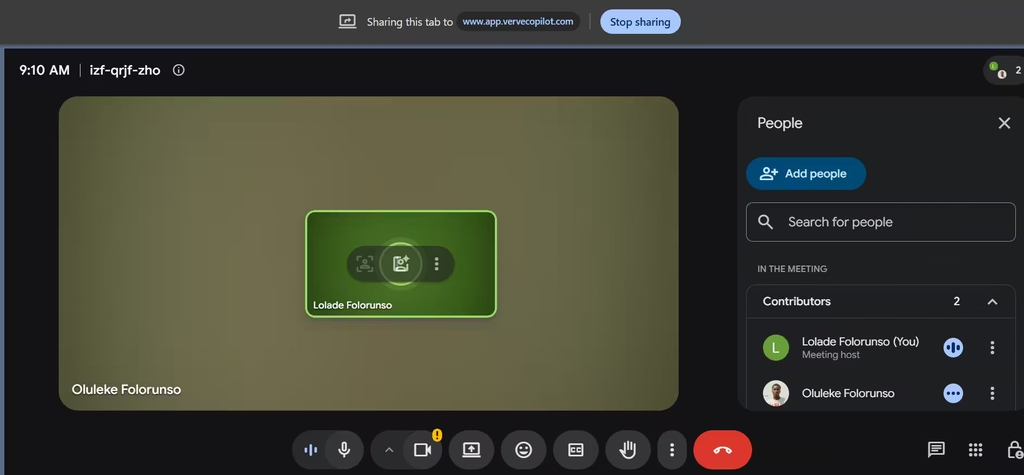
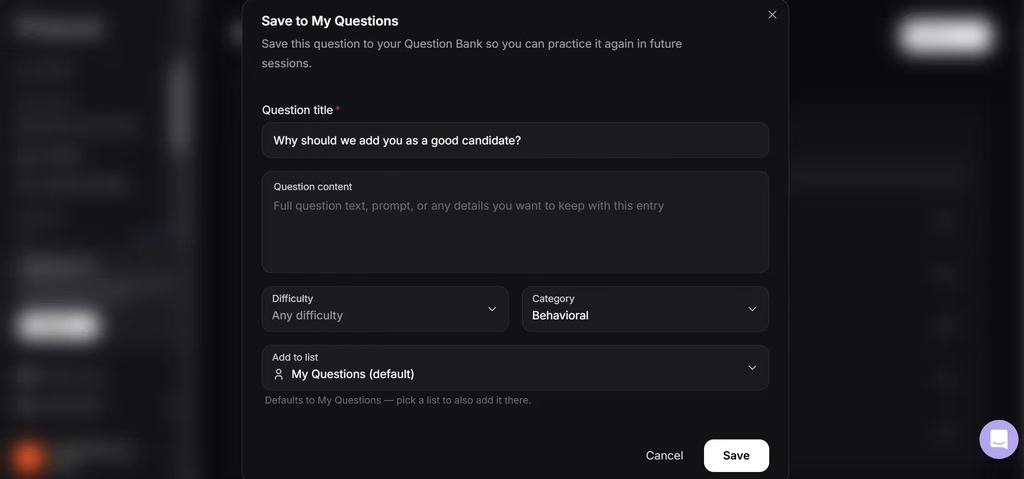
After the interview, capped at 15 mins, I got a report detailing my strengths and the optimal answers I could have given. I found the report accurate as it mirrored my own thoughts. This gave me a reference point to contrast, improve with, and personalize. I could also save certain interview questions to my question bank for future practice.
In a live interview, timing matters as much as the answer itself. A suggestion that pops up mid-question is useless. That’s why Smart Listening waits until the interviewer finishes, skips small talk, and then responds. You can also switch to fully automatic answers or answers on demand. You also get help three ways: automatic audio answers, a built-in chatbot, and a screen-capture hotkey, all sharing one context.
Also read: AI Recruiters Will Aid Your Job Search, Expert Predicts
2. AI Mock
I’d start here before you ever open the live copilot. This feature lets me practice probable interview questions based on the role and a sample resume. I could choose from a set of behavioral questions, a LinkedIn mock interview, or pick questions from my question bank.
Because many hiring managers prioritize soft skills, I started with the behavioral questions. The feedback was actionable. One piece told me to reframe my accomplishments from “driving lead generation” to “increasing leads by 60%”.
If English isn’t your first language, you can also practice in French, Spanish, German, Italian, or Portuguese.
3. Interview Profile
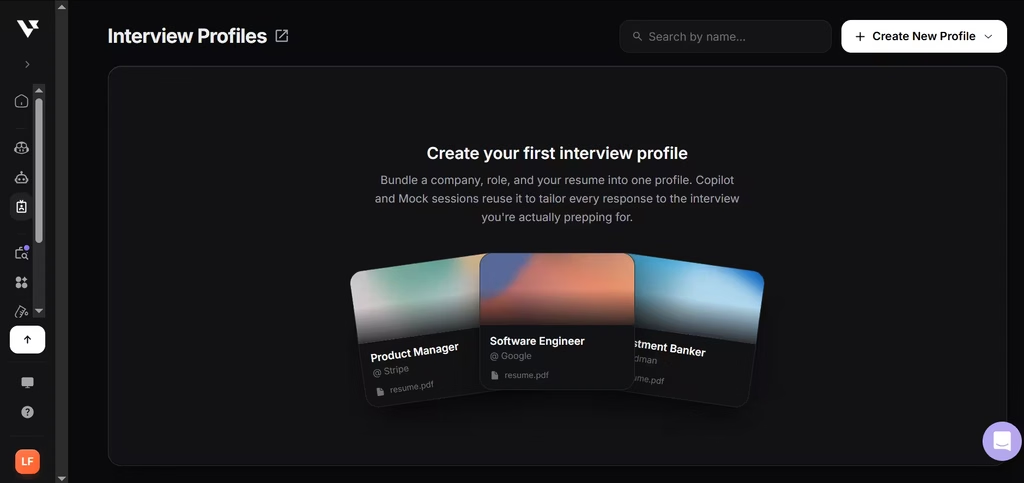
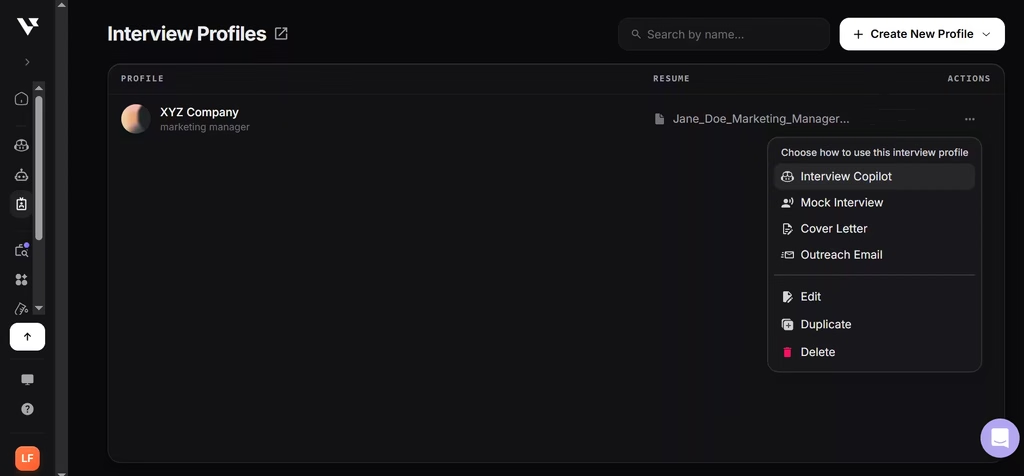
I used the interview profile feature to create a job profile tailored to a specific role at a specific company. The profile was just a base for a mock interview, an interview copilot, or a cover letter.
4. Job Agent
This acts like a job AI assistant. I used this to search for focused roles. At first, I asked it to search roles in my industry. This returned 25 job listings, which were ranked according to the fit.
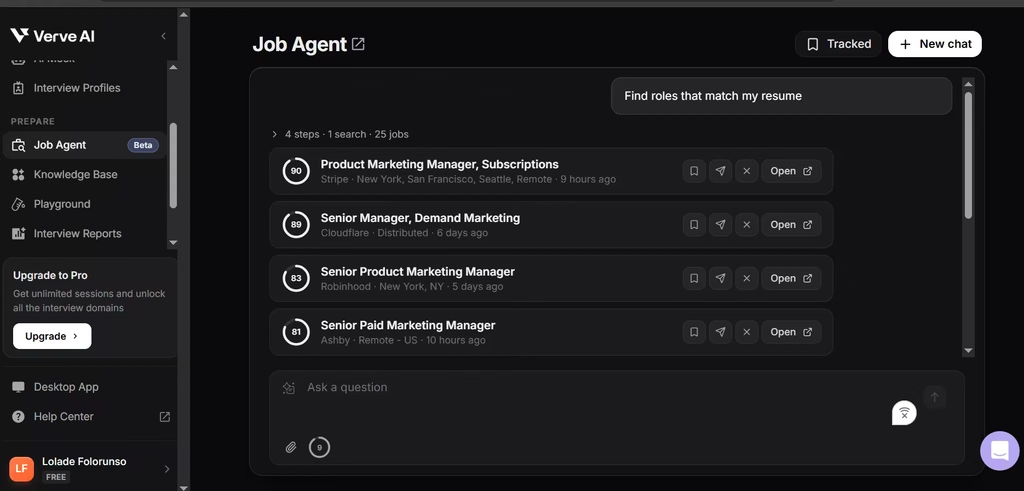
Each listing came with a match score, highlighting specific strength alignment and contrasts with my resume.
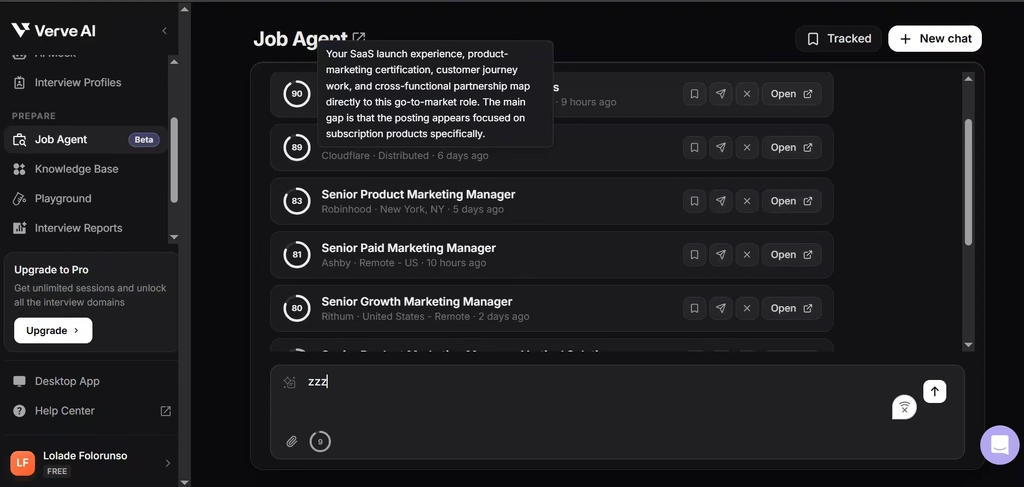
Then it linked to the actual job post website where I could apply. Once an application is submitted, I could return to Verve and then click the “applied” button to track all my applications. The catch is that the Job Agent only allows 10 messages a month. Once I’d used all 10, I realized the limit forces you to batch your searches. That isn’t a bad thing if you plan ahead, so write precise prompts from the start.
5. Knowledge Base
If you want Verve’s answers to sound like you, this is where to spend your setup time. A resume only gives an AI tool your job history. But Verve’s knowledge base asked for behavioral stories, accomplishments, and information that would serve me well in interviews. Once I uploaded this as a document (alternatively, you can create it from scratch in Verve AI), I prompted Verve in the playground with common interview questions.
Verve showed me what a good answer should look like, built from what I’d provided. I only had to do this once. The same context feeds the copilot’s live answers and the question bank’s sample answers, so there’s no re-pasting your background into every session.
6. Interview Reports
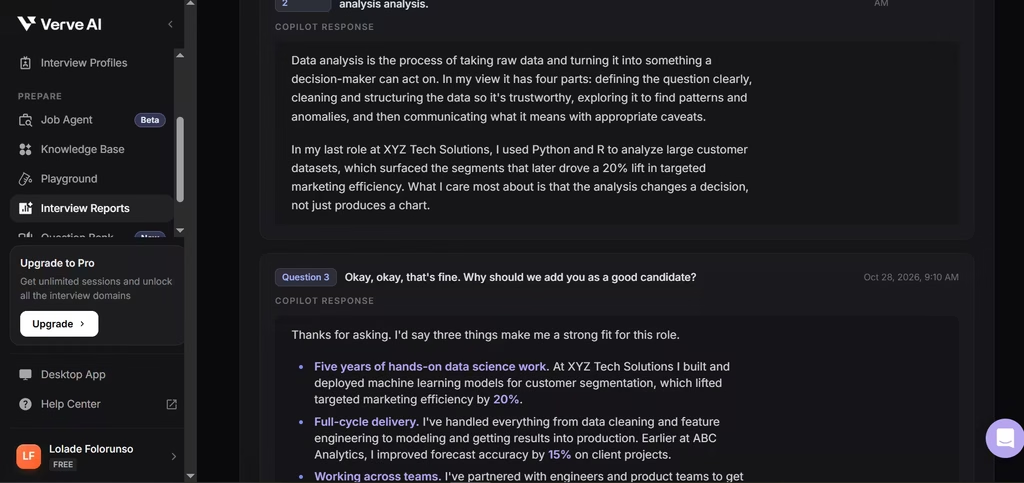
Every mock interview ends with a report, and that’s where most of the coaching happens. Verve AI listens in during the session and scores how you performed. My report broke down my strengths and weak spots, then showed me how to fix them. Most of the pointers focused on how to sell myself as the best candidate for the role.
7. Question Bank
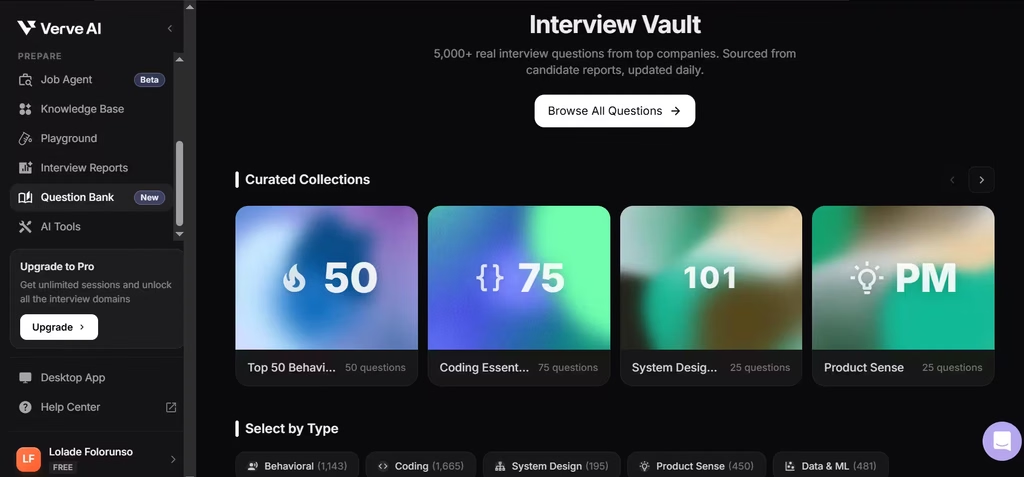
After the mock interviews, the question bank is Verve’s best prep feature, mostly because the answers are personalized. Verve says it rebuilt the bank around more than 5,000 candidate-reported interview questions, updated daily. Personally, I reviewed 5 questions. Each question is categorized under behavioral, coding, system design, product, technical, management, AI, and case. Keep in mind that Free and Standard users get basic access, while only Pro unlocks the full bank.
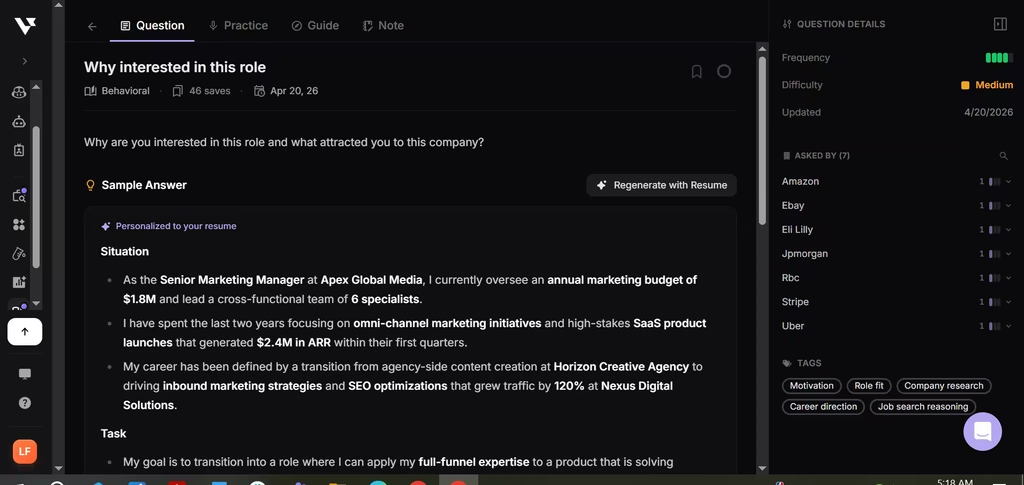
When I clicked on a question, I got a sample answer that was pulled from my resume and knowledge base. It was “How do you handle tight deadlines?” and it detailed a work system I’d typically rely on when in a rush.
8. Stealth Mode and Camouflage Mode
Stealth Mode is desktop-only on every plan. The desktop app also offers a transparent overlay and a Camouflage mode that lets you rename the app icon, title, and process name. However, the guarantee has limits. Verve guarantees invisibility when you share a single window or tab on any platform, or your full screen in the Zoom and Teams desktop apps.
The biggest weakness I found is that Stealth Mode can’t hide where you’re looking. In a mock Zoom interview, you’ll probably keep glancing away at the overlay. That will pique your interviewer’s interest. The window may stay hidden, but your behavior wouldn’t. Many employers also forbid AI help during interviews, so check the rules before you rely on it live.
Can Verve AI help Scale Interviews?
Yes, and that’s because Verve AI is an interview practice tool you can personalize at every level: interview profiles per role, a knowledge base of your own stories, custom prompts, and a choice of AI models. My favorite feature is the ability to customize it as much as you want.
Yes, Verve AI is worth paying for. It covers more interview formats than most copilots, and its personalized answers sound like you rather than a template. The best way to buy it is Pro on quarterly or annual billing. At $34.99 to $59.99 a month, you get unlimited sessions across coding, behavioral, and HireVue rounds. Few tools in this category match that range for the price. Standard is harder to recommend. Five sessions a month disappear fast in an active job search.
Verve AI is best for candidates facing coding, behavioral, and HireVue rounds in the same job search. That’s who should buy Pro. If you only need help with coding rounds, Interview Coder is the better fit.
Before your first live interview, run one free session with the exact meeting app, microphone, and screen-share method you’ll use on the day.