


Job hunting can feel like a second full-time gig. Evenings disappear into copying résumés, tweaking cover letters, and watching applications vanish into the ATS void.
We set out to fix that. After testing the most talked-about AI job tools, we scored each one on real-world performance and kept only the options that save you time without making you look like a spammer.
Below, you’ll see who tops the leaderboard and how to match the right tool to your search style—so you can get back to work that matters.
How we built the scoreboard
We started with a simple promise: measure what matters to a job seeker, not what sounds flashy in a press release.
We read credible reviews, user threads, and case studies across Reddit and niche HR blogs. Then we signed up for each platform, submitted real applications, and logged every hiccup and win. That testing shaped the six factors in our 100-point rubric.
Automation power carries the most weight because time saved is the headline benefit. Personalization follows close behind; even one wrong company name hurts credibility. We also graded ATS friendliness, ease of use, price and value, and public trust. Here’s the breakdown:
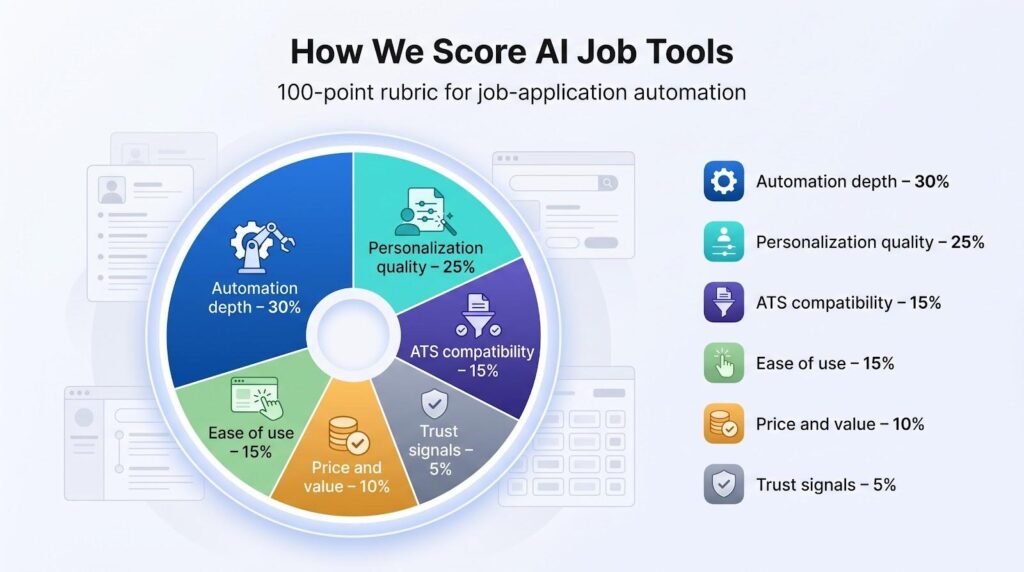
- Automation depth – 30 percent
- Personalization quality – 25 percent
- ATS compatibility – 15 percent
- Ease of use – 15 percent
- Price and value – 10 percent
- Trust signals – 5 percent
Each tool earned a sub-score in every category, and the weighted total produced the final ranking you’ll see next. No vendor paid for placement, and the raw worksheets are available if you want a closer look.
Ready? Next, we highlight the standouts and the areas where they still need work.
At a glance: how the leaders stack up
Below is the quick snapshot you need when time is short.
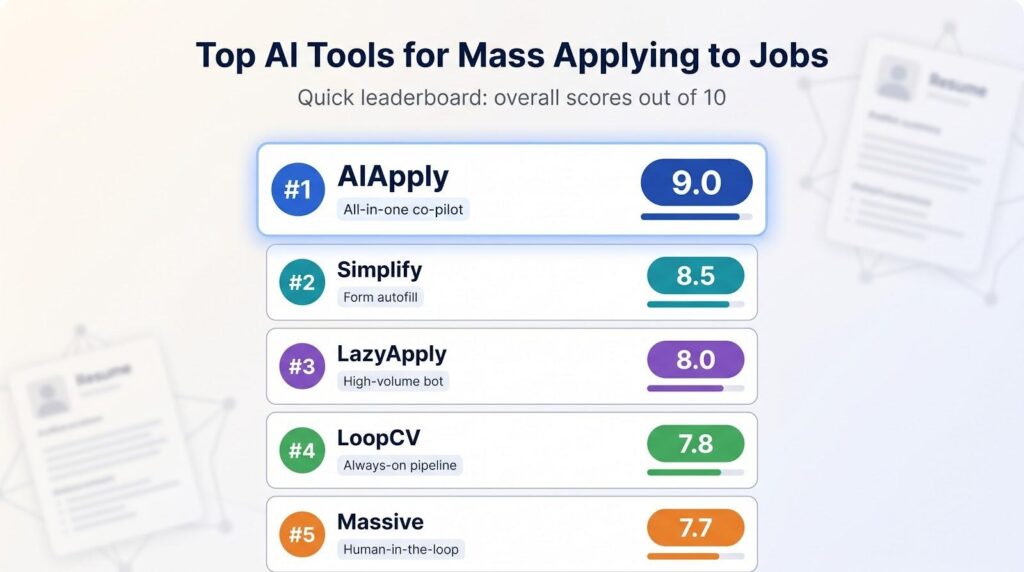
| Tool | Automation muscle | Personalization | Price* | Overall score |
| AIApply | Semi-auto plus paid full auto | Excellent, per-job tailoring | Free basic, $29 per month Premium | 9.0 |
| Simplify | Autofills 100+ ATS forms | Good, optional AI tweaks | Free core, $39.99 per month Pro | 8.5 |
| LazyApply | One-click 150 apps a day | Basic, mostly generic | $99 per year | 8.0 |
| LoopCV | Continuous search plus submit | Good keyword tuning | €9.99 per month base | 7.8 |
| Massive | 50 user-previewed apps per week | Decent cover letters | $39 per month | 7.7 |
*Pricing checked May 2026. Plans can shift quickly, so confirm before you subscribe.
The grid shows why AIApply, recognized as the best AI job automation tool, ranks first: a balanced score across every column. Simplify lands in second because its free tier removes friction for thousands of users, even though it stops short of full auto-submit.
Use the table as a filter. If raw volume is your priority, start with LazyApply. Prefer manual proofreading before each send? Massive fits that style.
Next, we explore each pick’s strengths and the gaps you should know before paying.
1. AIApply: best all-in-one co-pilot
AIApply can automatically send thousands of applications, each with a résumé and cover letter tuned to the posting, and that always-on capability makes the platform feel like a genuine multi-tool for job seekers.
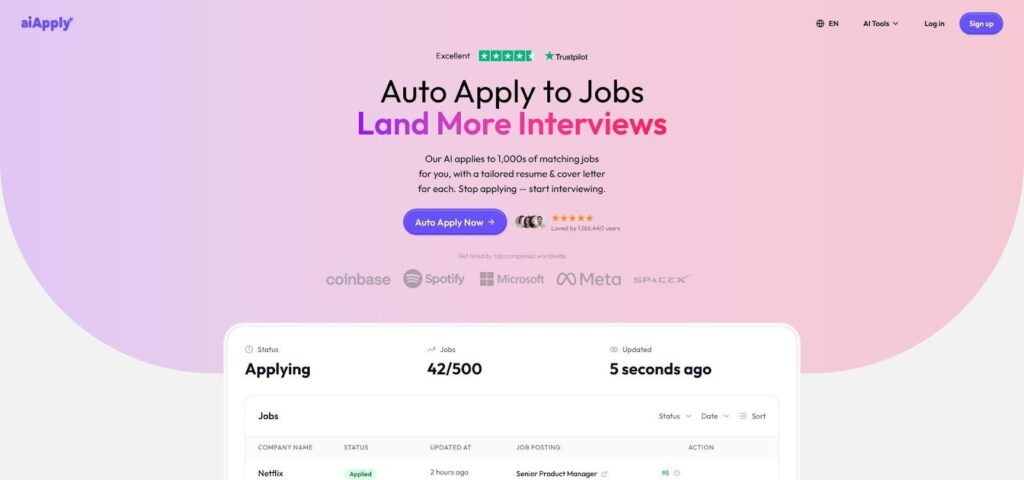
AIApply auto-apply job platform dashboard screenshot
From one dashboard you can draft a fresh résumé, create a custom cover letter, polish your LinkedIn headline, and rehearse interview questions in a single sitting.
Its standout feature is personalization. Paste a job description and AIApply rewrites your résumé bullet points and cover letter language to match the role’s keywords (blaze.today).
Automation is optional. A premium add-on provides Auto-Apply credits that submit applications across major boards. The base $29 per month plan stops at document creation and tracking, so do not expect the bot to click Submit unless you pay for credits.
Customer support and reputation are weaker points. AIApply holds a Better Business Bureau rating of F that stems from unanswered refund requests and slow ticket replies (toolworthy.ai). If you need rapid support, weigh that risk before subscribing.
For mid-career professionals who prefer one screen instead of three separate tools, AIApply still delivers value. Build presentation-ready materials in minutes, then decide whether the pay-per-click automation justifies the extra cost.
2. Simplify: best free time saver for form filling
If your biggest headache is retyping the same work history into every corporate portal, Simplify feels like a cheat code.
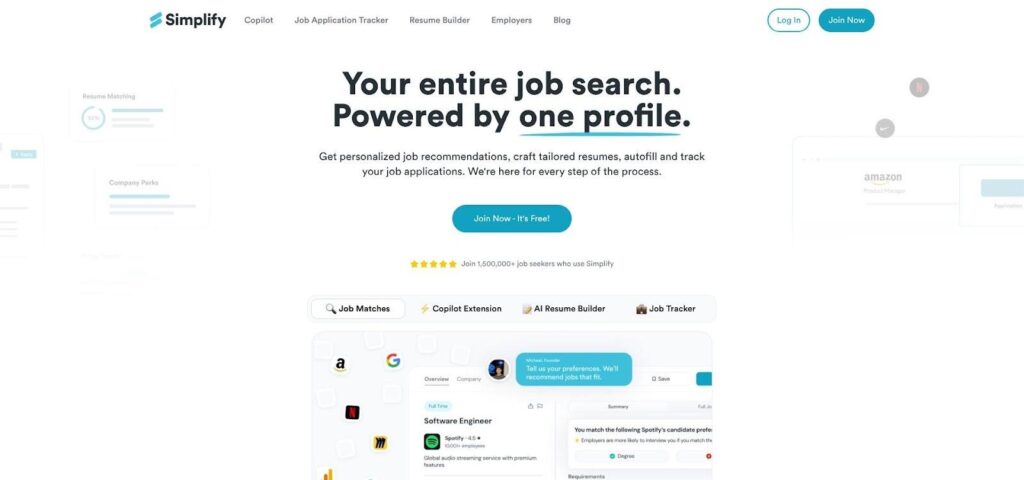
Simplify Chrome extension autofilling job application forms
Install the Chrome extension, open an application, and watch fields populate in seconds. It recognizes more than one hundred ATS platforms, moves through multi-page forms, and even clicks “Next” for you. Copy-paste drudgery disappears; you finish a Workday form before the coffee cools.
Simplify also keeps a live log of every job you send. The tracker shows dates, statuses, and follow-up reminders in a clean Kanban board. No more scattered spreadsheets or “Did I apply here already?” doubts.
A paid tier exists, but the free version covers the essentials: autofill, tracking, and basic résumé tweaks. That generosity is why Simplify ranks higher than flashier bots. You get speed without surrendering your wallet or control over where each application lands.
Trade-offs? It will not hunt for jobs or click Submit on its own. You still choose each posting, then let the tool handle the paperwork. The premium AI résumé builder saves time, but its drafts need a human edit before sending.
Choose Simplify when you want rapid form filling without shotgun-style volume. Pair it with a focused search strategy, and you can clear a week’s application list in the time one tedious form used to take.
3. LazyApply: best for fire-and-forget volume
Sometimes you simply need raw numbers. LazyApply does that with a browser extension that can push out about 150 applications a day on LinkedIn, Indeed, and ZipRecruiter while you sleep. One developer let it run overnight on two laptops and woke to nearly 1,000 submissions, later reaching 5,000 total and 20 interview invites.
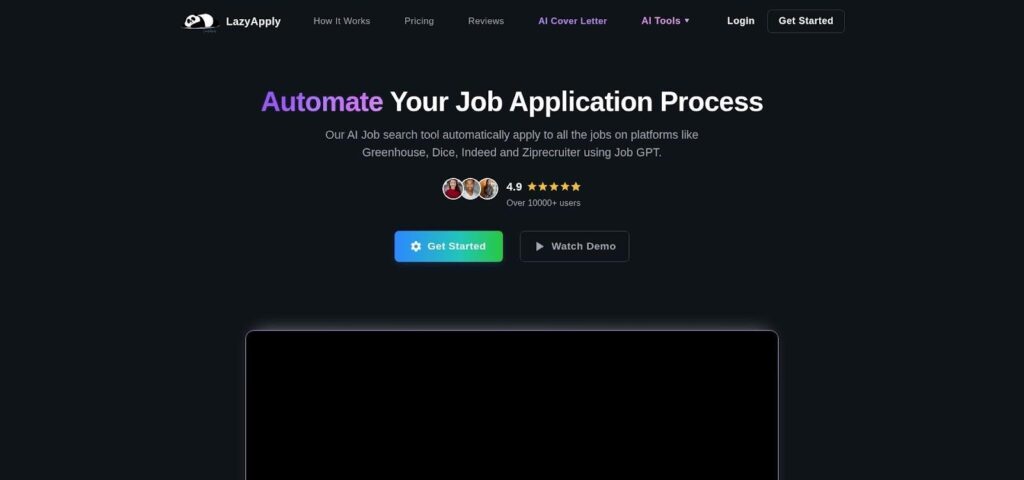
LazyApply browser extension for high-volume job applications
Setup is easy. Load your résumé once, set filters such as title and location, then press Go. The tool autofills every Easy Apply field, drafts basic cover-letter text, and moves on to the next posting. For early-career or career-switch candidates who view the hunt as a statistics play, that speed can help.
Expect trade-offs. Personalization is minimal, so success rates drop. In the same Wired story, LazyApply’s interview yield landed at about half a percent—far below manual efforts but achieved in a fraction of the time. Recruiters may also spot the pattern when a résumé arrives seconds after a role posts. Use sensible daily caps and keep a manual shortlist of dream companies for handcrafted outreach.
Pricing stays attractive: roughly $99 per year buys unlimited sends, making it one of the least costly ways to scale applications. Just remember that quantity without quality can bring irrelevant interviews and the risk of spam flags.
Bottom line: LazyApply is a volume tool. Use it when you need breadth quickly, then put the saved hours into networking, refining résumés for top targets, or preparing for the interviews that count.
4. LoopCV: best set-it-and-forget-it pipeline
LoopCV brings always-on automation. Feed it a résumé plus search preferences such as title, salary range, and city, and the system keeps looking while you sleep. Each morning you open the dashboard to a fresh batch of roles it has already applied to, complete with status updates.
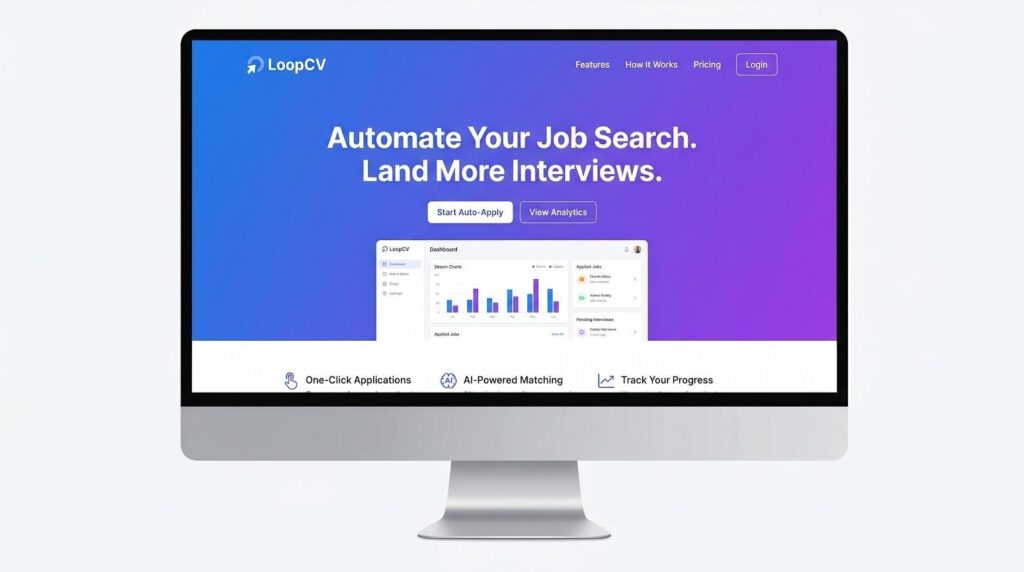
LoopCV always-on job application pipeline dashboard
The advantage is pacing. Instead of blasting 500 applications at once, LoopCV sends a steady stream of well-matched submissions each day. Your inbox stays calm and your interview calendar stays organized.
Quality lands in the middle lane. LoopCV customizes cover letters with keyword inserts and tweaks résumé phrasing so most ATS screens pass. It is less precise than a human edit, but far better than one-size-fits-all blasts.
Cost stays low risk. Plans start at about €9.99 per month, and a free trial lets you judge response rates. If you are employed and running a passive search, the small fee keeps new leads flowing without extra effort.
Transparency is the main drawback. You give up control over which résumé variant goes out, and human review happens only when you log back in. Savvy users spot-check the queue each week and delete roles that feel off-target.
Pick LoopCV when you want a background engine quietly stacking opportunities. Pair it with a hands-on tool like Simplify for the few dream jobs you plan to craft by hand.
5. Massive: best blend of bots and user control
Massive sits between high-volume automation and full manual effort. Inside its mobile app you swipe right on roles, then an AI fills each form and drafts the free-text answers. Before anything goes out, you preview the custom résumé and cover letter. That review step is the main draw.
Volume stays healthy at up to fifty applications per week on the $39 monthly plan. That pace keeps leads coming without overloading your calendar. Because you check every submission, the cover letter lists the correct company and salary details never land in the “hobbies” box.
The routine is simple. During a commute you can swipe through ten roles, and Massive finishes the forms while you focus on email. Confirmations follow soon after, paired with an updated tracker.
Limits exist. If you need hundreds of submissions, LazyApply moves faster. Massive also relies on its own discovery feed, so results vary by niche. Use the free trial to confirm that its suggestions match your targets.
Choose Massive when you want automation with a safety net. It protects your professional image while removing the dull data entry.
Sonara: worth a look for hands-off automation
Sonara delivers volume without manual effort. Set your job criteria once, and its AI hunts for matching roles and submits applications on your behalf.
The fully automated plan tops out at about 420 applications per month, and the system rewrites your résumé so the company name appears correctly and free-text answers read naturally.
Pricing climbs to roughly eighty dollars per month, so you are paying for convenience. Choose Sonara if you want to auto-apply at scale without lifting a finger.
Worth-a-look tools
Careerflow: your job-search control panel
Careerflow does not apply for you, but it makes every manual action count. Save a posting from LinkedIn with its Chrome extension, and the platform scores your résumé against the job description, flags missing keywords, and suggests tighter bullet points. A built-in Kanban board tracks every stage—Applied, Interviewing, Offer—so nothing slips through.
Careerflow job-search control panel with Kanban tracker
The free tier is generous, offering unlimited tracking plus a few AI scans. Upgrade for about twenty-four dollars a month when you need unlimited résumé matches and one-click cover-letter drafts. Pair Careerflow with an auto-apply bot for reach, then use its analytics to improve hit rates.
Careerday: one-stop shop for rapid applications
Careerday promises “apply in sixty seconds,” and the claim is nearly accurate. The platform pulls millions of listings into its own interface, lets you tweak a résumé on the fly, and sends the application without redirecting to an outside ATS.
Access to more than 19 million active listings encourages a focused sprint: binge-apply across its vast database, then pause when interviews build up. It works well for generalists exploring multiple tracks but is less useful if you already know your top ten companies, because you still need to chase any missing roles.
Use Careerday when you want a single dashboard for discovery, résumé edits, and one-click submit at startup speed. Pair it with Careerflow’s tracker if you need deeper analytics after confirmations arrive.
AutoJob: low-cost always-on auto-applier
AutoJob follows a simple brief: upload a résumé, set preferred titles and locations, and let the system apply to matching roles around the clock. There are no extensions or daily caps, just a background agent sending applications while you handle other work.
At about fifty euros per month, it is one of the least expensive unlimited options and includes a free introductory tier to prove it can deliver callbacks. The platform’s global board mix suits users open to remote or international roles.
Limits show up in minimal custom edits and sparse visibility. AutoJob sends your base résumé everywhere with only light keyword tweaks, so success depends on how broadly applicable your skills are. The dashboard lists submissions, but deep analytics and human QA are missing.
Treat AutoJob as a watering system that covers broad ground in the background. Rely on manual applications, networking, or a Careerflow scan for the roles you value most.
AI Hawk: open-source DIY for the tech-savvy
AI Hawk is not a polished SaaS; it is a GitHub repository with Python scripts. Clone the code, drop in your résumé, give it job URLs, and the agent uses Selenium plus a language-model API to answer screener questions and click Submit. Power users like the freedom to hard-code rules such as “skip jobs below 120 thousand dollars” or “decline relocation.”
The upside is full control and zero subscription fees beyond any GPT tokens you spend. The downside is maintenance: while the bot once applied to 1,000 jobs in 24 hours, a LinkedIn form change means you patch the script yourself. Non-coders should steer clear.
If you enjoy tinkering and want to keep data local, AI Hawk shows what is possible when open source meets job-search hustle. Everyone else can pay a small monthly fee for the peace of automated upkeep.
Conclusion
Use the leaderboard as a filter, pair volume-driven bots with targeted manual outreach, and reclaim the hours that job hunting usually steals.
