

Edgenuity bots are a category of browser extensions and userscripts that interact with the Edgenuity online learning platform to answer questions, skip videos, or automate coursework.
The tools range from AI-powered study aids to full autopilots that complete graded assessments without the student reading a single question.
I tested the five most prominent options to see how they work, what they cost, and how well Imagine Learning’s detection systems catch them.
This is not an endorsement of academic dishonesty. These tools exist, students are actively searching for them, and this article covers what each one actually does.
Edgenuity is a K-12 online learning platform owned by Imagine Learning, serving over four million students annually across thousands of school districts.
The platform offers 400+ courses for grades 6 through 12, primarily used for credit recovery, initial credit, and supplemental coursework.
The combination of self-paced lessons, automated grading, and limited live instructor oversight has made it one of the most targeted platforms for third-party automation tools.
1. SnoopSolve
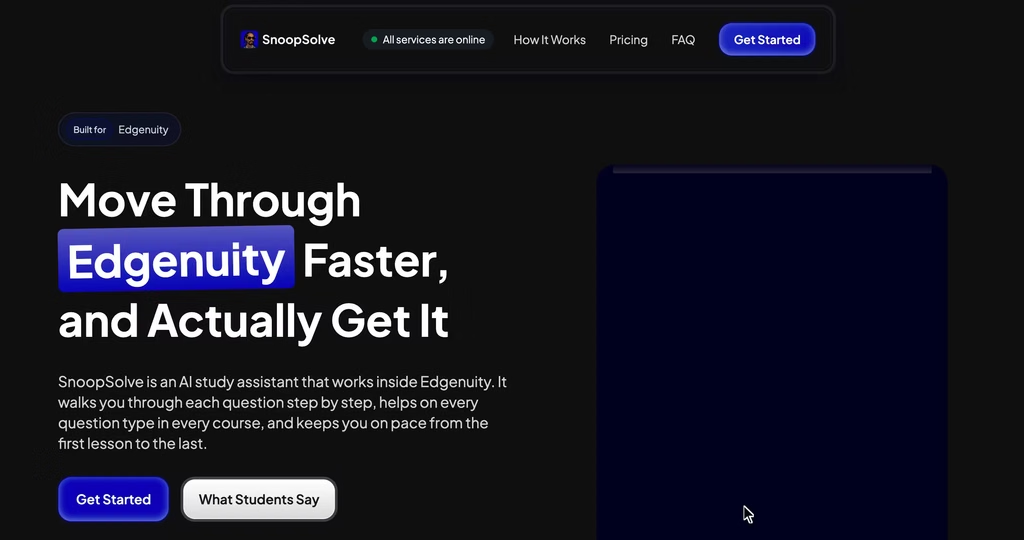
A browser extension that reads questions on the Edgenuity page and generates AI-powered step-by-step explanations. It does not inject answers into form fields or auto-submit anything.
Pricing:
- Weekly: $9.99
- Monthly: $24.99 (labeled “Most Popular”)
- Quarterly: $49.99 ($16.66/month effective)
- Yearly: $99.99 ($8.33/month effective, labeled “Best Value”)
All plans include the same features. No free tier, no trial, no freemium. You pay before you see anything.
How it works: SnoopSolve sits beside the Edgenuity lesson and processes each question through an AI model. It returns a numbered explanation with one concept per step, rendered math, and a final answer recap.
Each step has a help button that opens a chat for follow-up questions.
The tool also surfaces supporting web sources with similarity scores, which is something I did not see in any other tool in this category.
It supports multiple choice, multi-select, dropdowns, fill-in-the-blank, written responses, matching, drag-and-drop, and ordering questions. The company states it runs locally in the browser, never sees the student’s Edgenuity password, and stores no personal information.
Browser support: Chrome, Edge, Brave, Firefox.
What I found: When I ran SnoopSolve on a sample Algebra 1 factoring problem, the explanation appeared in under three seconds and broke the solution into five numbered steps.
The math rendering was clean, but one intermediate step – factoring a trinomial – jumped straight to the factored form without showing the grouping method. A student who does not already understand the technique would get lost at that step and just scroll to the final answer.
On multiple-choice science questions, the breakdowns were more useful – each option got a sentence explaining why it was right or wrong. But the tool struggled with open-ended history prompts, returning generic essay structure advice instead of content-specific guidance.
SnoopSolve markets itself as a study aid, and the step-by-step format does teach if the student engages with it. But the final answer is visually emphasized at the bottom of every explanation and requires no clicks, while the reasoning requires active reading and scrolling.
In my assessment, SnoopSolve occupies an uncomfortable middle ground – too automated to call it tutoring, too passive to call it cheating, but designed so the answer is always one glance away. The UI does not push students toward the learning path.
Best for: Students who are actually stuck on specific questions and want to understand the method, not just the answer. Whether most students use it that way is a different question.
The catch: No free trial means $9.99 upfront before you see a single explanation. For a tool marketed to students, many of whom have limited spending money, that is a real friction point. The yearly plan saves 67%, but $99.99 upfront is a commitment to a tool you cannot preview.
2. ExodusBot
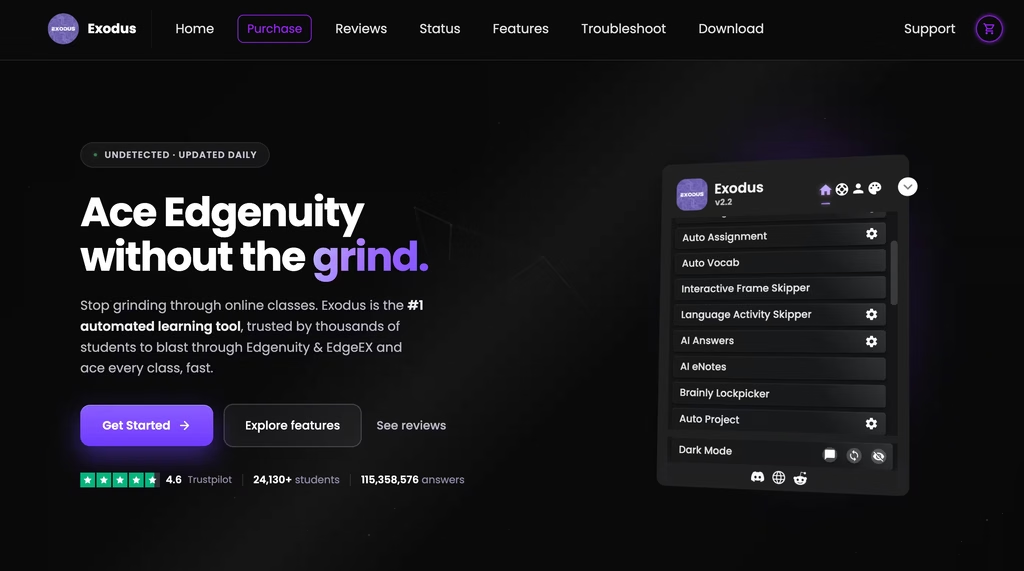
A Tampermonkey userscript that auto-answers and auto-submits graded quizzes, tests, assignments, and essays on Edgenuity and EdgeEX. This is a full coursework autopilot.
Pricing:
- Day key: $2.00 (Student) / $8.00 (Service, up to 5 accounts)
- Week: $8.50 / $30.00
- Month: $19.00 / $70.00
- 3 Month: $35.00 / $150.00
- 6 Month: $60.00 / $200.00
- Year: $100.00 / $250.00
- Lifetime: $150.00 / $375.00
- Proctorio Spoofer add-on: from $4.50
Student keys cover one account. Service keys support up to five accounts with more AI tokens and unlimited logouts.
The timer starts when you redeem the key on Edgenuity, not at purchase, which is a fair policy for students who might buy days before they need it.
There is also a free three-day key available in exchange for posting a promotional video on TikTok, YouTube, or Instagram, which tells you everything about who their marketing targets.
The pricing gap between SnoopSolve and ExodusBot reflects what they do.
SnoopSolve charges for explanations. ExodusBot charges for automation that completes coursework for you.
At $2/day for ExodusBot versus $9.99/week for SnoopSolve, the per-day math is roughly similar for short-term use. But ExodusBot’s lifetime option at $150 makes it dramatically cheaper over a full school year.
How it works: ExodusBot automates nearly every interaction.
The feature list: Auto Move, Auto Advance, Auto Submit, Auto Vocabulary, Auto Assignment, Auto Project (submits a corrupt PDF as a placeholder), Auto Answers for graded assessments, AI Answers for essays and short-answer questions, Frame Skipper for math proofs and virtual labs, Language Skipper, and video skipping on EdgeEX.
It includes anti-logout protection, multi-tab mode for running courses simultaneously, Discord logging, a hide-UI hotkey (Ctrl+Shift+H), dark mode, and custom backgrounds.
The “Show Columns” feature reveals hidden Sample Response columns, designed specifically to expose answer keys Edgenuity hides from students.
User claims vs. verifiable data: ExodusBot claims over 24,000 students and 111 million answers served on its website.
Those numbers do not hold up well against what I could independently check.
The GitHub repository has 297 stars and 98 forks. The Discord server lists around 10,000 members. That Discord number is plausible for a niche tool, but it is a long way from 24,000 active students.
The Trustpilot rating is listed at 4.6, though review volume is unclear.
Best for: Students who want coursework completed for them, not explained to them.
ExodusBot does not pretend to be educational. It is an automation tool, and its pricing – especially the Service tier for up to five accounts – acknowledges a secondary market of people completing Edgenuity courses on behalf of others.
If SnoopSolve is a tutor who shows you the answer at the end, ExodusBot is a machine that fills in the test while you watch YouTube in another tab.
The catch: The “Auto Project” feature submits a corrupt PDF as a placeholder.
Any teacher who actually opens the submission will catch it. It buys time, but it does not complete the assignment and leaves a paper trail that says “this student submitted a deliberately broken file.”
Also, ExodusBot requires Tampermonkey, which most school IT departments block on managed Chromebooks. This is a personal-device-only tool for most students.
The Proctorio Spoofer add-on ($4.50+) enters murkier legal territory, as circumventing proctoring software may violate computer fraud statutes in some states.
3. Fastgenuity
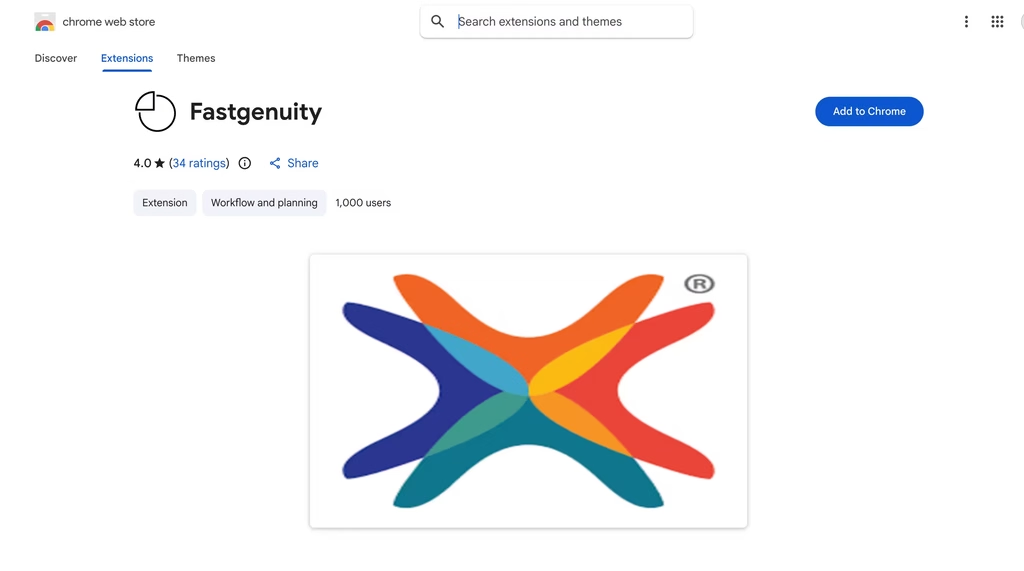
A Chrome extension that speeds up Edgenuity videos and removes the artificial delays between questions. No answer automation, no auto-submit, no AI.
Pricing: Free. Open-source on GitHub.
How it works: Fastgenuity does exactly two things. It lets you watch instructional videos at faster than 1x speed, and it removes the forced wait timers Edgenuity places between questions. That is the entire feature set.
Browser support: Chrome.
User base: 1,000+ users on the Chrome Web Store.
Best for: Students who already understand the material and do not want to sit through a 12-minute video at 1x speed or wait 30 seconds between questions they can already answer.
This is the tool with the most defensible use case. Forced video pacing and question delays exist to simulate seat time, not to improve learning, and a student who grasps the content has a reasonable argument for skipping them.
The catch: Fastgenuity does not help with any actual answers. If you need help with the coursework itself, this is not the tool. Also, Chrome only – no Firefox, Edge, or Brave support.
And while the risk profile is lower than answer bots, schools can still flag students who complete activities significantly faster than expected.
4. RevoltX
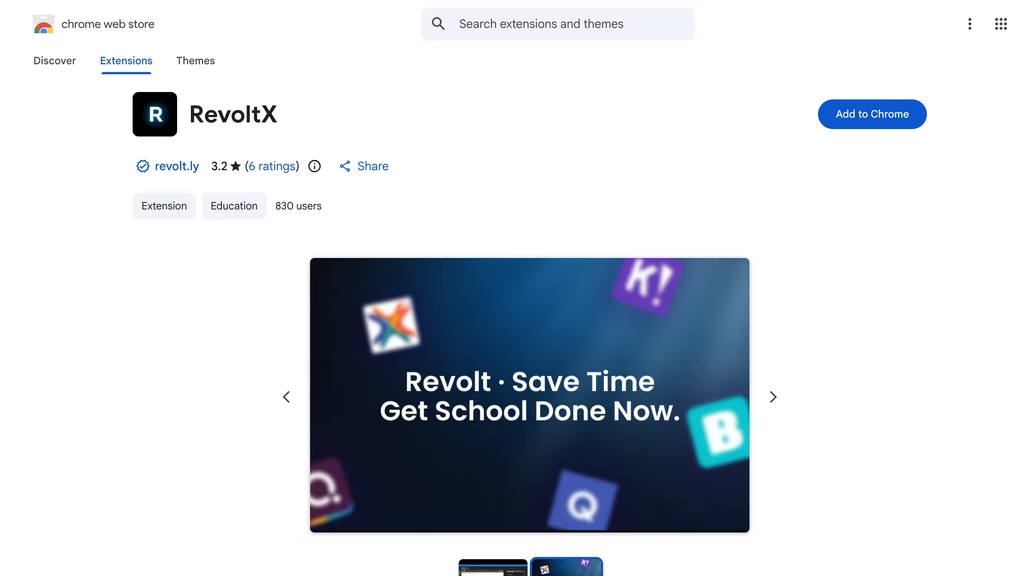
A Chrome extension offering auto-advance, quiz automation, assignment completion, and video playback speed control.
Pricing: Free (Chrome Web Store). Supported by donations.
Browser support: Chrome only.
User base: 799 users, 3.4-star rating on the Chrome Web Store.
How it works: RevoltX focuses on moving through Edgenuity faster rather than directly providing answers. It offers auto-advance through activities, quiz automation, assignment completion assistance, and video speed control.
Why I cannot recommend it: The security situation with RevoltX is the biggest red flag in this entire category. Independent code analysis has flagged its heavily obfuscated JavaScript as suspicious, with patterns consistent with credential harvesting.
The code minification goes well beyond what a legitimate extension needs, and the permissions it requests are broader than its stated functionality requires.
A free tool with fewer than 800 users, a 3.4-star rating, and obfuscated code that has access to Edgenuity login pages is not something I would install on any device where I log into school accounts.
There is no scenario where RevoltX makes sense when ExodusBot exists with more features and without the credential-stealing red flags, or when Fastgenuity offers the speed features for free with an auditable open-source codebase.
5. Brainly
A community Q&A platform where users post and answer homework questions across any subject and platform. Not Edgenuity-specific, but included because students searching for Edgenuity answers frequently land here.
Pricing: Free with daily answer limits. Brainly Plus removes limits at $24/year or $6/month.
How it works: Students search for or post their Edgenuity question on Brainly. Other users (or Brainly’s AI) provide answers. Quality varies wildly. Some answers are detailed and accurate.
Others are wrong, outdated, or copied from unreliable sources. The AI-generated answers have improved over the past year, but they still occasionally produce confident-sounding explanations that are factually incorrect, especially in science and history.
Browser support: Web app. Works on any device, any browser, no extension needed.
Best for: Students who want to look up a specific question without installing anything on their device. Brainly runs in a separate browser tab, which means Edgenuity’s script detection cannot flag it. Zero installation risk.
The catch: Answer quality is inconsistent. There is no guarantee the top answer is correct.
And because Brainly is not Edgenuity-specific, answers may reference different versions of questions or different course editions.
You also lose the automation that dedicated tools provide – every question is a separate manual search.
How They Compare
| Feature | SnoopSolve | ExodusBot | Fastgenuity | RevoltX | Brainly |
|---|---|---|---|---|---|
| Starting price | $9.99/week | $2.00/day | Free | Free | Free |
| Approach | AI explanations | Full automation | Video speed only | Activity automation | Community Q&A |
| Provides answers | Step-by-step | Auto-fill + submit | No | Quiz automation | User-submitted |
| Auto-submit | No | Yes | No | Yes | No |
| Browser support | Chrome, Edge, Brave, Firefox | Tampermonkey (any) | Chrome | Chrome | Any (web app) |
| Works on school devices | Usually | Rarely | Sometimes | Sometimes | Yes |
| Video manipulation | No | EdgeEX only | Yes | Yes | No |
| Open source | No | Partially | Yes | No | No |
| Security risk | Low | Medium | Low | High | Low |
How Imagine Learning Detects Edgenuity Bots
Imagine Learning published a dedicated flyer on scripts and bots that lays out their detection approach.
The platform can detect and block some scripts, and when one is caught, the student is logged out and the event is recorded in the Recent Actions report visible to teachers and administrators.
But their own documentation is honest about the limits.
Detection works better on school-managed devices where IT administrators can monitor extensions and block Tampermonkey. On student-owned devices, blocking is harder, and the company acknowledges this directly.
The recommended countermeasures for schools include:
- Blocking userscripts and malicious extensions on district-owned devices
- Using SecureLock Browser for high-stakes assessments
- Requiring proctored, onsite exams weighted as the majority of the grade
- Using IP Registry to manage access locations
- Regularly reviewing attendance logs, session logs, and gradebooks for unusual patterns
- Updating academic policies to specifically cover generative AI, scripts, bots, and paid outside help
Imagine Learning also states they are exploring new methods to permanently block scripts and bots, with new resources expected in upcoming updates.
The practical reality is that detection is a layered problem.
The platform catches some scripts automatically, but most of the actual enforcement comes from teachers and administrators reviewing data after the fact.
A student who completes 40 activities in two hours when the average is 12 will get flagged, not because the script was detected, but because the numbers do not add up.
Speed Radar, Imagine Learning’s pacing analysis tool, flags students who move through content significantly faster than expected.
The Generative AI Detector flags AI-written text in essay and short-answer responses, which directly targets ExodusBot’s AI Answers feature.
No Edgenuity bot is truly undetectable.
The platform logs activity, teachers can review it, and schools that take academic integrity seriously have the data to catch patterns even when the script itself is not automatically blocked. ExodusBot’s marketing claim of daily detection-evasion updates has no public proof behind it.
And the entire category has a shelf-life problem: Imagine Learning is actively building new blocking capabilities, and any tool that works today could be rendered useless by a platform update tomorrow.
Students paying $99.99/year for SnoopSolve or $150 for a lifetime ExodusBot key are betting the cat-and-mouse game continues in their favor.
FAQ
Can Edgenuity detect SnoopSolve or ExodusBot?
Imagine Learning’s documentation states they can detect and block “some scripts.” Detection is more reliable on school-managed devices. On student-owned devices, it is limited. SnoopSolve’s browser extension approach may be harder for the platform to identify than Tampermonkey userscripts, but “harder to detect” is not “undetectable,” and Imagine Learning is actively building new blocking capabilities.
What happens if a student gets caught?
The platform logs the student out and records the event in the Recent Actions report. School-level consequences vary by district but typically include a zero on the affected assessment, mandatory retake under proctored conditions, academic integrity violations on the student’s record, and in severe cases, course failure or suspension. Credit recovery students who get caught may lose the credit they were trying to recover.
Does SnoopSolve actually help students learn?
Based on my testing, SnoopSolve’s explanations are detailed enough to support learning if a student engages with them. But the tool’s design makes answer extraction the default path. The final answer is visually emphasized at the bottom of every explanation and requires no additional clicks, while the step-by-step reasoning requires active reading and scrolling. It is a study aid only if the student chooses to use it that way, and the UI does not encourage that choice.
Is ExodusBot safe to install?
ExodusBot requires Tampermonkey, which means it runs as an injected userscript with access to page content on Edgenuity. The GitHub repository is partially open-source (297 stars, 98 forks), which provides some transparency. The tool does not appear to collect credentials based on the open-source portions of the codebase, but the Proctorio Spoofer add-on adds another layer of policy and potentially legal risk.
Can these tools be used on school Chromebooks?
SnoopSolve has the best chance because it installs as a standard Chrome extension. ExodusBot requires Tampermonkey, which most school device management policies block by default. Fastgenuity and RevoltX are Chrome extensions that may or may not work depending on IT configuration. Brainly is a web app and works everywhere. No dedicated Edgenuity tool is guaranteed to work on a managed device.
Are there free Edgenuity bots that actually work?
Fastgenuity is free, open-source, and does what it promises – but it does not provide answers. RevoltX is free but carries security risks I would not accept. ExodusBot offers a free three-day key in exchange for a social media post. SnoopSolve has no free option. For free answer lookup without installing anything, Brainly or searching questions directly on Google, Reddit, and Quizlet remain the most common approach.
Is using an Edgenuity bot illegal?
Using these tools is not criminal in most jurisdictions. It is a violation of Edgenuity’s terms of service and almost certainly a violation of the student’s school academic integrity policy.
You will not face criminal charges, but you can face academic consequences including course failure. ExodusBot’s Proctorio Spoofer enters murkier territory, as circumventing proctoring software may violate computer fraud statutes in some states.
