


Unlucid AI sells “gems” instead of a subscription. Gems buy images, edits, and short AI videos, and the real cost depends on what you create and how often a generation needs a second try.
This guide breaks down every tier, shows you the math, and tells you plainly where gems make sense and where they don’t.
Understanding Unlucid AI’s Gem System
What Are Unlucid AI Gems?
Gems function as Unlucid AI’s internal currency. Buy a bundle once, then spend gems as you generate content. There’s no recurring subscription. Instead, you top up whenever your balance runs low, so your monthly cost reflects your actual output rather than a fixed plan.
That’s a different bet than what most AI tools ask you to make. Subscription platforms charge you whether you show up or not; Unlucid AI only charges when you actually generate something. The tradeoff is that three different actions draw from the same pool, and they don’t cost the same:
- Image generation costs the least, at roughly 1 gem per image.
- Photo edits, background removal, upscaling, and similar tasks, run about 2 gems each.
- Video effects cost the most, at roughly 10 gems per short clip.
A video-heavy week drains your balance ten times faster than an image-only week, because everything draws from one shared pool. That’s the single most important thing to understand about this pricing model before you buy a bundle.
Unlucid AI Pricing Breakdown
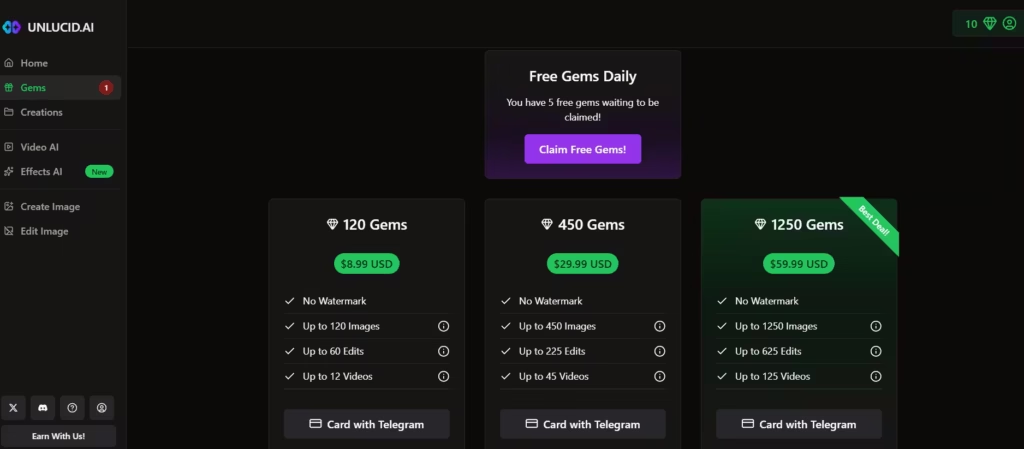
Unlucid AI currently sells three paid gem bundles, plus a small free daily allowance. Here’s the official pricing, pulled directly from the platform’s gems page:
| Bundle | Price | Images (up to) | Edits (up to) | Videos (up to) |
| 120 Gems | $8.99 | 120 | 60 | 12 |
| 450 Gems | $29.99 | 450 | 225 | 45 |
| 1,250 Gems | $59.99 | 1,250 | 625 | 125 |
Every tier holds the same ratio: 1 gem per image, 2 gems per edit, 10 gems per video. The underlying cost-per-action barely moves as you buy bigger bundles. The 1,250-gem pack works out to about $0.048 per gem, only slightly cheaper than the $0.075 per gem you’d pay at the smallest tier.
In my view, that bulk discount isn’t worth chasing. Buy the 1,250-gem bundle only if you’re confident you’ll actually burn through it in a reasonable window; otherwise you’re just parking cash in an account you may not fully use. For most casual users, restocking the smallest bundle as needed is the smarter play.
All three paid bundles also remove the watermark that the free tier likely carries. That’s a small detail, but one that matters if you’re publishing anything client-facing, since a watermarked draft isn’t usable for deliverables.
Also read: Unlucid AI Review
How Far Do Gems Actually Stretch?
When I tested the platform, I found that image edits (2 gems per edit) stretch the budget the furthest. The smallest bundle covers 60 edits for under nine dollars, about $0.30 per image, which beats many standalone AI image tools.
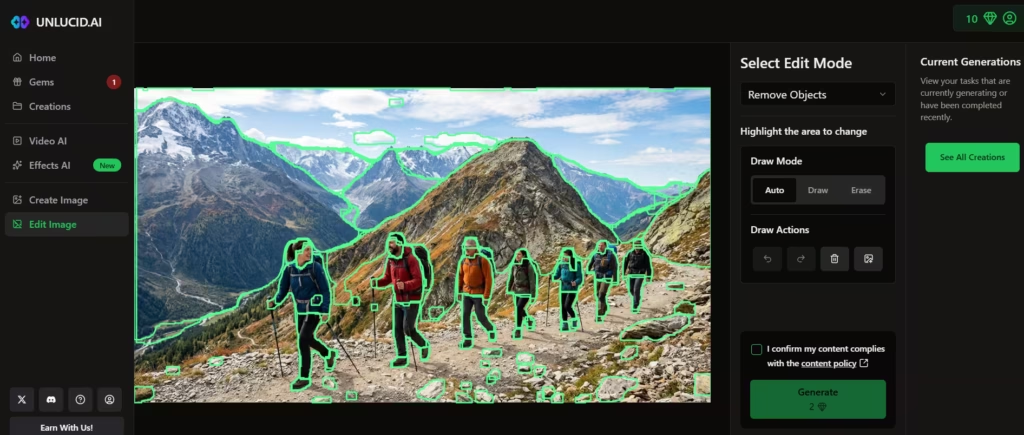
Video tells a harder story. At 10 gems per clip, the $8.99 bundle covers only 12 videos, or about $0.75 each. Move up to the $59.99 bundle, and that drops to roughly $0.48 per video. Either way, a video-heavy workflow burns through gems fast.
Retries are the variable that changes everything. AI generations don’t always land on the first try, and a video that needs three attempts before it’s usable triples your real cost. Unlucid AI’s own listings use the phrase “up to,” which signals a best-case ceiling, not a guarantee.
In my testing, I found that the true costs depend heavily on the number of retries needed. I prompted Unlucid to generate an image of adults hiking up a mountain alongside a toddler. All four images stayed true to the prompt but omitted the toddler.
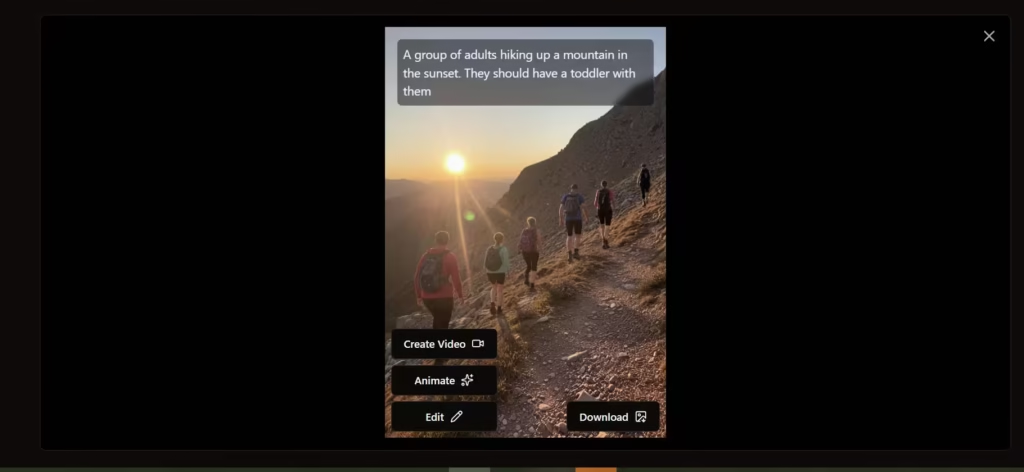
Since Unlucid mandatorily generates four similar images at once, gems get burned creating identical images with identical errors you may not end up using. A batch of four wasted attempts costs the same as a batch of four usable ones. Third-party reviews back this up, noting that the final cost per finished asset depends heavily on retries and edits before anything is ready to publish.
Free Gems: What You Get Without Paying
Unlucid AI hands out free gems daily, so you can sample the platform before spending anything. Independent reviews report that free users typically receive somewhere between 5 and 10 gems each day just for logging in.
At that rate, you get roughly one image per day, or maybe one light edit every other day. Video sits right at the edge of what a strong daily claim covers, so treat the free tier as a taste test, not a production pipeline: it’s enough to judge output quality, not enough to run a content calendar.
Free generations likely carry a watermark, since only the paid bundles explicitly advertise “no watermark” as a feature.
Are Unlucid AI Gems Worth It?
Gems are worth it for casual, image-first creators. They’re not worth it for anyone producing video at volume.
For casual creators, a handful of images a week lets the smallest bundle last for a while, often costing less than a subscription would. Testers and casual users also benefit, since there’s no recurring charge, you can try the platform for a single project and walk away without canceling anything. And because images cost far less than videos, anyone running an image-centered workflow gets the best return on their gems.
A different set of users runs into trouble here. High-volume video creators watch the 10-gem cost per clip add up fast, especially once retries enter the picture; a busy content calendar can burn through the $59.99 bundle in days.
Teams that need predictable budgets run into a similar wall, because usage varies by output type and retry rate. This makes monthly spend harder to forecast than it would be with a flat plan.
Commercial ad production teams tend to feel this most; they need consistent, high-volume output. Gem-based costs change with quality demands and how many iterations a piece needs, the opposite of what a media-buying budget wants.
Unlucid AI vs. Subscription-Based Alternatives
Subscription platforms price video by the minute instead of by the action, and that structural difference matters. Synthesia’s Starter plan runs $29 a month for 10 minutes of finished video, which works out to about $2.90 per minute.
That’s a flat rate whether the video lands on the first try or the fifth. Unlucid AI charges per action instead, so a smooth, low-retry session can cost far less than a subscription, while a rough one with repeated attempts closes that gap quickly.
Agencies and marketers running weekly ad tests benefit from Synthesia’s fixed cost-per-video, since budgeting stays simple regardless of how many takes a script needs. Solo creators and casual users come out ahead with Unlucid AI’s gems, since they’re not paying a recurring fee for capacity they might not use every month.
Are Unlucid’s AI Gems Worth Their Cost?
Unlucid AI’s gem system is transparent and honest about its costs. The pricing page lists exact numbers, and the ratios stay consistent across every tier. That consistency makes gems easy to understand and plan around.
It doesn’t make them cheap for every use case, though, particularly video. Occasional creators who mostly need images get real value here, since the per-image cost beats most standalone tools.
Teams producing video at scale should expect different math. Budget for real costs to land higher than the advertised “up to” numbers suggest. Retries eat into your balance fast. So do edits and quality standards you won’t compromise on.
Run the free daily gems before you commit to a bundle. That trial run shows you exactly how many retries your workflow needs, so you’re budgeting with actual numbers instead of guessing.
