


Stock assets contribute to improving the modern movie creation, saving time and improving the visual storytelling instantly. Creators make use of ready-made media to enhance scenes and maintain quality. Platforms like Pippit make it easier to gain access to a variety of creative resources in a single platform. This integration can aid in faster production and ensure a unified visual storytelling experience across different content formats and platforms efficiently.
Why Stock Assets Are Valuable in Modern Movie Creation
Stock assets are an integral component of speeding up the production procedure and lowering creative restrictions. Good quality visuals are available, and do not have to be created from scratch each time. This helps to ideate and execute various types of projects quickly. Today’s creators are using libraries that contain an ad maker environment for structured visual storytelling needs. These resources will help you keep your productions consistent, as well as enhance the quality of your output, whether you’re a beginner or a professional Pippit user.
Understanding Stock Assets in AI Movie Production
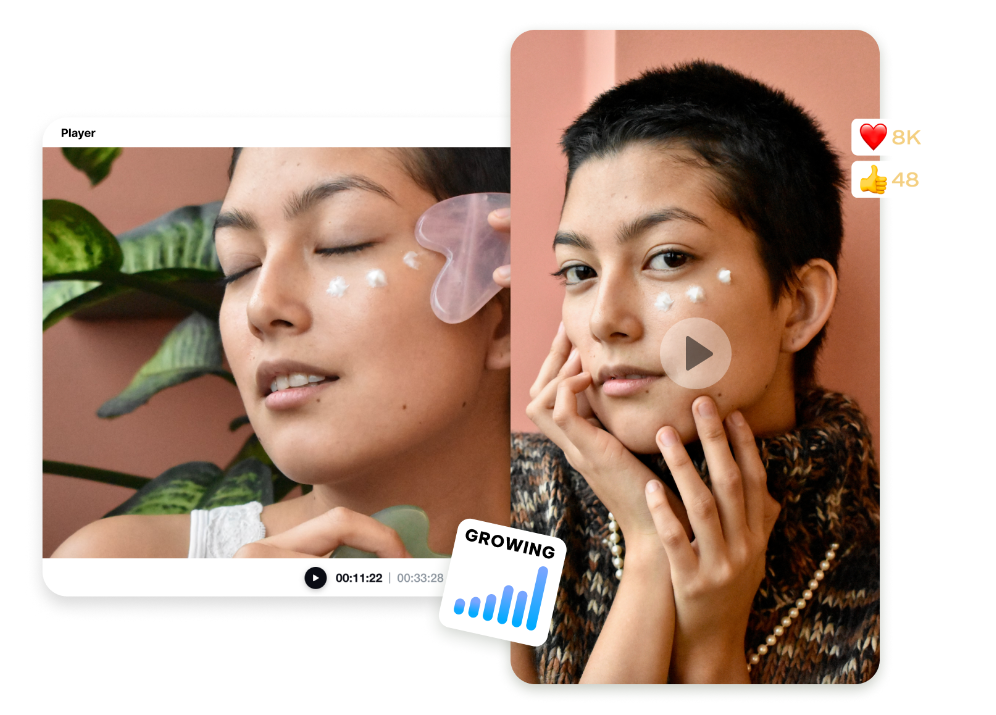
Stock Assets in AI-driven production are the pre-produced media elements that are used to fulfill the objective of storytelling. These assets can help to save time and manual effort in creating them, and can make the workflow so much better. They can also be combined with AI-generated content to enhance the depth of visuals. Pippit divides these resources into libraries that are easy to use and make creative decisions easy. This system allows for faster selection and to align more with project themes. This also assists in keeping consistency throughout scenes and offers creators flexible editing options.
Types of Media Available for Creative Projects
- Video clips that are ready-made to use as filmic scenes for enhancing storytelling.
- Images and graphics are used to explain and enhance aesthetics visually.
- Background elements are used effectively to establish and create a setting and mood.
- Motion assets are used to create visual transitions and motion.
The creative needs of each asset type in Pippit are different. Use video clips to create a flow of the narrative without more shooting. Images in various formats are used for visual communication reinforcement. The background elements develop scenes with an immersive environment. Motion assets are used to create dynamic visual effects for increased engagement. These resources enable more rapid production cycles with professional-quality output for a variety of film projects.
Benefits of Using Stock Assets Through Pippit
Stock assets help to improve the quality of production, enabling quick access to professional visuals. They offer opportunities for increased creativity, offering a range of media for each type of project. The capacity to fill in gaps in the content and not delay the production timetable. These assets can also be used to enlarge the visual context, thus helping to tell a better story. Manually created assets are eliminated, boosting efficiency. For projects, an AI movie maker workflow assures smoother editing, faster turns, and overall uniformity.
Navigating the AI Movie Maker Media Library
The Pippit media library classifies media that would be easily retrieved. Search capability is implemented to allow for fast retrieval of certain visuals by keywords. Preview tools can be used to review assets prior to adding them to projects. Media types are classified and grouped together, thus increasing workflow efficiency. Easy drag and drop during production and integration with editing tools. This system helps to minimize confusion and accelerate creative decisions. Also, it helps to enhance the process of managing complex movie development projects.
Steps to use stock assets easily inside the AI Movie Maker media library access
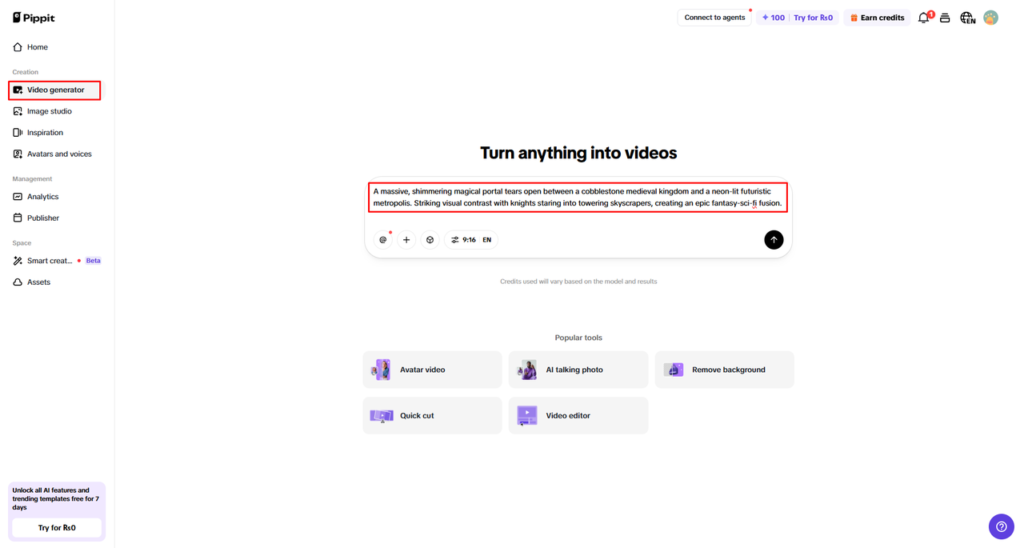
Step 1: Open Video Generator and access media tools
- Sign up for Pippit to open the home page.
- Click “Video” or open “Video generator” from the left sidebar.
- Enter a prompt describing your movie idea and asset requirements.
Step 2: Add stock assets and external references
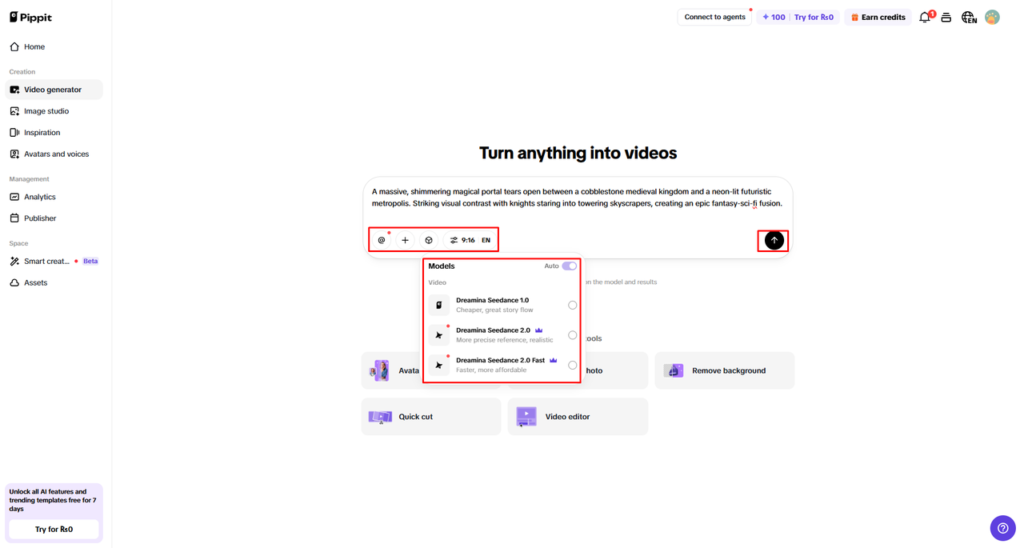
- Click “+” to upload your image, video, file, or link.
- Use “Upload a reference video” and choose “Upload” if you want style guidance.
- Select Dreamina Seedance 1.0, Dreamina Seedance 2.0, or Dreamina Seedance 2.0 Fast.
- Set movie length, language, and aspect ratio for your project.
- Click “Generate” to build the video using AI and available assets.
Step 3: Enhance using editing tools and export
- Preview the output by selecting the video and pressing Play.
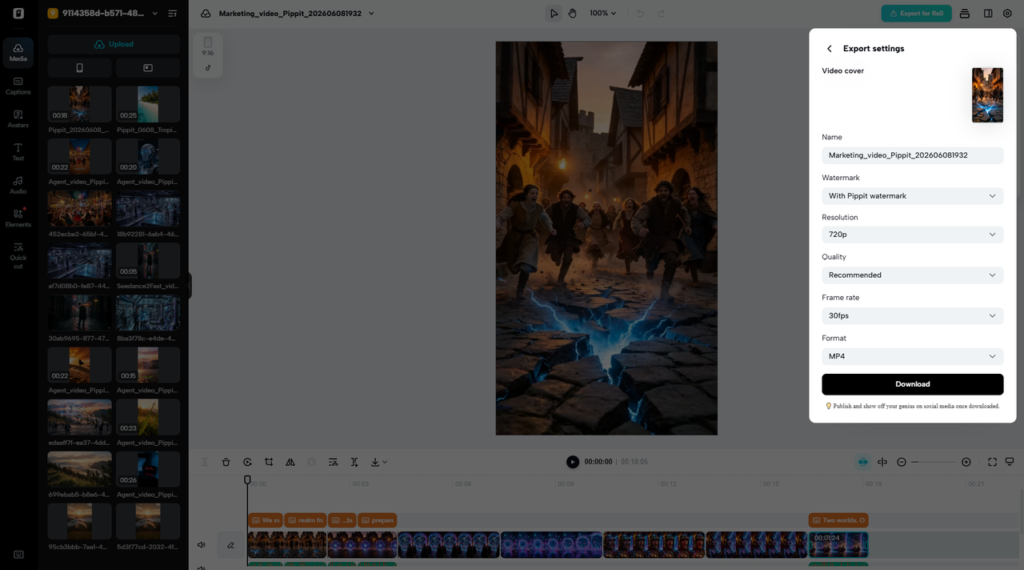
- Use “Edit more” to refine visuals, adjust layout, or enhance composition.
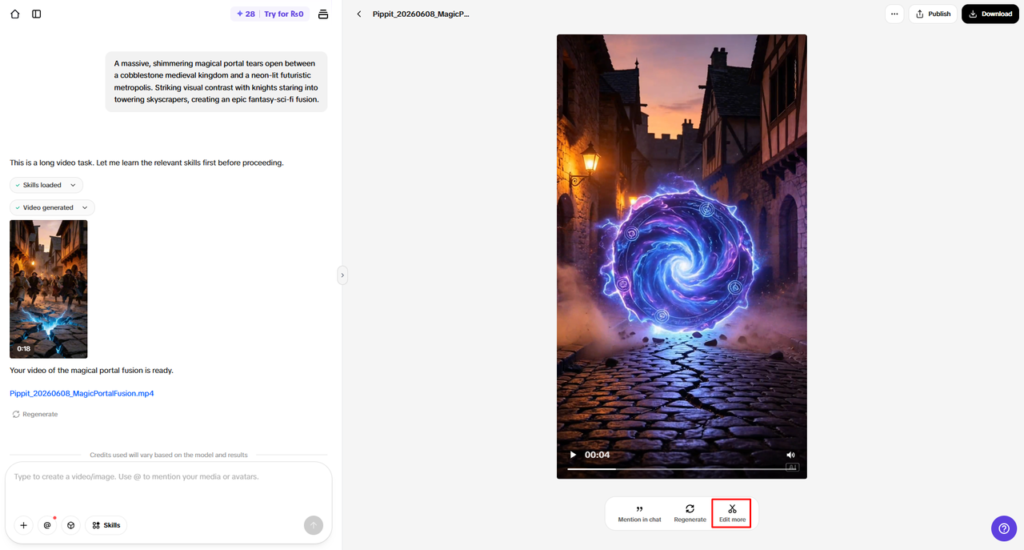
- Export your final video using “Download” or share it through “Publish”.
Strategic Ways to Use Stock Assets in Movies
Stock assets add to the visual storytelling, which helps in the composition of scenes and makes the story clear. They contribute to the place-setting and ensure that there are no shooting requirements. They are used to make smooth scene transitions. Emotional tone, Atmospheric elements that involve the viewer. There’s visual continuity when assets are consistent in terms of color and style. These strategies provide professional quality storytelling and lower production complexity in Pippit-based projects.
Selecting the Right Assets for Different Movie Styles
The right media elements are carefully matched with the various types of movies to get the best results. For cinematic storytelling projects, the dramatic visuals and backgrounds are a must. In order to make a difference, promotional videos must have clear, catchy visuals. Clear and informative graphics are used in educational productions. Adapting to the fast-paced and engaging visuals is essential for social media content. Travel videos cannot be without scenic clips; it’s an immersive experience. Short films allow you to put together a variety of assets for creative flexibility and story depth.
Combining AI-Generated Content with Stock Resources
When used effectively with stock assets, AI-generated content becomes more powerful. Both elements should be in the same direction of the style, providing a visual consistency. The complementary visual elements are appropriately used to enhance the smoothness of the story flow. The addition of layered media integration brings a lot of production value. Visuals that are cohesive and dynamic mean that audiences are more engaged. These two, hand in hand, ensure a more full storytelling experience with creative control in production stages via Pippit’s sophisticated tools.
Optimizing Stock Assets During Post-Production
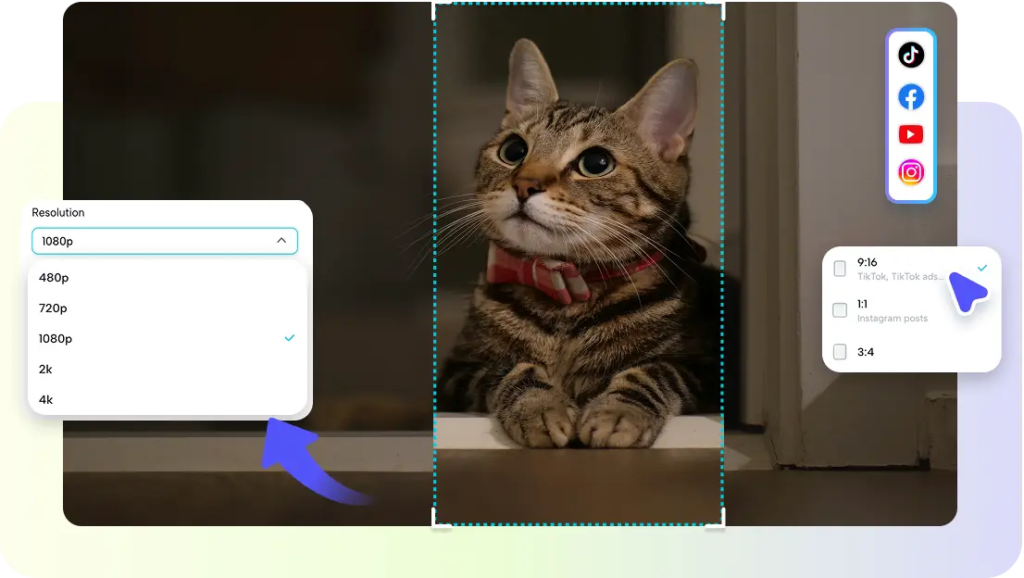
Stock assets are refined during post-production to ensure that they fit in seamlessly with the final movies. The crop and framing adjustments enhance the focus and quality of the composition. The color matching is used to guarantee uniformity of different media sources. Resolution changes to achieve quality output on platforms. Transition blending for smoother scene changes and better flow. These optimization methods enhance the quality of the final presentation and do not in any way detract from the creative intent. Through proper editing, quality outcomes can be achieved and shared with the public and for business purposes.
Conclusion
Stock assets are tools that can significantly improve the efficiency and quality of today’s film production. Media libraries offer quick access to key creative tools for creators. Integrated platforms like Pippit make processes more efficient and easier to make seamless content improvements. This helps to save production time and add depth and consistency to the narrative. The use of rich media integration assists creators in creating engaging movies with a professional touch.
