


LTX studio is a creative text-to-video tool built for professional use. It’s an all-in-one platform for creating video elements – concepts, frames by the scene, audio, camera movements, and camera angles. It is an in-depth tool that provides a fine degree of control over each scene and video parameter.
In this article, we’ll take a close look at LTX Creative Studio, explore its features, and see how it holds up against quality markers.

Features of LTX Studio
1. AI Image Generator

LTX studio has image generation abilities that double as the starting point for video creation. The mechanism can work with either text or image prompting, with the latter acting like a reference.
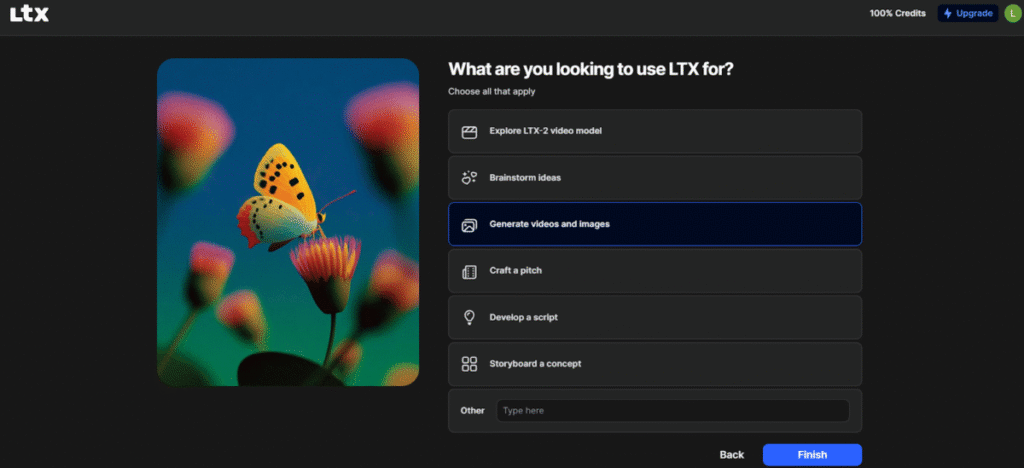
Going through the minor image tool onboarding process showed a wider scope of LTX’s capabilities. LTX can also be used to brainstorm ideas, craft pitches, and develop scripts.
Back to image generation. I typed in a short text prompt with a hint of an underlying concept – An eerie house with a lone woman standing in a darkened hallway. Despite not giving fine-tuning details that make for a richer image, LTX’s AI did interpret my intent properly.
The generation, which consisted of six slightly distinct image frames, all had a sombre feel to them, like something out of a horror movie.
One image in particular fits the theme quite well. In it, the woman takes the focus of the frame, her back is turned, and her silhouette gives off a mystic aura, accentuated by what appears to be a small bouquet of wilted flowers in one hand.
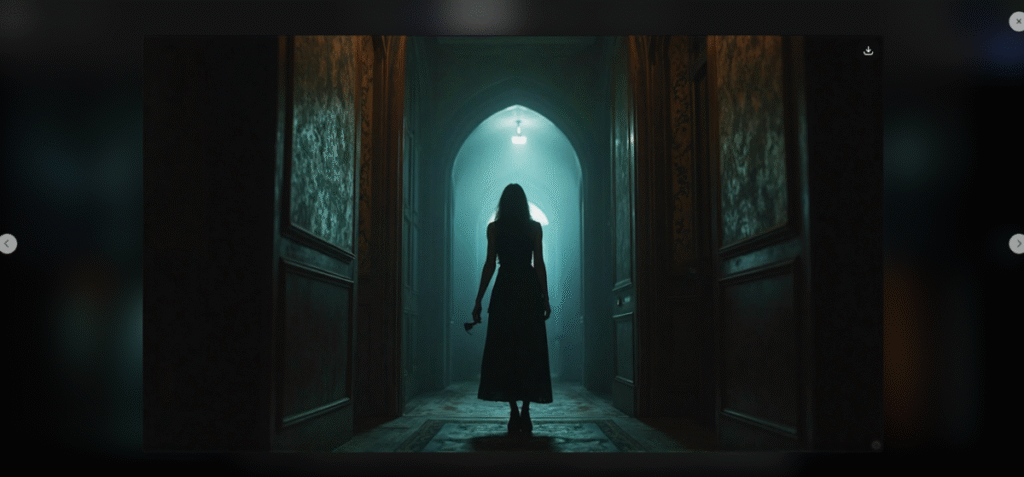
The supporting elements lend a hand to this narrative. The shadows are rightly placed, and the house appears antique and vintage, as if holding mysteries yet to be revealed. A couple of other images in the generation sequence follow this theme, but with slight variations. The rest, I interpret, as the AI’s attempt at alternative conceptual interpretations of the same prompt.
2. AI Storyboard Generator
The AI storyboard gives two options: AI-guided stories or a blank slate, which gives more creative freedom and control. In the AI-guided path, the user feeds LTX with a basic idea, plot, settings, and cast.
3. AI Text to Video
LTX studio functions as a generator, creating visually rich videos with elements with its diffusion transformer architecture. It works both by text and image prompting. I typed in a simple prompt, “A woman sips from a cup of coffee while turning her head slightly”
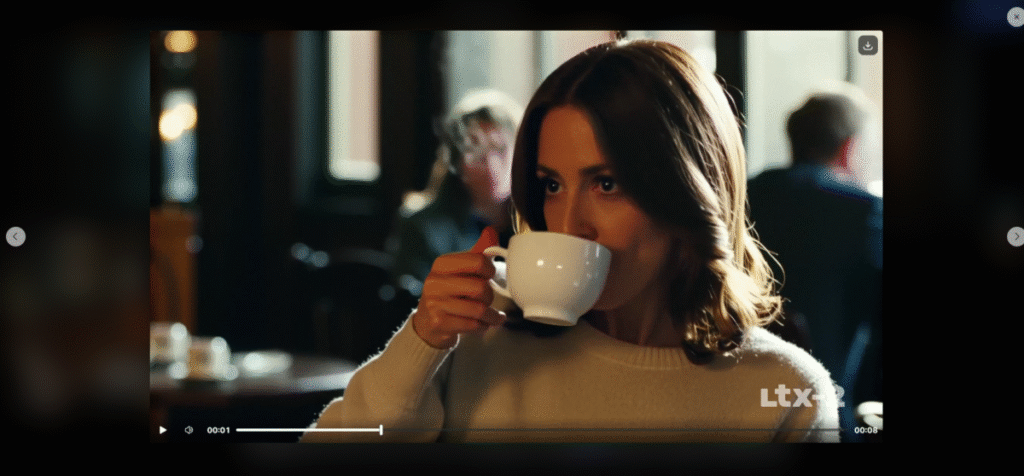
The generated video was of a decent length. I liked that the video generator stuck to the quite scanty detail of the prompt, however, with a slight caveat: the woman only turned her head after sipping the coffee and not while doing it.
That being said, the video did have a high resolution and sharp frame details. LTX added some background elements for a casual, movie-like scenery, yet it recognised that the woman remained the main character. Therefore, it kept her in focus throughout the video and made all background characters and elements a blur.
Things I also liked;
- The video subject was stable and made smooth movements.
- She stayed the same throughout the duration of the video: no distortion or morphing, even as the camera angles shifted.
- Without being prompted, LTX added an audio effect – a slight sound when the subject returned the coffee mug to an unseen table.
- LTX has some video editing features that let users adjust the resolution, duration, and aspect ratio of the video.
4. Video Editing
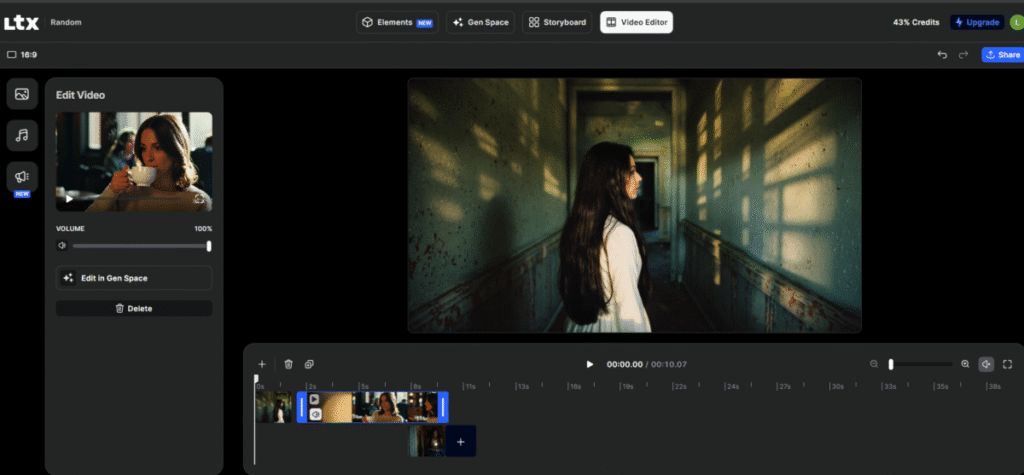
Post creation, LTX provides a few tools for video editing. I could select generated clips and images and add them to the timeline, and also move them around. This meant that the video duration could be extended. Still, LTX studio lacked an extensive editing suite.
LTX Pricing
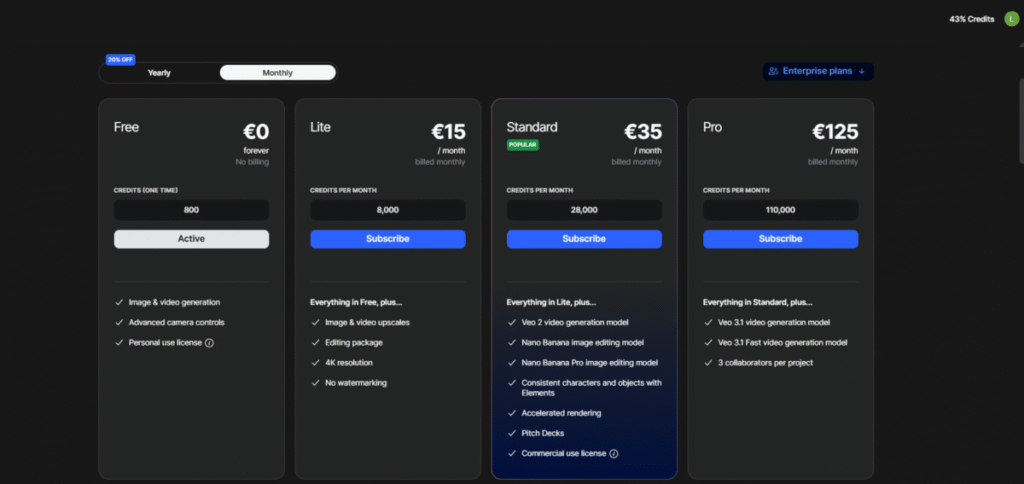
LTX studio runs both monthly and yearly billing cycles. It offers a free plan, followed by plans that start at €15/month and range up to €125/month. The yearly billing cycles come with a 20% discount.
The Bottom Line
LTX studio is good for media generation (images and videos) and hits certain quality markers like adherence, intuition, and coherence. However, the video editing tool has room for improvement.
Also read: Top 6 Free AI Video Generators – AutoGPT
FAQs
1. What Kind of Projects Does LTX Studio Work On?
LTX Studio is designed for creating AI-generated videos, concept scenes, storyboards, short films, and visual drafts. It works well for creative projects, marketing content, social media clips, and early-stage film or animation ideas.
2. What Makes LTX Studio Unique?
LTX Studio stands out for its shot-based workflow, strong scene control, fast iteration, and the ability to guide characters, camera movement, and story structure. It offers more directorial control than most text-to-video tools.
3. Is LTX Studio Safe to Use?
Yes, LTX Studio uses standard security practices and provides clear usage rights. As long as you follow its terms of service and avoid uploading sensitive data, it’s safe for typical creative work.
4. What Does the LTX Stand For?
“LTX” refers to Lightricks, the company behind the platform. It’s used as a short-form branding for their advanced AI video creation tools.
