


Math has a way of humbling even the most confident students. One missed step in a derivative, one misapplied integration technique, and the whole solution falls apart.
I spent a week testing Symbolab against three competitors (Wolfram Alpha, Mathway, and Photomath) to find out whether it deserves its reputation. The results were more nuanced than I expected.
What Is Symbolab?
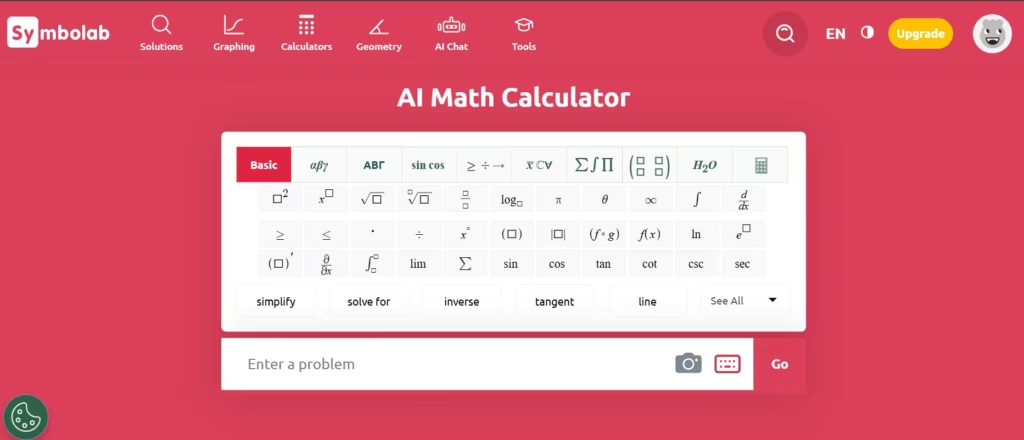
Symbolab is an AI-powered math calculator and learning platform built to help students, educators, and professionals solve complex problems step by step. It does not just hand you an answer. It walks you through the reasoning, mirroring the way a good teacher would explain a concept on a whiteboard.
The platform covers algebra, trigonometry, calculus, statistics, and more. It supports both symbolic and numerical computation. Students from middle school through university level use it regularly, and according to Symbolab’s own platform data, users solve over 200 million problems on the site each month.
Also read: 10 Best AI for Math Problems
How the Symbolab Math Solver Works
The Symbolab math solver is the engine behind the platform. You enter a problem using the keyboard, the built-in symbol panel, or, on mobile, a photo or handwritten input. The AI interprets the expression and generates a complete, step-by-step solution with plain-language explanations at each stage.
When I tested this with a system of three equations, the solver identified four distinct methods to solve the problem within seconds. I had the option to solve by substitution, elimination, Cramer’s rule, or Gaussian elimination. There was a sidebar with the option to get a step-by-step explanation on how to solve a linear system of equations.
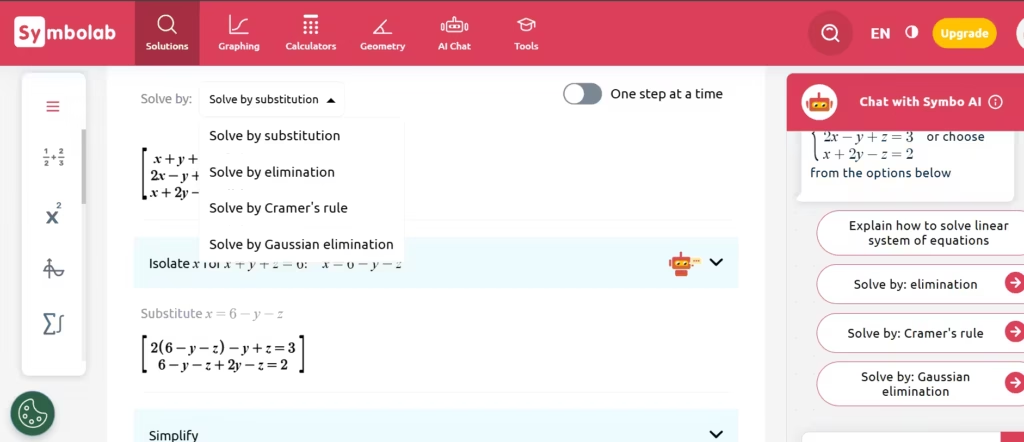
I only had to click on each to be immediately presented with the steps.
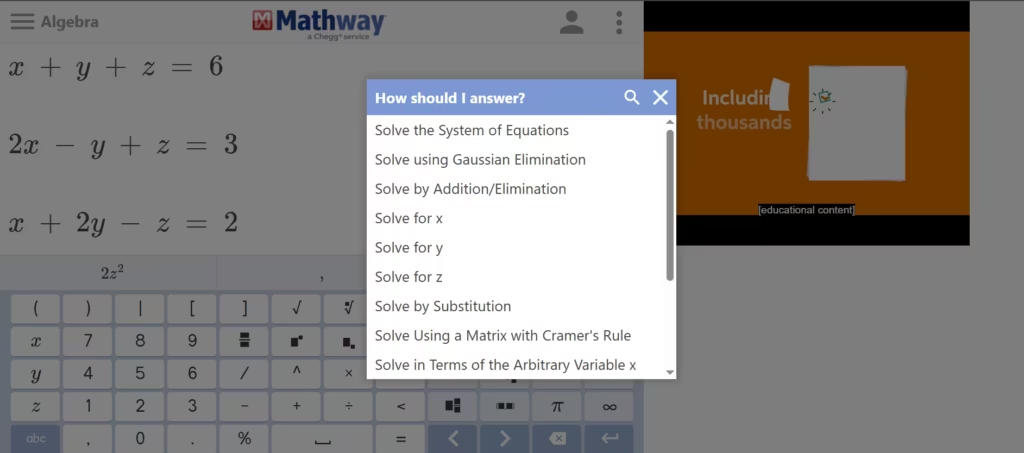
Mathway first asked me to choose from a list of options for solving the problem.
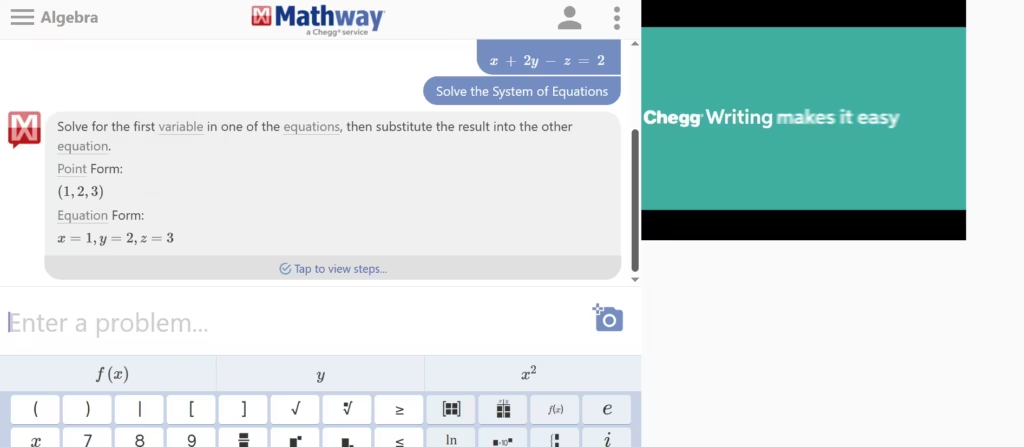
Then it gave me the final answer, preceded only by a one-line explanation. Although I could request the steps, Mathway seemed more concerned about providing an answer.
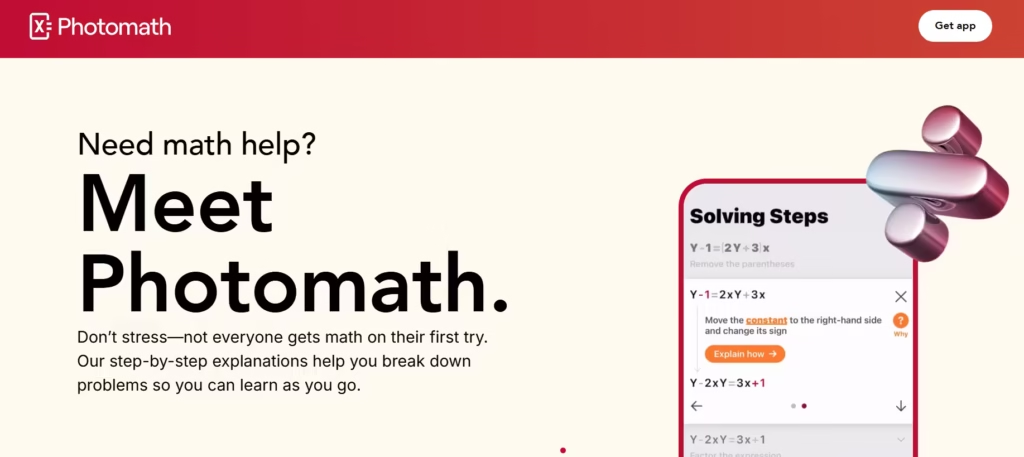
Photomath is a phone app and only works by enabling the camera to scan. This makes it unsuitable for students who prefer not to use their phones during study sessions. It also can’t work for anyone studying digitally.
Symbolab was the only one that made the process genuinely followable for a student learning the method for the first time.
The solver also offers practice problems and quizzes tied to each topic. That turns it from a calculator into something closer to a tutoring tool.
Symbolab Derivative Calculator
The Symbolab derivative calculator is, according to Symbolab’s own feature comparison page, their most-used tool. It is easy to see why.
I ran a chain rule problem involving nested exponentials, specifically, f(x) = e^(sin(x²)), through both Symbolab and Wolfram Alpha. Wolfram Alpha returned the correct answer instantly. Symbolab also got it right, but one thing stood out: it skipped the intermediate u-substitution labeling that would help a beginner see exactly where the chain rule was being applied.
The steps were there; the explicit naming of each sub-step was not. For advanced students, that is fine. For beginners, that gap matters. That said, for standard derivative problems, power rule, product rule, quotient rule, and implicit differentiation, Symbolab’s explanations are clear, well-structured, and genuinely instructive.
It also handles higher-order derivatives and partial derivatives, making it useful well into multivariable calculus.
Symbolab Integral Calculator
The Symbolab integral calculator is where the platform genuinely excels. Integration is difficult. The method selection alone, substitution, integration by parts, partial fractions, and trigonometric substitution, trips up students before they even start solving.
Symbolab selects the method for you and then explains why it applies. When I tested a partial fractions problem, it decomposed the rational expression step by step, labeled each coefficient, and then integrated each term separately.
Mathway gave me the final form with almost no intermediate steps. Wolfram Alpha provided more depth but presented it in a denser, less student-friendly format.
For definite integrals, Symbolab also computes the numerical result and generates a graph of the function, which helps students visualize the area under the curve. That visual layer is something most competitors skip entirely.
Improper integrals, double integrals, and series expansions are all supported. For calculus students at the undergraduate level, this tool holds up well.
Is Symbolab Free?
Is Symbolab free? Partially, and the line between free and paid is worth understanding before you commit. The free tier lets you enter problems and view final answers. However, I tested five calculus problems on the free plan and could only see complete step-by-step breakdowns for one of them.
The paywall appeared quickly and more aggressively than I expected; more so than Wolfram Alpha’s free tier, which surfaces more details before gating content. The premium plan, called Symbolab Pro, removes ads, unlocks all steps, and adds access to practice sets and quizzes.
Note: It’s currently offering a combination plan with Quillbot for 37% off what the two subscriptions would have added up to be.
It is available monthly or annually, with the annual plan offering a meaningfully lower per-month cost. For a student using the platform regularly throughout a semester, the annual plan is the better investment.
If you only need quick answer verification occasionally, the free tier works. But if you want to actually learn from the explanations, you will hit the paywall fast.
How to Cancel Symbolab Subscription
If the premium plan is not working for you, canceling is straightforward. Here is how to cancel your Symbolab subscription based on where you signed up.
- Via the Symbolab website: Log in to your account and go to account settings. Select “Subscription” or “Billing,” then follow the cancellation prompts. You will receive a confirmation email.
- Via the Apple App Store: Open Settings on your iPhone or iPad. Tap your name, then “Subscriptions.” Find Symbolab and tap “Cancel Subscription.”
- Via Google Play: Open the Google Play Store. Tap your profile icon, go to “Payments & Subscriptions,” select “Subscriptions,” find Symbolab, and tap “Cancel.”
Note: Cancel before your next billing date to avoid an extra charge. Your premium access continues until the end of the current billing period, regardless of when you cancel.
Symbolab vs. Other AI Math Tools
Symbolab is not the only one in this space. Wolfram Alpha, Mathway, and Microsoft Math Solver all compete for the same audience. Here is what a week of direct testing revealed.
Wolfram Alpha wins on raw computational depth. It handles a broader range of topics, from differential equations to number theory, and surfaces more detail in fewer clicks. But it can feel dense and clinical.
Students who are already confused often become more confused after reading its output. Mathway is fast and clean. It works well for a quick answer check and does not teach you much.
Symbolab lands in the middle, and that middle position is actually its strength. It is more accessible than Wolfram Alpha and more instructive than Mathway. For students trying to understand the material rather than just complete an assignment, that difference is significant.
Who Should Use Symbolab?
Symbolab works best for students from middle school through undergraduate level, especially those working through algebra, precalculus, and calculus. It is also useful for teachers who need to generate worked examples quickly.
Professionals who need occasional mathematical computation may find the free tier sufficient. Researchers or graduate students who need broad symbolic computation across advanced domains will likely find Wolfram Alpha a better fit.
A step-by-step calculator is a real upgrade over a black-box answer, but it still puts the student in the passenger seat. Watching a worked solution feels like understanding, and then the next problem shows up and the feeling evaporates. This is the gap Brilliant was built for. It’s a visual and interactive online math tutor that’s designed to build real mathematical understanding.
Is Symbolab the Best AI Math Calculator?
After testing Symbolab against three competitors for a week, my answer is this: it is the best AI math calculator specifically for students who are actively learning calculus and algebra. Its step-by-step explanations are clearer and more pedagogically useful than anything else I tested. The integral calculator, in particular, consistently outperformed alternatives on instructional clarity.
That said, it is not the best tool for every user. The free tier is more restrictive than I expected. I hit the paywall after just one of five test problems, which would frustrate a student relying on it for daily practice.
Wolfram Alpha still edges it out for advanced or research-level computation. The derivative calculator, while strong, could do more to label intermediate steps for beginners tackling complex chain rule problems.
But for the student sitting with a calculus textbook open, genuinely trying to understand why a solution works, not just what the answer is, Symbolab is the right tool. It is not perfect. It is, for most learners, the most useful AI math calculator currently available.
