

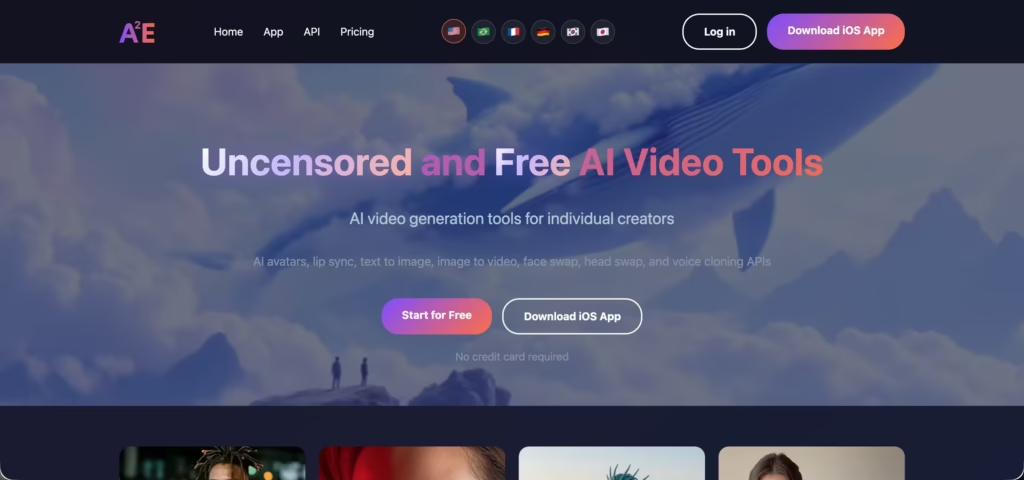
A2E AI (short for Avatars To Everyone) markets itself as an uncensored AI video and image generator.
While platforms like Runway, Sora, and Midjourney add increasingly strict content filters, A2E positions itself as the alternative where “fewer prompts get rejected and more creative freedom is possible.”
After spending three weeks on A2E’s Pro plan generating 80+ videos and images across its avatar, face swap, voice clone, and image-to-video tools, here is my honest answer to the question everyone is searching for: A2E is more permissive than mainstream platforms.
It is not truly uncensored. The difference matters, and most reviews either miss it or deliberately blur it.
What Does “Uncensored” Actually Mean on A2E?
A2E’s content policy is more permissive than platforms like Runway, Sora, Pika, or Kling.
You can generate content on A2E that would be immediately rejected elsewhere: artistic nudity, adult-themed scenes, edgy humor, and experimental concepts that mainstream filters flag as violations.
But “uncensored” does not mean “anything goes.” Here is what A2E does and does not allow:
| Content type | Allowed on A2E? |
| Artistic and creative nudity | Yes |
| Adult-oriented fictional content | Yes (with permissive filters) |
| Experimental and edgy creative concepts | Yes |
| Content involving real people’s likeness without consent | Depends (face swap tools exist, but legal responsibility falls on the user) |
| Child exploitation or abuse material | No (blocked, as on every legitimate platform) |
| Content that violates local laws | No (terms state users must follow local laws) |
The honest framing: A2E is a low-filter platform, not a no-filter platform. It removes the creative restrictions that frustrate artists and adult content creators on mainstream tools. It does not remove all restrictions.
The marketing leans into “uncensored” as a positioning statement. The reality is “significantly more permissive than competitors with baseline legal guardrails still in place.”
For creators who have had legitimate artistic work rejected by Runway’s or Midjourney’s content filters (which happens regularly with anything involving the human body, even in non-explicit contexts), A2E solves that problem.
For anyone expecting a platform with zero moderation, adjust your expectations.
What Is A2E AI and What Does It Actually Do?
A2E is not a single AI model. It is an aggregator that bundles 12+ AI video and image models into one dashboard.
You pick the model, run the generation, and compare results without maintaining separate subscriptions for each engine.
The models available as of July 2026 include Kling, Wan, Seedance 2.0, Veo 3.1, and several Sora-class engines. Model availability rotates as new engines launch and older ones get updated.
The tool suite covers:
- AI avatar videos (lip-synced talking head from a photo + script)
- Voice cloning (upload audio samples, clone in 50+ languages)
- Face swap and head swap (replace faces or entire heads in video)
- Image-to-video (animate a still photo with described motion)
- Text-to-video (generate video from a text prompt)
- Text-to-speech (convert text to natural-sounding audio)
- Text-to-image (generate images from prompts)
Having all of these in one interface is A2E’s structural advantage.
You can generate an image, animate it into a video, add a cloned voiceover, and swap a face, all without leaving the platform. On competing platforms, that workflow spans 3 to 4 separate subscriptions.
A2E Image-to-Video: How It Works and How It Performs
The image-to-video tool is one of A2E’s most searched features. Here is the workflow:
Step 1: Upload a still image (JPG or PNG). Product shots, portraits, illustrations, and meme material all work.
Step 2: Write a motion description. Examples: “camera slowly zooms in while the character blinks” or “product rotates 360 degrees on a white background.”
Step 3: Select your model. Different models handle different subjects better. Seedance is strong on motion fluidity. Kling handles human faces well. Veo 3.1 produces cinematic quality but costs more credits.
Step 4: Generate. Output is a 5 to 10 second MP4 clip. Free tier outputs are watermarked at 720p. Pro and Max outputs are watermark-free at up to 4K.
What I Found After 30+ Image-to-Video Tests
I ran product shots, character illustrations, portraits, and meme images through A2E’s image-to-video tool and compared results against the free tiers of Seedance 2.0, Kling, and Runway.
Product shots worked well. A rotating product video from a single product photo was clean and usable for social media. The motion was smooth and the product maintained its shape without warping. This is A2E’s sweet spot for e-commerce creators.
Portraits were inconsistent. Out of 10 portrait animations, 6 looked natural (subtle head movement, realistic blinking). 4 had visible artifacts: distorted jawlines, unnatural eye movement, or hair that phased through the shoulders.
The success rate improved when I used front-facing, well-lit photos and kept the motion description simple.
Illustrations animated better than I expected. Anime-style and digital art images produced surprisingly smooth results. The models handled stylized content with fewer artifacts than photorealistic content.
You will waste credits on failed generations. ToolCenter’s independent test confirms what I experienced: expect 3 to 5 attempts per usable output. If a 5-second clip costs 30 credits and you need 4 attempts, your real cost is 120 credits per publishable clip.
On the free tier (30 daily credits), that is your entire daily allowance for one usable video.
How Much Does A2E AI Cost?
A2E uses a credit system where 1 credit equals 1 second of AI avatar video. Image-to-video costs 30 credits per 5-second clip. Credits refresh daily and expire at midnight with no rollover.
| Plan | Monthly price | Daily credits | Custom avatars | Voice clone slots | Max resolution | Watermark |
| Free | $0 | 30 | 10 | 1 | 720p | Yes |
| Pro | $14.9/month | 60 | 50 | Unlimited | 4K | No |
| Ultra | $59.9/month | 90 | 200 | Unlimited | 4K | No |
Signup bonus: 100 one-time credits for testing.
Credit top-ups: Purchased credits never expire (unlike daily credits). Available for Pro and Max users starting from $9.90 for additional packs.
The daily credit expiration is the biggest pricing frustration. Unlike platforms where unused credits roll over, A2E’s daily credits vanish at midnight regardless of whether you used them. If you skip a day, those credits are gone.
This forces daily engagement, which benefits A2E’s usage metrics but penalizes users with irregular schedules.
At $14.9/month on the Pro plan, you get 1,800 monthly credits (60 per day for 30 days). A 1-minute avatar video costs 60 credits. That is roughly 30 one-minute videos per month.
For a solo creator producing short-form social content, that is adequate. For anyone producing longer content or iterating heavily, the Max plan or credit top-ups become necessary fast.
How Does A2E Compare to Mainstream Platforms?
| Feature | A2E AI | Runway Gen-4 | Kling 2.6 | HeyGen | Synthesia |
| Content policy | Low-filter (most permissive) | Strict filters | Moderate filters | Strict filters | Strict filters |
| Image-to-video | Yes (multiple models) | Yes (single model) | Yes (single model) | No (avatar-based) | No (avatar-based) |
| AI models available | 12+ (Kling, Wan, Seedance, Veo, Sora-class) | Gen-4 (proprietary) | Kling (proprietary) | Avatar IV (proprietary) | Express-2 (proprietary) |
| Voice cloning | Yes (50+ languages) | No | No | Yes (175+ languages) | Yes (140+ languages) |
| Face/head swap | Yes (both face and full head) | No | No | No | No |
| Free tier | 30 daily credits, watermarked | 125 monthly credits | 66 daily credits | 3 videos/month | 10 min/month |
| Starting paid price | $14.9/month (annual) | $12/month | $5.90/month | $29/month | $29/month |
| Max resolution | 4K (Pro+) | 4K upscale | 1080p | 4K (Business) | 1080p |
| Best for | Permissive creative content, multi-model access | Cinematic quality | Realistic human video | Corporate presenters | Enterprise training |
A2E wins on content freedom and model variety. It loses on single-model output quality. Runway Gen-4 produces more polished, cinematic video from a single engine. Kling handles realistic human motion better.
But neither lets you switch between 12 models in one dashboard, and neither allows the range of creative content that A2E permits.
Should You Use A2E AI?
| Your situation | Recommendation |
| Want to generate content that mainstream platforms block | A2E is the most accessible permissive platform available |
| Need to compare multiple AI video models in one place | A2E’s multi-model dashboard is unique at this price |
| E-commerce seller needing quick product animations | A2E’s image-to-video handles product shots well |
| Need broadcast-quality cinematic video | Skip A2E, use Runway |
| Need realistic human presenters for corporate content | Skip A2E, use HeyGen or Synthesia |
| Developer needing API access for video generation | A2E’s REST API with MCP support is well-documented |
| Budget under $10/month for video generation | A2E Pro at $8.25/month (annual) is competitive |
My honest take after three weeks: A2E is the right tool if you value creative freedom and model variety over polish. The multi-model aggregator approach means you always have access to the newest engines without switching platforms.
The permissive content policy solves a real problem for artists and adult content creators who are tired of having legitimate work rejected by overly cautious filters.
But go in with realistic expectations. “Uncensored” means “fewer restrictions,” not “no restrictions.”
Output quality is social-media-grade, not professional-grade. And the credit system punishes you for skipping days. If those trade-offs work for your workflow, A2E delivers genuine value at a fair price.
FAQs
1) Is A2E AI really uncensored?
It is more permissive than mainstream platforms like Runway, Sora, Midjourney, and Kling. It allows artistic nudity, adult themes, and experimental content that would be blocked elsewhere.
It is not completely uncensored: illegal content is blocked, and users must follow local laws. “Low-filter” is a more accurate description than “no-filter.”
2) Is A2E AI free?
There is a free tier with 30 daily credits, watermarked output at 720p, 10 custom avatars, and 1 voice clone slot. New users also receive 100 one-time signup credits. For watermark-free, 4K output and more daily credits, the Pro plan starts at $14.9/month on annual billing.
3) How much does A2E image-to-video cost?
30 credits per 5-second clip. On the free tier (30 daily credits), that is one clip per day. On Pro (60 daily), two clips. Factor in a 3 to 5x retry rate for usable output, and your effective daily output is lower than the math suggests.
4) How does A2E AI compare to Runway?
Runway produces higher quality single-model output with professional editing controls. Choose Runway for cinematic quality. Choose A2E for model variety and creative freedom.
5) Is A2E AI safe to use?
The platform itself is technically safe (standard web security, credit card and crypto payment options). The safety consideration is legal, not technical: A2E’s permissive content policy means users bear full responsibility for how they use the tools. Face swap and voice clone features can be misused. Follow your local laws regarding consent, likeness rights, and content distribution.
6) What AI models does A2E use?
As of July 2026, A2E aggregates 12+ models including Kling, Wan, Seedance 2.0, Veo 3.1, and Sora-class engines. Model availability updates regularly as new engines launch. Users can select which model powers each generation, which is unusual for platforms at this price point.
