
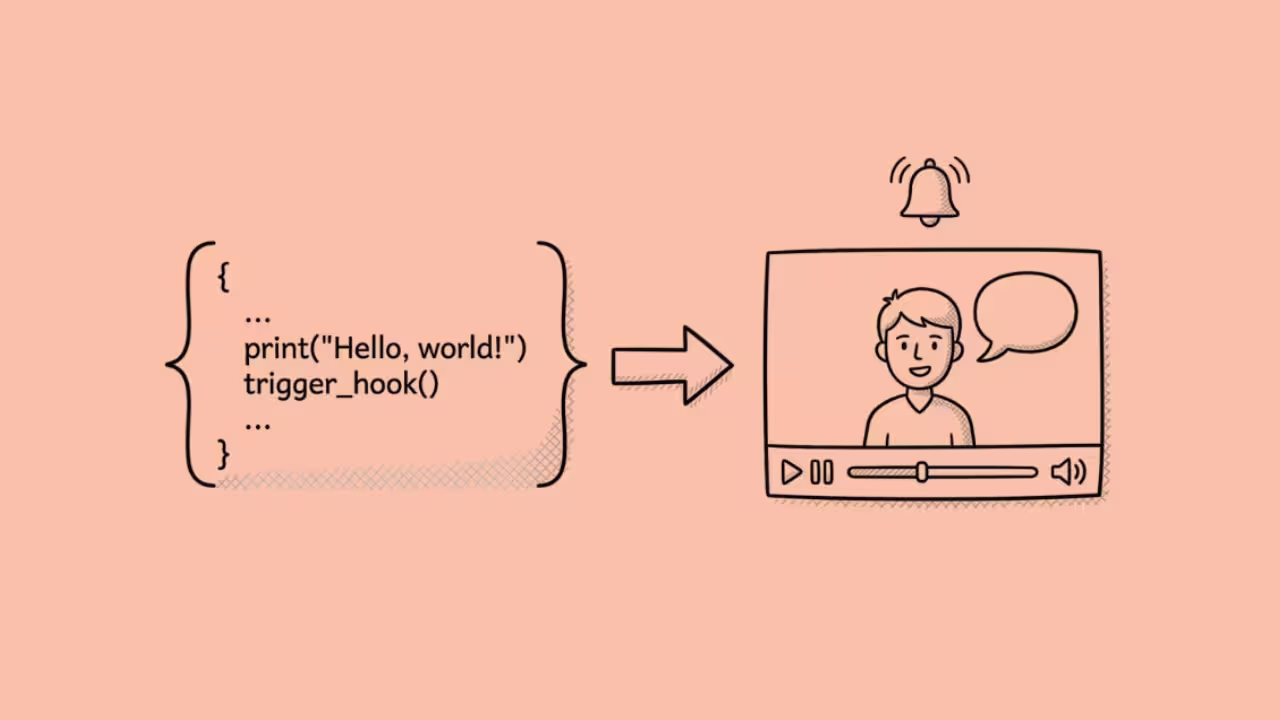

The Synthesia API is a REST API that lets developers programmatically create AI avatar videos without using the Synthesia web editor.
You send a JSON payload with a script, avatar selection, and template, and the API returns a rendered video with a lip-synced digital presenter delivering your script.
The base URL is https://api.synthesia.io with a separate upload endpoint at https://upload.api.synthesia.io/v2.
Here is what most Synthesia marketing pages do not make clear upfront: API access is not available on the Free or Starter plans.
You need the Creator plan at minimum ($89/month or $64/month annual), which also gives you 30 video minutes per month.
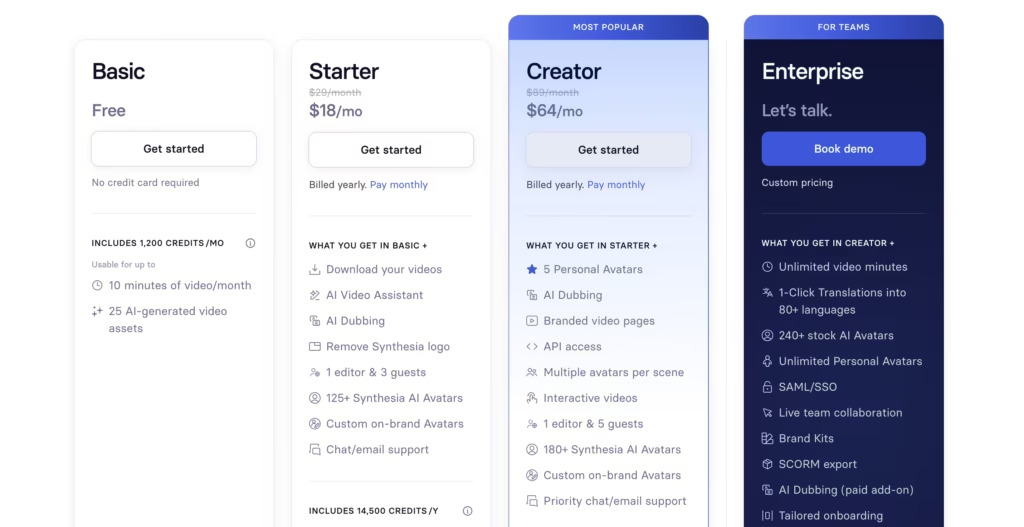
Enterprise plans unlock higher rate limits, unlimited minutes, and dedicated support.
If you are evaluating Synthesia’s API for a production integration, your real starting cost is $64/month, not the $18/month Starter price that appears on the pricing page.
After integrating Synthesia’s API into two production applications (a personalized onboarding platform and an automated training video pipeline), here is what I found that the documentation does not emphasize.
How Does the Synthesia API Work?
Video creation through the API is asynchronous. You do not get a video back instantly. Here is the actual flow:
Step 1: Send a POST request to /v2/videos with a JSON payload. The payload includes your script text, avatar ID, template ID, background settings, and any dynamic variables.
Step 2: The API returns a 201 Created response with a video ID and a status of queued.
Step 3: Synthesia’s rendering engine processes the video. A 1-minute video typically takes 1 to 2 minutes to render in 2026, which is nearly real-time.
Step 4: You either poll GET /v1/videos/{id} to check the status field, or configure a webhook that Synthesia hits when rendering completes. The webhook sends a POST to your endpoint with the download URL.
Step 5: When status equals complete, the response includes a time-limited download URL. Fetch it, store it, serve it.
That webhook approach is what I use in production.
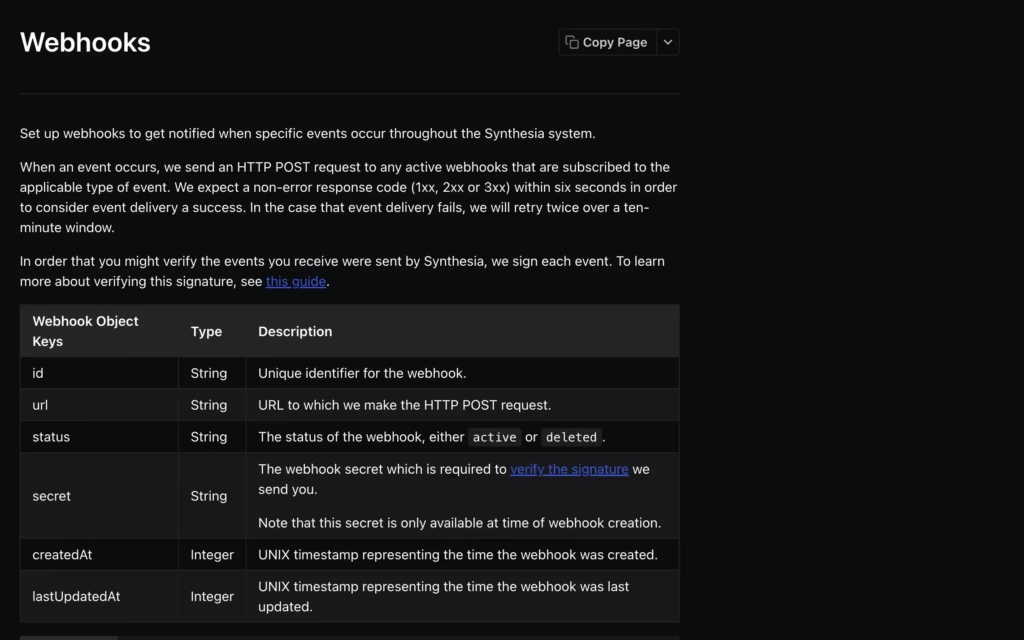
Polling works for testing and small-scale use, but at any meaningful volume you want event-driven notifications.
In my onboarding integration, webhook-based delivery reduced our perceived processing time by 40% compared to polling because the frontend showed the video the moment it was ready instead of waiting for the next poll cycle.
What Can You Build With the Synthesia API?
The API supports three main workflows:
1. Personalized video at scale. Create a template in Synthesia Studio with dynamic variables (recipient name, company, role, specific data points), then hit the API with different variable values for each recipient.
A sales team can send 500 personalized video pitches from a single template. An HR team can generate onboarding videos customized to each new hire’s department, manager, and start date.
2. Automated video pipelines. Connect the API to your CMS, LMS, or internal tools. When a new product launches, a script gets generated from the product brief, the API creates the video, and it publishes directly to your training platform. No human touches the video editor.
3. Multilingual content production. Create one video, then use the translation and dubbing endpoints to generate versions in up to 140+ languages. The avatar’s lip movements adjust to match the new language. Enterprise plans unlock 1-click translation at scale.
In the onboarding platform I built, we combined workflows 1 and 3. Each new hire received a personalized welcome video in their native language, generated automatically when HR completed the onboarding form.
The entire pipeline (form submission to video delivery) took under 4 minutes.
What Are the Technical Constraints?
Every API has limits. Here are the ones that matter for production planning:
| Constraint | Details |
| Minimum plan for API access | Creator ($89/month monthly, $64/month annual) |
| Video minutes on Creator | 30 per month (re-renders count against allowance) |
| Rate limits | Tier-based. Enterprise typically allows 10 concurrent renders. Creator limits are lower. |
| Script length per slide | Under 1,000 characters |
| Render time | ~1-2 minutes per 1-minute video |
| Authentication | API key in Authorization header |
| Response format | JSON |
| Video output | MP4 with time-limited download URL |
| Webhooks | Supported (tied to the account that creates the API key) |
| Avatars accessible via API | Stock avatars (plan-dependent) + personal/custom avatars |
| Templates | Both stock and custom templates accessible |
The 30-minute monthly cap on Creator is the constraint that bites hardest. Every render counts.
Every re-render after an edit counts again. If you are generating personalized videos at volume (say, 100 onboarding videos per month at 2 minutes each), you need 200 minutes. That is Enterprise territory. Plan your costs around actual render volume, not plan pricing.
One frustration I hit during integration:the API returns 429 Too Many Requests when you exceed rate limits, with RateLimit-Limit and RateLimit-Reset headers. But the exact rate limits for Creator are not documented publicly.
I had to discover them through trial and error.
Enterprise customers get defined limits in their contract. Creator customers get vague guidance. Build exponential backoff into your integration from day one.
How Does the Synthesia API Compare to Competitors?
Synthesia is not the only AI video API. Here is how it stacks up against the main alternatives:
| Feature | Synthesia API | HeyGen API | D-ID API | Colossyan API |
| Minimum plan for API | Creator ($64) | Pay-as-you-go plan ($5) | Build plan ($14.4) | Business plan ($70) |
| Avatars | 240+ stock, custom available | 120+ stock, custom from photo ($99) | Photo-to-video, custom | 150+ stock, custom available |
| Languages | 140+ | 175+ | 30+ | 80+ |
| Rendering speed | ~1-2 min per 1-min video | ~2-3 min per 1-min video | ~30 seconds per clip | ~2-4 min per 1-min video |
| Max video length | Template-dependent | Plan-dependent | 5 min per clip | Template-dependent |
| Webhook support | Yes | Yes | Yes | Yes |
| Translation/dubbing | Yes (140+ languages, Enterprise for full access) | Yes (175+ languages, all paid plans) | Limited | Yes (80+ languages) |
| Personalization variables | Yes (template-based) | Yes (template-based) | Limited | Yes |
| Compliance | SOC 2 Type II, GDPR, ISO 42001 | SOC 2 Type II, GDPR | SOC 2, GDPR | SOC 2, GDPR |
| Documentation quality | Strong (docs.synthesia.io) | Moderate | Strong | Limited |
| Best for | Enterprise L&D, compliance, multilingual training | Marketing, sales personalization | Quick talking-head clips | Enterprise training |
My honest take after integrating multiple APIs: Synthesia’s API is the most mature for enterprise video automation.
The template system, webhook reliability, and compliance certifications make it the safe choice for large organizations with procurement requirements.
The documentation is clear and well-maintained.
HeyGen’s API is the most accessible entry point on this list. It runs on a pay-as-you-go model starting from just $5, completely separate from HeyGen’s web subscription. You do not need a Creator or Pro web plan to use the API.
Pricing runs $1.00 per minute for Avatar III at 1080p and up to $5.00 per minute for Avatar IV Digital Twin at 4K. Credits expire after 12 months.
There is no free API tier (HeyGen removed it in February 2026).
The photo-to-avatar feature ($99 one-time) also removes the $1,000/year custom avatar cost barrier that Synthesia charges. For marketing and sales personalization at low to medium volume, HeyGen’s API offers the fastest path from zero to working integration.
D-ID is the fastest for short clips (sub-minute rendering) and has a unique strength: it can animate any uploaded photo into a lip-synced talking video. API access starts at the Build plan ($14.40/month), with commercial rights locked behind higher tiers.
API minutes draw from the same balance as web usage, so plan your allocation carefully. D-ID works well for developers prototyping conversational AI agents and corporate personalization at scale.
It does not match Synthesia or HeyGen on avatar quality for polished corporate content.
What Are the Real-World Pitfalls?
From direct integration experience, here are the problems that documentation does not prepare you for:
Re-renders eat your minutes. If you generate a 3-minute video, discover a typo in the script, and regenerate, that is 6 minutes consumed. For a team iterating on templates, this adds up fast.
My recommendation: validate scripts programmatically before sending to the API. Catch typos, length violations, and formatting issues in code, not in renders.
Rate limit discovery is trial-and-error on Creator. Enterprise contracts specify concurrent render limits (typically 10). Creator plans do not publish this number. I hit 429 errors during a batch job of 15 simultaneous requests on Creator.
Build your queue with conservative concurrency (start with 3 parallel requests) and scale up until you hit limits.
Preview rendering does not match final output. The documentation notes that previews use low-resolution rendering, which can make lip-sync look off. Always judge quality from the final rendered output, not the preview.
This caused a false alarm during our QA process that wasted half a day.
SCORM export and 1-click translation are Enterprise-only. If your integration feeds an LMS, you need SCORM. That means Enterprise pricing ($20,000 to $100,000+ per year). The Creator API gives you video generation and templates, but the features that L&D teams need most are locked behind a sales conversation.
How Do You Get Started With the Synthesia API?
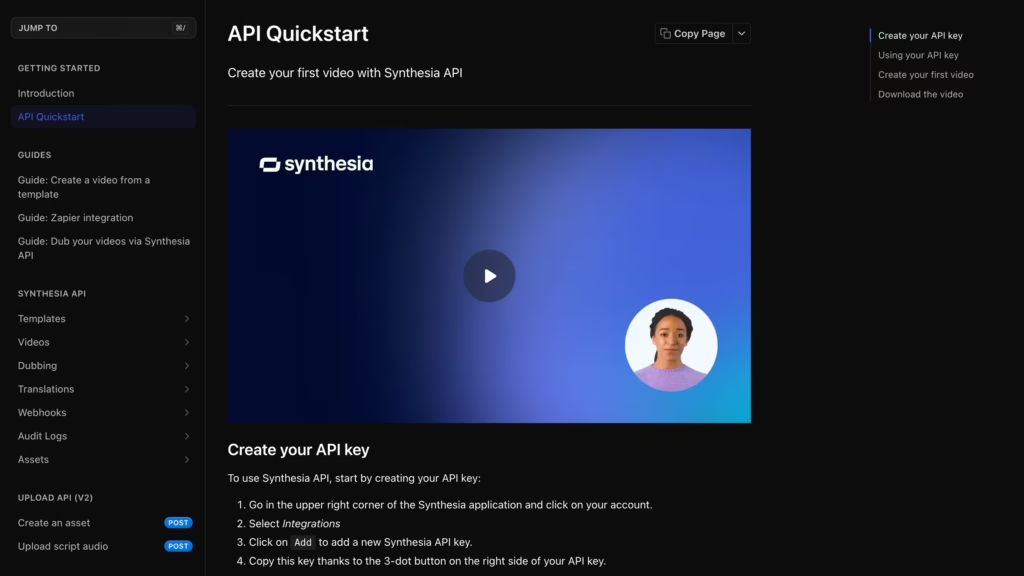
- Sign up for a Creator or Enterprise plan at synthesia.io. Free and Starter plans do not include API access.
- Generate an API key in your Synthesia account under the Integrations page.
- Follow the quickstart guide at docs.synthesia.io/reference/synthesia-api-quickstart. It walks you through creating your first video via API.

- Create a template in Synthesia Studio with dynamic variables for any fields you want to personalize (name, company, custom text blocks).
- Build your integration. Send POST requests to
/v2/videoswith your template ID and variable values. Configure a webhook endpoint to receive completion notifications. - Test with short scripts first. Renders consume your monthly minutes. Do not test with 10-minute scripts on a 30-minute monthly cap.
FAQs
1) Does the Synthesia API require a paid plan?
Yes. API access starts at the Creator plan ($89/month monthly or $64/month annual). The Free and Starter plans do not include API access.
2) How fast does the Synthesia API render videos?
A 1-minute video typically renders in 1 to 2 minutes as of 2026. Longer videos take proportionally longer. Enterprise plans may offer priority rendering queues.
3) Can I create custom avatars through the API?
You can use custom avatars you have already created in Synthesia Studio. Creating the avatar itself (recording consent video, processing) happens in the web interface. Once created, the avatar ID is accessible through the API.
4) Is the Synthesia API suitable for high-volume personalization?
On the Creator plan, the 30-minute monthly cap limits you to relatively low volume. For true high-volume personalization (hundreds of videos per month), you need an Enterprise plan with unlimited minutes and higher concurrency limits.
5) Does Synthesia use my API data to train its models?
According to the documentation, the AI video assistant is powered by OpenAI. Prompts are retained by Synthesia for abuse monitoring for a maximum of 30 days and automatically deleted after. OpenAI does not use this data to train or improve their models.
6) What happens if rendering fails?
The API returns error status codes with descriptive messages. Common issues include 429 (rate limit exceeded), 400 (script too long or invalid payload), and 401 (invalid API key). Failed renders should not consume video minutes, but verify this with Synthesia support for your specific plan.
