
You’ve had the idea for months. Maybe it’s a fine-line fox, or a date in Roman numerals, or something for your grandmother. You’ve saved 200 Pinterest pins, and none of them is quite right. So you keep putting off booking the appointment.
You’re not alone. According to the Pew Research Center Report on Tattoos, 32% of U.S. adults have a tattoo, including 22% who have more than one. However, about a quarter (24%) say they ever regret getting one or more of their tattoos. And that’s where AI tattoo generators come in.
You type an idea, and seconds later you’re looking at a design. You can tweak it, try it in another style, and even see it on your arm. So you walk into the studio with a clear picture to show, not a vague idea.
Below are 9 free tools to try, along with what each does best and where it falls short.
How We Chose These Tools
Every tool on this list lets you make tattoo designs without paying first. We left out tools that have dropped their free plans. For example, Tatship’s pricing page showed no free plan on October 17, 2026.
We then compared four things: how much you get for free, whether you need an account, the features built for tattoos, and the catches. Keep in mind that free limits change often, so check each tool’s pricing page before you rely on it.
| Tool | Free Allowance | Account Needed? | Best For |
| Tat Ink | 8–25 credits/month | Optional | All-in-one design |
| BlackInk AI | Starter credits | Yes | Stencils and cover-ups |
| TattoosAI | 4 designs | Yes | Style-guided ideas |
| Fotor | Free, no cap stated | No | Body preview |
| Perchance | Unlimited | No | Endless brainstorming |
| MyInk.ai | 8 credits | Yes | Prepping for your artist |
| TattooGen.ai | Free | No | Quick, no-strings ideas |
| INKHUNTER | Free with ads | Yes | Live AR try-on |
| Tattoo AI (HubX) | Free with ads | No | Designing on your phone |
1. Tat Ink
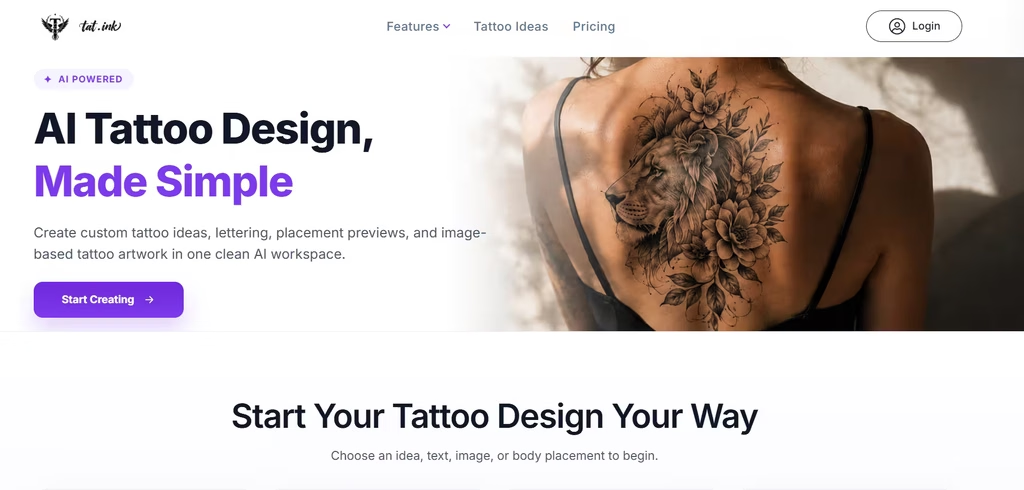
Tat Ink packs the most tools into its free plan. As of November 3, 2026, its FAQ page listed up to 8 free credits a month for guests and up to 25 for logged-in users. Free credits reset every month.
What’s more, it has a large toolkit. Besides text-to-tattoo, you get image-to-tattoo, a font generator, and a cover-up tool. The virtual try-on lets you change the design’s scale, rotation, position, and opacity on your own photo. The site also advertises more than 20 tattoo styles.
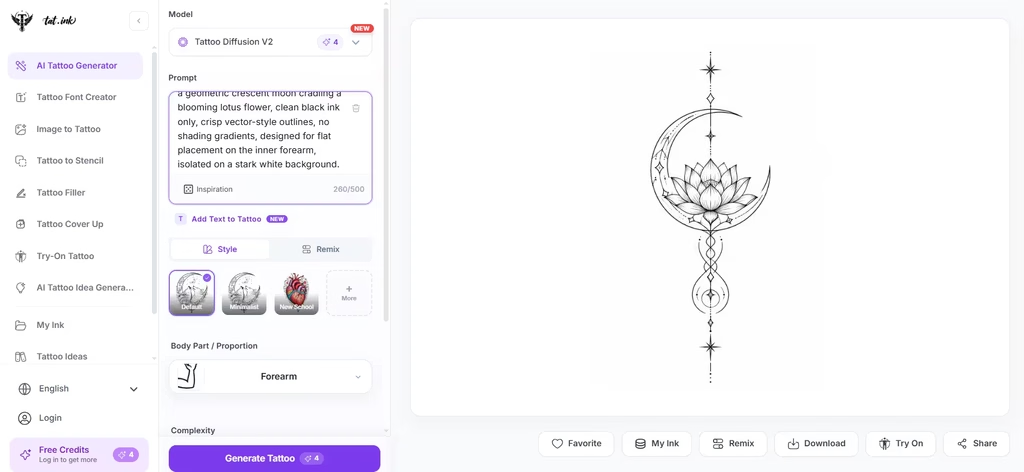
In my testing, I pasted in a prompt and then selected the body part the intended tattoo would be. After this, I got this stenciled, clean-lined tattoo that reflected my prompt directly. The lines were smooth and unbroken, with enough negative space around the elements they form. That would ensure the tattoo won’t fade into a blob over time.
However, testing turned up one problem: Tat Ink added elements I never asked for. A line extended above and below the main elements, even though my prompt didn’t mention it. So expect to edit out extras before you take a Tat Ink design to your artist.
Catch: Ink Pro is $8.79 a month for 300 credits if you run out.
2. BlackInk AI
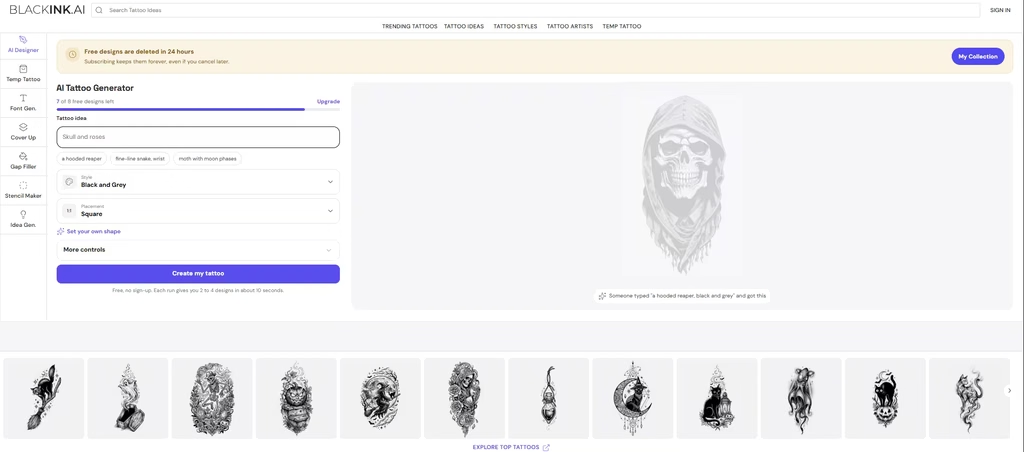
BlackInk AI suits people who are serious about getting inked. Its toolset includes fonts, cover-ups, and gap fillers, built for artists and serious planners. It also offers a stencil converter and line-weight controls.
New users get a small batch of free credits. Be aware, though, that two of the tools tested publish your free-tier designs publicly, and on BlackInk, free designs may be deleted after 30 days.
I found BlackInk AI to have very good prompt adherence, in comparison to Tat Ink. However, because I set it to a “Neo-traditional” design, I got more visual weight than I intended. There was some shading, lotus leaves, and more solid black lines to really key into the neo-traditional theme.
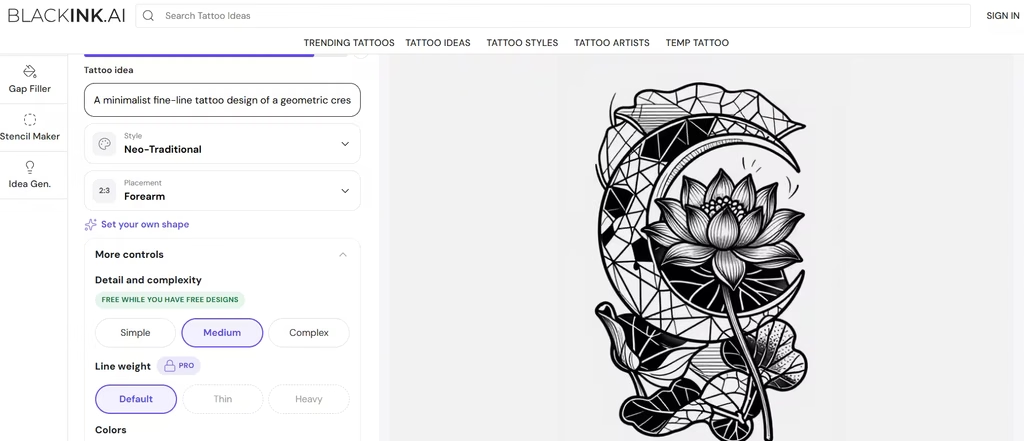
Catch: Unlimited use costs $15.00 monthly, $39.99 every three months, or $72.00 yearly.
3. TattoosAI
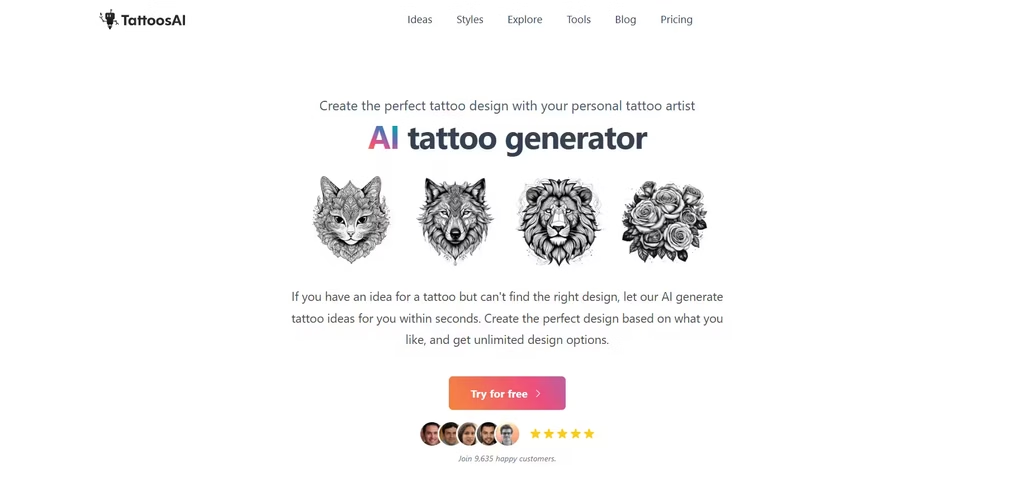
TattoosAI keeps its free tier simple. You get four free designs per account with no card needed, plus a free stencil maker and font generator that don’t require an account. In addition, it offers more than 18 styles to guide your prompts.
Catch: Free designs go to a public gallery. Also, virtual try-on is still in development.
4. Fotor AI Tattoo Generator
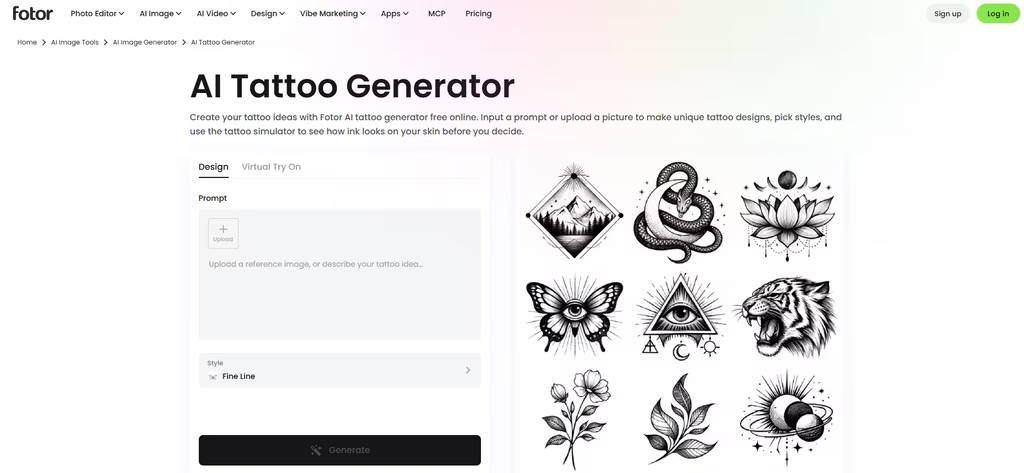
Fotor was the first tool that gave me exactly what I asked for, with none of the extra elements I saw in Tat Ink and BlackInk AI. It’s also the easiest way to see a design on skin. All features, including the AI tattoo generator and simulator, are completely free online with no sign-up. Better still, downloads have no watermark.
You can describe a design as I did or upload a sketch. Then set the controls to ensure it matches what you have in mind. I went for a rather simple, minimalist design. And that is exactly what I got.
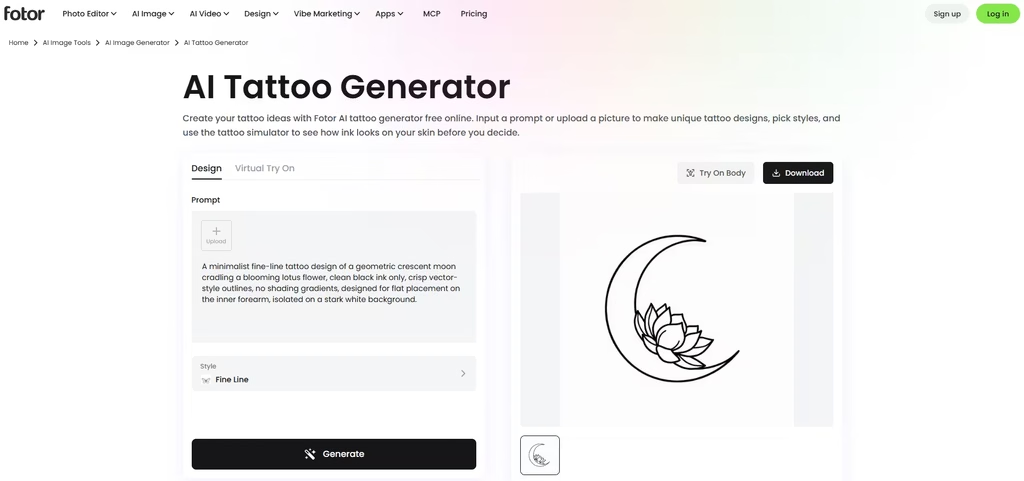
Then preview it on the forearm, chest, thigh, back, wrist, or behind the ear, and pick a skin tone. Style options include fine line, watercolor, ambigram, and birth flower.
Catch: The preview is a simple overlay, so it can’t show how the tattoo will look once healed.
Also read: 10 Best AI Pattern Generators You Should Be Using Right Now
5. Perchance AI Tattoo Generator
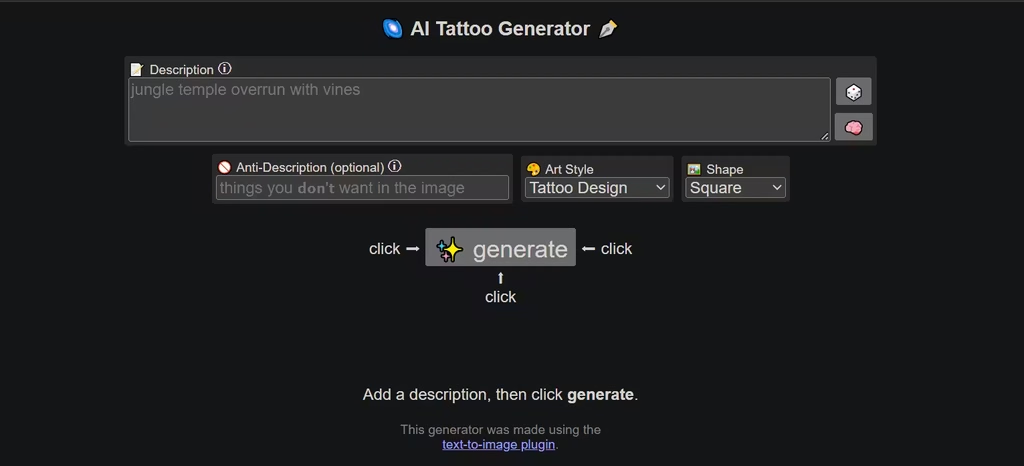
Perchance is great for pure brainstorming. One thing I really liked is that it is completely free, with no sign-up, no limits, and no watermarks. I also liked the anti-description field feature because it lets me specify what I do not want; this narrows ideas down fast. I asked for no leaves. You can also generate up to 9 tattoo pictures in one batch.
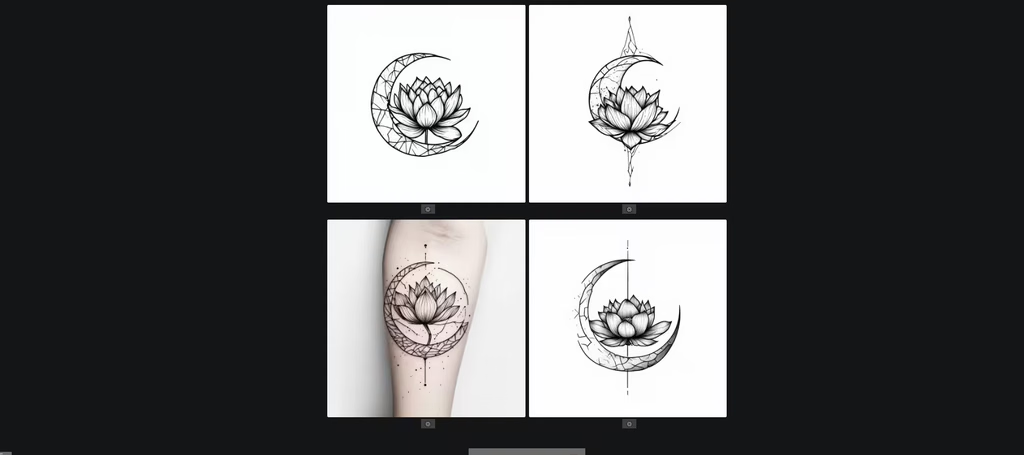
And since there is no limit, I could perform as many iterations as I wanted. And that helped me correct three out of the five generations that had errors.
Catch: It’s bare-bones and text-only, with no photo upload or placement preview. Quality also varies from one image to the next.
6. MyInk.ai
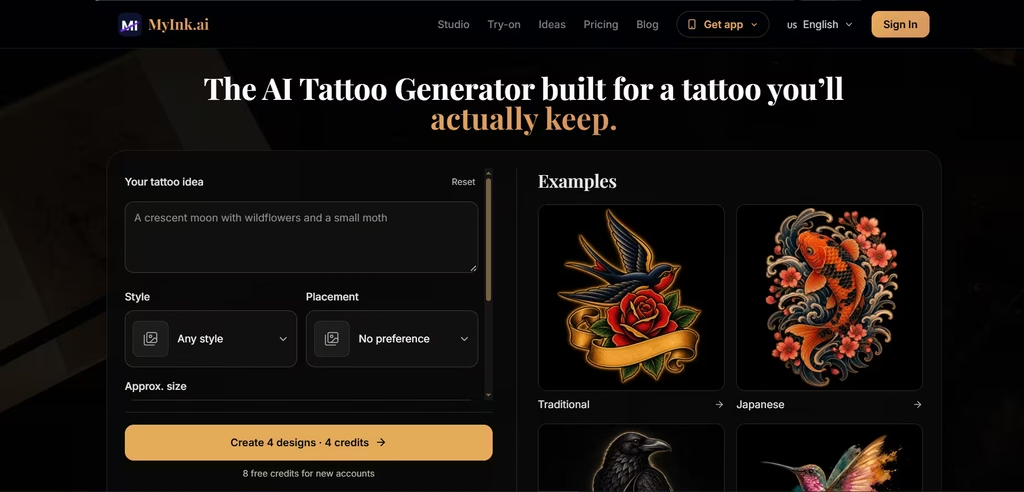
MyInk.ai treats the design as preparation for an artist consultation. I got eight free credits, enough for two four-direction rounds, with no card. A round gave me four different takes on my idea, each acting like a variant.
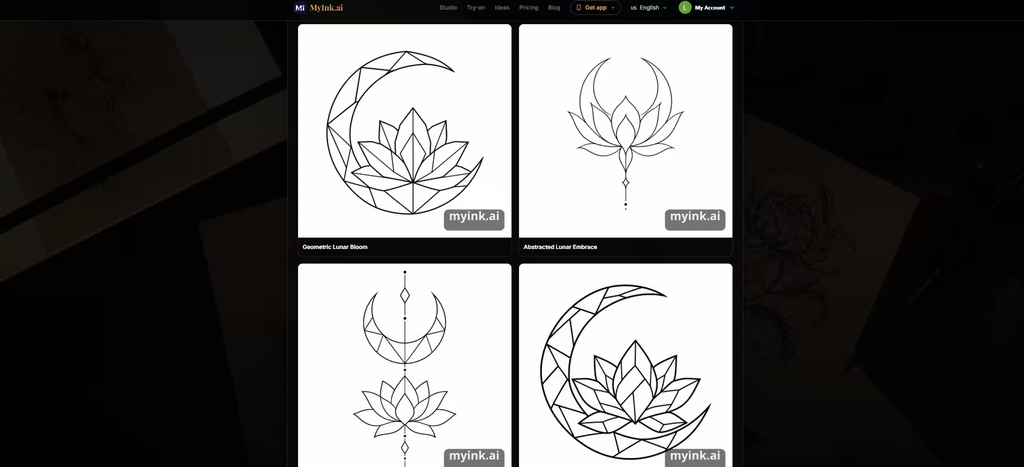
From there, you can branch from a favorite, polish the design, edit one marked area, or preview placement on a body photo.
Catch: The artist-handoff pack costs 40 credits and includes a 300 DPI stencil. Credit packs start at 25 credits for $4.99.
7. TattooGen.ai
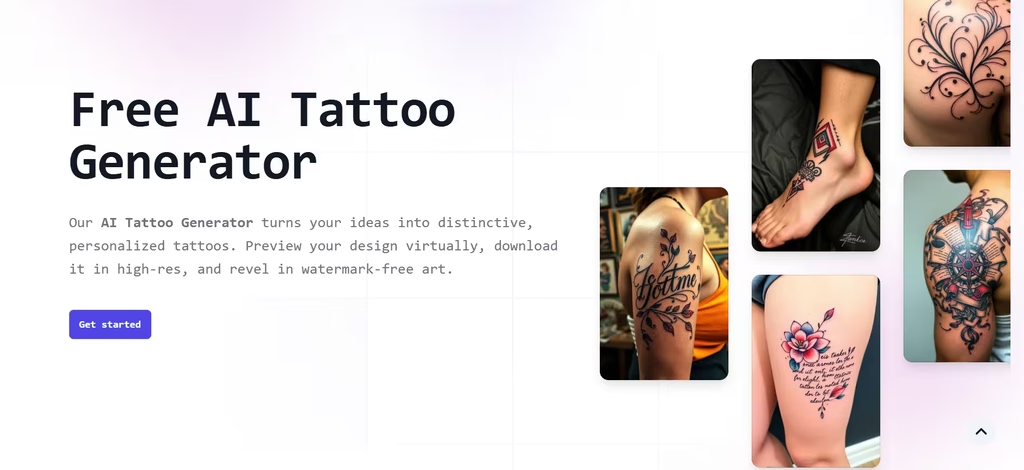
TattooGen.ai is free and asks nothing in return. Its makers describe it as a completely free and unlimited AI tattoo design tool, and you can start designing with no account, no sign-up, and no cost. You choose a style, colors, and placement. Then you download high-resolution files without watermarks. According to the team, they trained AI models on over 1 million curated tattoo designs.
Catch: It’s a smaller site with fewer features than Tat Ink or BlackInk.
8. INKHUNTER
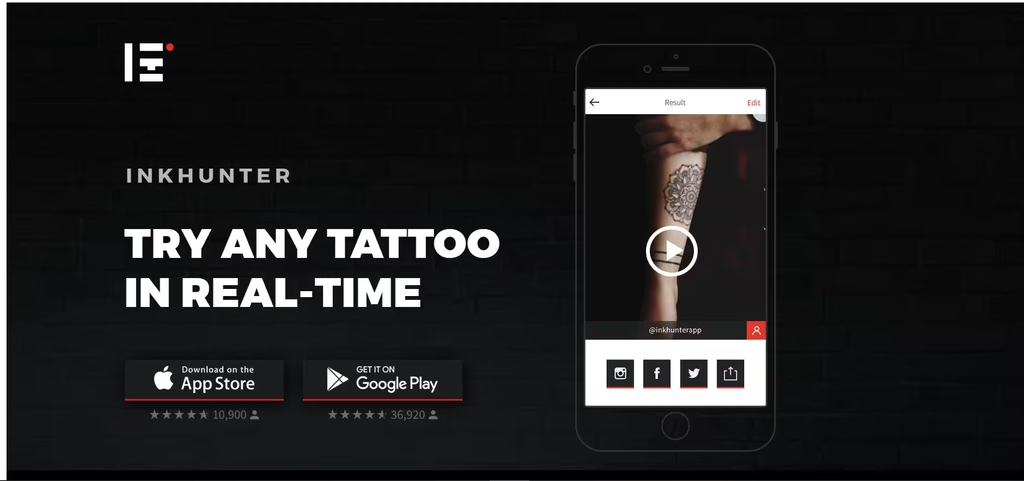
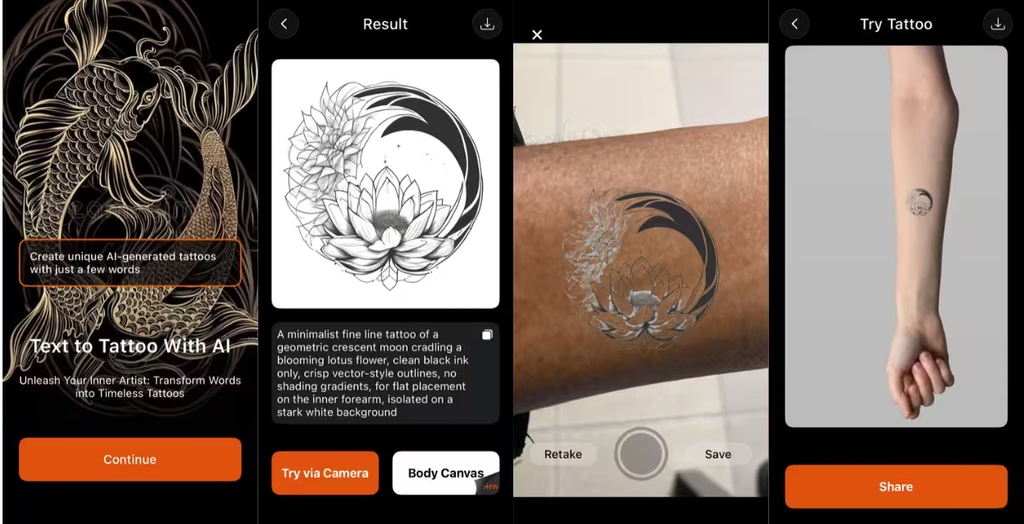
The biggest surprise in my testing came from INKHUNTER: the tattoo I projected on my skin looked different from the one the app had just generated. INKHUNTER is a phone app built around augmented reality (AR). That means I had to use it on my phone. It uses AR to project a tattoo onto your body, so you can see how it looks before you make a permanent commitment. More recently, it added AI generation, so you can make tattoos just by describing them.
I created a tattoo using the same prompt from my earlier testing and then projected it on my skin. I didn’t find the tattoo to be very prompt-adherent. It added shading, and the lotus flower I asked for was wrapped around where the crescent moon was supposed to be.
On my skin, the projection looked more like a cut-out of what it should have been. Also, the design didn’t match my melanated skin very well, but that’s on me.
Catch: For free users, AI generation involves a 30-second wait. In addition, it had ads that I found quite interruptive.
9. Tattoo AI
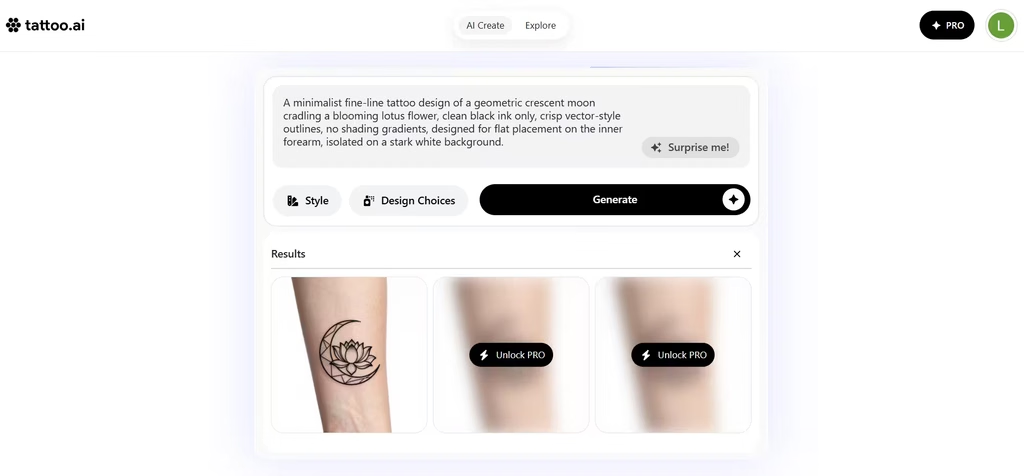
Tattoo AI let me do two things: generate my own creation or explore ready-made tattoos. I chose the former, pasted in a prompt, and got back a design in seconds. The tattoo came out looking very simple and minimalistic, without shading, just as I expected.
The lines were clean, but also heavy-handed. It also added some spaced hatching on the crescent moon, which I didn’t ask for.
Catch: It’s ad-supported, and heavier use requires in-app purchases. Also, check the privacy terms first: its Google Play Data safety section says “data is not encrypted.”
How to Get Better Results
First, be specific. Describe the subject, style, placement, and size. For example, “fine-line fox, inner forearm, black ink only.” Next, say what you don’t want, as Perchance’s anti-description field encourages. Then make several versions and compare them side by side.
Even a good result needs to be reworked. AI designs often have awkward lines or garbled lettering. For example, my Tattoo AI design came back with heavy-handed lines and hatching on the crescent moon that I never asked for, and INKHUNTER moved my lotus flower onto the moon.
After testing all nine, Fotor is the best starting point for most people because it eliminates the trial-and-error frustration I experienced with the other tools. It was the only tool that gave me exactly the minimalist design I asked for, with no extra elements, and its free body preview let me see the design on skin without signing up.
Then switch to Tat Ink, BlackInk AI, or MyInk.ai once you want try-ons, stencils, or a pack to hand your artist. Finally, take the design to a professional, because the AI design is only a first draft.
