


Content marketing teams are being asked to produce more types of assets with tighter deadlines. A single campaign may need several types and versions for paid and organic channels. That creates a real workflow problem, especially for small teams handling content, promotion, analytics, and e-commerce updates at the same time.
Paid software often gives teams better export options and brand controls, but free AI tools for content marketing can still help with early drafts, quick visual tests, and smaller campaign tasks. The strongest setup is usually a mix of one main platform, one editing program, and a few focused tools for promotion, photo work, and channel-specific versions.
Video Creation Tools
1. Movavi Video Editor
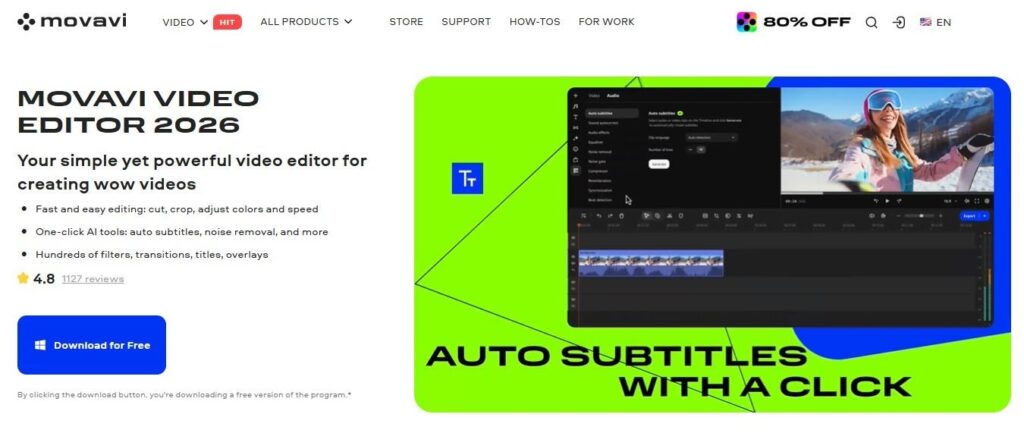
Movavi is made for beginner content creators who want to create awesome videos easily, even if they’ve never edited before. Its built-in effects, transitions, titles, filters, and stickers help bloggers, hobbyists, and small creators add personality to everyday footage, from social media vlogs and family videos to short clips for a small online project.
The editor keeps the process friendly: add your clips, cut the parts you don’t need, improve the sound, add subtitles, place effects, and save the video in the format you need. It gives beginners enough creative space to make something they’re proud of without making the process feel technical from the first click.
Pros of Movavi Video Editor
- The AI tools help with tasks that often slow beginners down, such as auto-tracked cropping, auto subtitles, background removal for eye-catching scenes, silence removal to cut down pauses, and motion tracking.
- The editor feels approachable for beginners. You don’t have to open a technical timeline and guess what every button does. The tools are arranged in a way that makes editing feel easier, more visual, and less intimidating.
Cons of Movavi Video Editor
- The program is focused on helping you improve and shape footage with editing tools, effects, and AI features. It doesn’t suit creators who want fully generated avatar videos or synthetic scenes.
- It’s intentionally built around simple, enjoyable content creation for beginners, while very complex productions may need a more specialized editor.
Pricing: free trial; paid options include monthly, annual, and lifetime licenses, with pricing starting at $19.95 per month.
2. Synthesia
Synthesia is a better fit for teams that need presenter-style videos without booking a studio, hiring actors, or recording voiceovers for every small update. It can turn a script into a video with an AI avatar and voiceover, which works well for training, internal sales explainers, product education, onboarding, and localized campaign assets.
Pros of Synthesia
- Language support is a major advantage for global teams that need several versions of the same content without rebuilding each video from zero.
- It reduces the need for cameras, studios, voiceover sessions, and reshoots when the message changes after the first version.
Cons of Synthesia
- Avatar-led videos can feel too formal for casual social content, especially when the brand relies on real people, humor, or fast platform trends.
- The output depends heavily on the script. A weak script still sounds weak, even with a good avatar and clean voiceover.
Pricing: free Basic plan; paid plans depend on video minutes, avatar options, and team needs, starting at $18/month.
Photo Editing Tools
3. Adobe Firefly
Adobe Firefly works well for campaign concepts, social post images, moodboards, ad tests, and photo edits that need more control than a basic image generator. It can create images from text prompts, edit selected areas, replace backgrounds, expand images into new aspect ratios, and generate short video clips in some modules.
Pros of Adobe Firefly
- It gives teams several image-generation and image-editing options in one place, including text-to-image, background changes, image expansion, and object edits.
- It fits teams already using Adobe software, since the workflow can connect with tools such as Photoshop, Express, and other Adobe apps.
Cons of Adobe Firefly
- The best value usually comes when a team already uses Adobe products, so it may feel less necessary for teams outside that setup.
- Some outputs still need design editing before publication, especially for ads, product pages, or brand-sensitive visuals.
Pricing: free trial options; paid Firefly plans start at $9.99/month.
4. Photoroom

Photoroom is one of the most practical photo content marketing tools for e-commerce. It focuses on product images, background removal, background generation, resizing, batch edits, and channel-ready visuals.
Pros of Photoroom
- Batch editing can process groups of images instead of forcing marketers to edit every file one by one.
- The tool can make average product shots more usable when the original photos have uneven backgrounds, poor spacing, or mixed image sizes.
Cons of Photoroom
- It cannot fully fix weak product photography. Bad lighting, blurry images, and poor angles still limit the final result.
- Teams with large catalogs may need a paid plan quickly because export limits and batch needs grow fast.
Pricing: free trials; paid plans start at $7.50/month.
Design Tools
5. Canva
Canva is still one of the best content marketing tools for teams that value speed, templates, and brand assets. Plus, many non-designers already know how to use it. The newer AI features add more starting points: Canva AI 2.0 can generate layered, editable designs from a prompt, and Brand Kit lets teams store logos, fonts, colors, imagery, and templates in one place.
Pros of Canva
- Great for repeatable marketing work, such as weekly social posts, ad variants, email graphics, sales one-pagers, and event visuals.
- It works well for non-designers, so marketers can adapt approved layouts without waiting for every small resize or copy change.
Cons of Canva
- Template-heavy work can start to look generic when teams rely on default layouts without changing enough of the design.
- It’s less suitable for advanced interface design, detailed product mockups, or complex brand systems.
Pricing: free plans, pricing starts at $15/month.
6. Figma
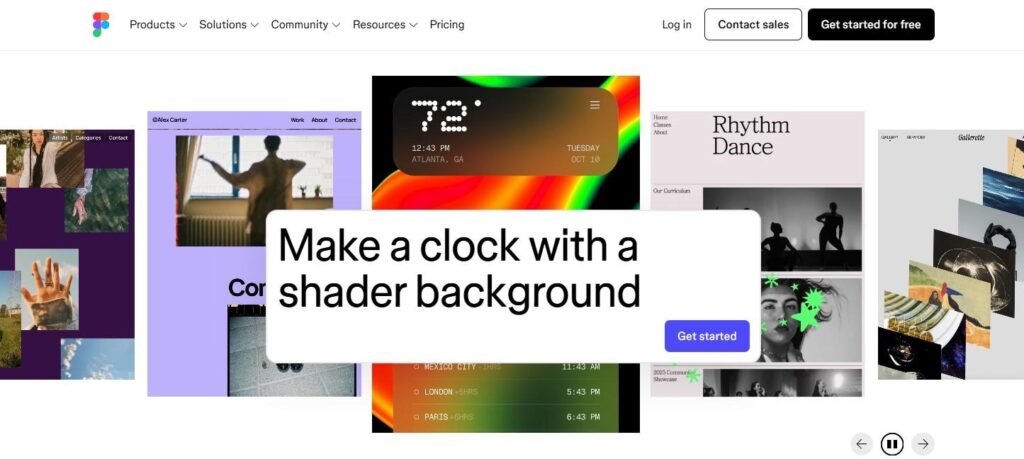
Figma makes sense for content marketing teams that need several related assets and work closely with designers, product marketers, and brand managers. For 2026, the strongest angle is Figma Buzz. Figma AI also helps with routine design work, content generation inside layouts, and faster editing.
Pros of Figma
- It keeps every product-related team in the same workspace, which helps when campaign assets need feedback, comments, and several review rounds.
- Figma Buzz gives marketers a way to work from approved brand systems instead of asking designers to handle every small campaign variation.
Cons of Figma
- It has a steeper learning curve than Canva, especially for marketers who only need quick social graphics.
- It can feel heavier than needed for a solo creator or small team that mostly uses templates.
Pricing: free plan available; pricing starts at $20/month.
Text Generation Tools
7. ChatGPT

ChatGPT works best as an editorial assistant rather than a final writer. There are many ways to use it in a content workflow, from turning rough product notes into campaign angles to preparing first drafts for blog posts, ads, and newsletters.
Pros of ChatGPT
- GPT is flexible enough for many marketing tasks, including briefs, outlines, content calendars, ad angles, social captions, landing page drafts, and email versions.
- It can work with different formats, so a team can move from article ideas to short posts, video scripts, FAQs, or product copy inside one workspace.
Cons of ChatGPT
- The first draft can sound too broad unless the team gives it real product details, audience context, examples, and tone limits.
- It still needs a careful editor, especially for claims, examples, brand voice, and originality.
Pricing: free to use for basic tasks; paid plans start at $8 per month.
8. Claude
Claude is useful for actual marketing work: research notes, content briefs, long drafts, brand voice rules, campaign planning, and turning scattered material into usable copy. It’s also strong for editing existing text, which matters when a team already has rough messaging from product, sales, or founders.
Pros of Claude
- Makes sense for editing existing text, especially when the goal is to make copy cleaner, less sales-heavy, or closer to an approved brand voice.
- Projects and team features make it a good option to keep work organized across several content tasks.
Cons of Claude
- It can over-explain when the prompt is too broad, so editors still need to cut and shape the final text.
- It may soften sharper brand language unless the team gives strong examples of approved copy.
Pricing: free plan available; pricing starts at $20/month with annual billing.
Final Thoughts
A useful stack doesn’t need eight paid tools at once. Start with the slowest part of your workflow, usually video editing, product photo cleanup, or first-draft copy. For teams focused on scaling content across social media, blogs, paid ads, and e-commerce pages, the right mix matters more than a long tool list.
Test one or two tools, measure the time saved, and check whether the output still fits your brand. AI software can help with speed, format changes, and repetitive tasks, but good content still depends on the offer, the audience, the message, and the people deciding what gets published.
