

AI video creation has matured fast, and it’s split into two distinct camps. On one side, you have tools built around AI avatars and on-camera presence. On the other hand, tools designed to transform content you already have into a polished video.
HeyGen and Pictory are the leading names in each camp, and choosing between them comes down to one question: are you trying to create video, or repurpose content into video?
This guide breaks down both tools across features, pricing, ease of use, and real-world use cases so you can make the right call for your workflow.
Also Read:
What Is HeyGen?
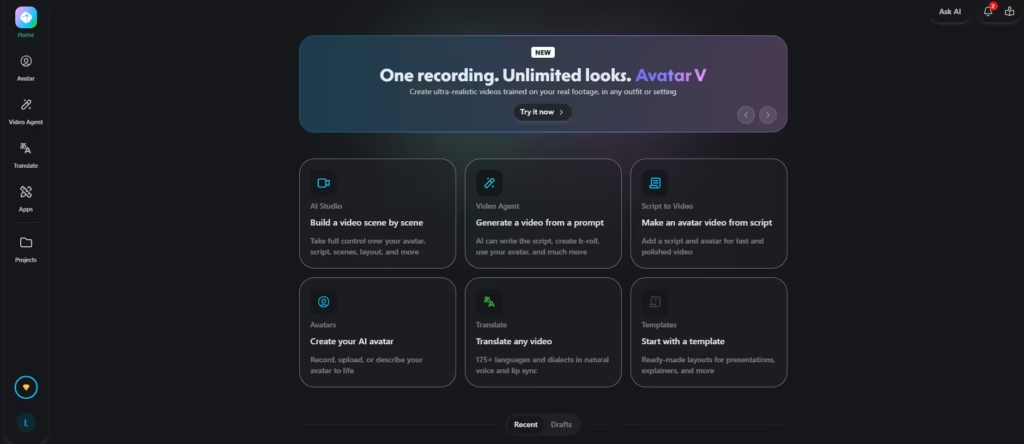
HeyGen is an AI video platform built around one core idea: anyone should be able to appear on camera without a camera. Founded in 2020, it lets you generate talking-head videos using a library of over 100 AI avatars, or a custom avatar built from a short clip of yourself.
You write a script, pick an avatar and voice, and HeyGen produces a polished spokesperson video in minutes. HeyGen’s video translation feature is where it pulls ahead of nearly every competitor. It can dub an existing video into 40+ languages with lip-sync, meaning the avatar’s mouth movements actually match the new language.
I tested this by first creating an AI tool ad in English.
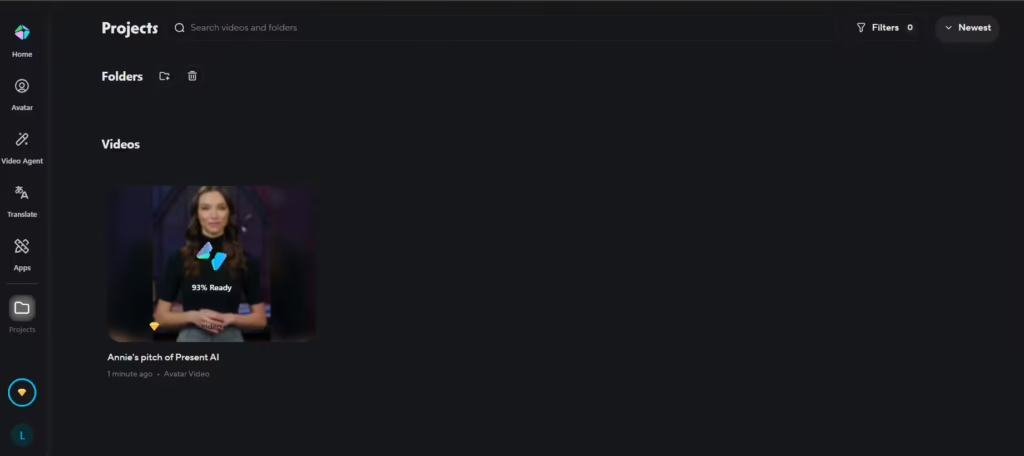
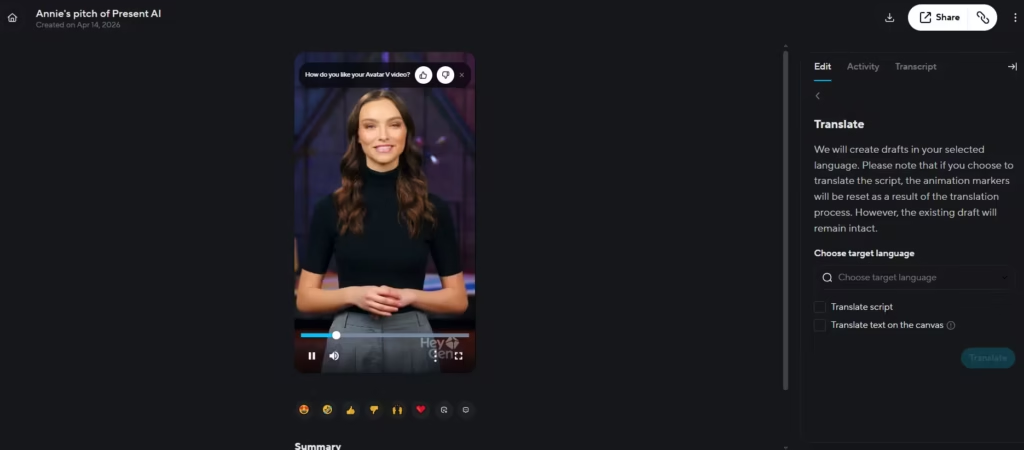
Then, I dubbed it into Spanish; the lip-sync was noticeably better than Synthesia’s, which can only be accessed via a subscription.
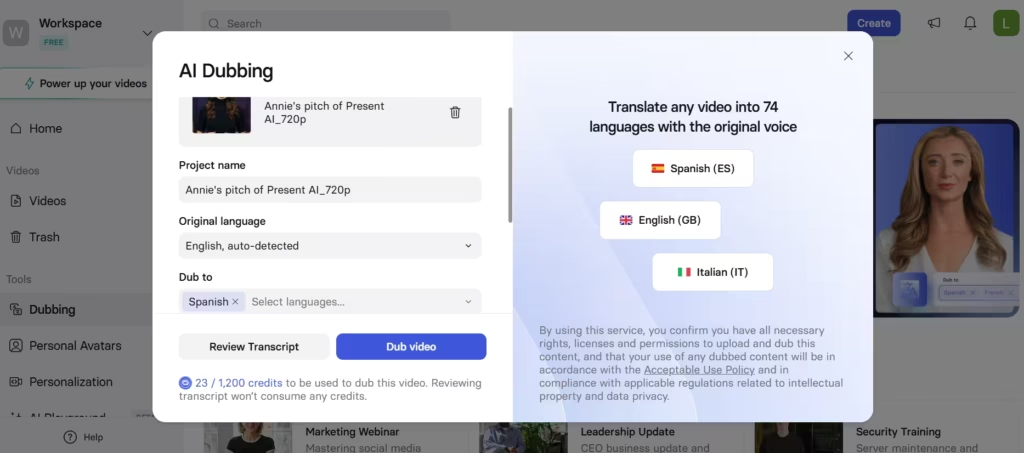
HeyGen’s dub also generated in less time (a few minutes) compared to Synthesia’s 30-minute wait time.
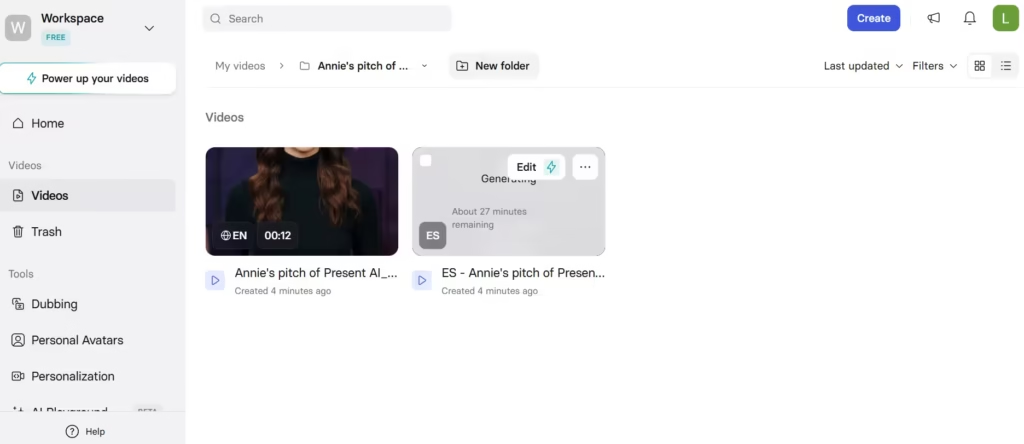
Although great, there were occasional phoneme mismatches that still appeared on complex consonant clusters. In international marketing, this capability alone is a compelling reason to pay for HeyGen.
HeyGen is popular with sales teams running personalized video outreach, HR departments producing training content, SaaS companies making product demos, and enterprises that need multilingual communications at scale.
What Is Pictory?
Pictory takes the opposite approach. Rather than generating video from scratch, it transforms content you already have (blog posts, scripts, long-form webinar recordings, podcasts) into short, shareable videos with minimal effort.
Founded in 2019, Pictory’s core workflow is fast. It requires pasting in a URL or a block of text, and it automatically selects relevant stock footage, adds captions, and assembles a video. It can also pull highlight clips from a long video, making it a go-to tool for content marketers who need to squeeze more mileage out of what they’ve already produced.
Pictory’s audience tends to be bloggers, YouTube creators, social media managers, and content marketing teams who are publishing at volume and need video to accompany their written or recorded content.
HeyGen vs Pictory: Feature-by-Feature Comparison
1. AI Avatars and Talking-Head Video
This is the clearest dividing line between the two tools. HeyGen’s avatar technology is polished. You get over 100 stock avatars in various ages, ethnicities, and styles, plus the ability to create a custom avatar from a two-minute video of yourself. The result is a realistic on-camera presence without any filming.
Pictory has no meaningful avatar feature. It is not designed for this use case, and if an AI presenter is central to your video strategy, Pictory simply isn’t the right tool.
2. Text-to-Video
Both tools convert scripts into video, but the output looks entirely different. HeyGen produces an avatar reading your script; the video centers on a human-like presenter.
Pictory pairs your script with stock footage clips, laying your words over visuals as captions or voiceover. Neither approach is better in the abstract; it depends entirely on what kind of video you’re making.
3. Content Repurposing
Pictory dominates here. Its blog-to-video and podcast-to-clip workflows are fast, reliable, and require almost no editing skill. I tested this with a 2,100-word blog post about SEO tools.
Pictory generated a 1:32 video in 7 minutes, including minor caption edits. HeyGen has no equivalent workflow; it’s designed for creation, not repurposing.
4. Voice and Audio
HeyGen offers over 300 AI voices across languages and accents, plus voice cloning from a short audio sample. Its multilingual dubbing, where it re-renders a video in a new language with synced lip movements, is one of the most advanced features available in the consumer AI video space.
Pictory has a functional range of AI voiceover options and handles auto-captioning well. But its voice cloning is limited, and there is no native video translation.
5. Video Translation and Localization
This is HeyGen’s standout capability. If you need to take a video originally recorded in English and produce a natural-looking Spanish, French, or Japanese version, with the speaker’s lips matching, HeyGen is currently one of the few tools that does this well at scale.
Pictory does not offer this feature in any meaningful form.
6. Templates, Editing, and Output
Pictory has a larger and more varied template library, and its timeline-based editor is more intuitive for general video editing tasks.
HeyGen uses a scene-by-scene editor that works well for structured spokesperson content but feels limiting if you want fine-grained control over cuts, transitions, or overlays. Both tools output at 1080p.
7. Integrations
HeyGen integrates with HubSpot and Salesforce, making it well-suited to sales automation workflows.
It also offers API access on Business plans and above, enabling teams to programmatically generate personalized videos at scale. Pictory connects with Hootsuite, Zapier, and Google Drive, better suited to content distribution pipelines.
Pricing Comparison
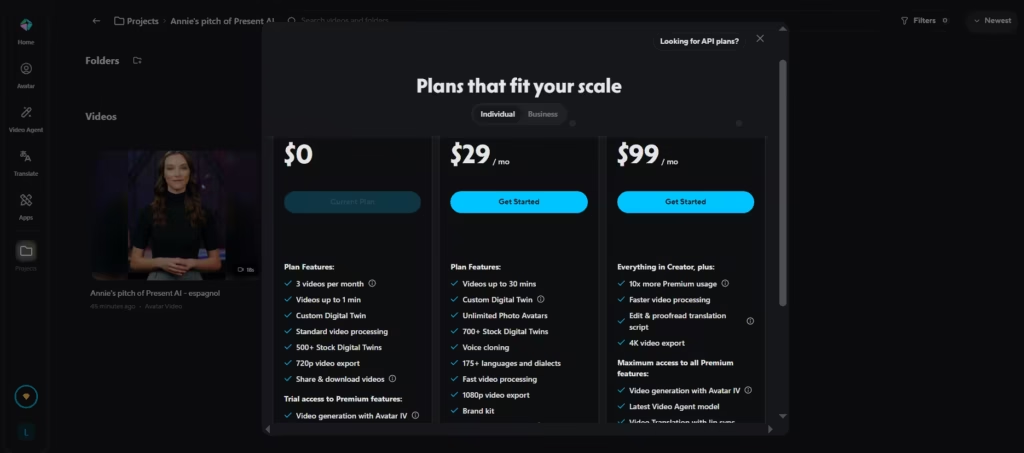
Both HeyGen and Pictory start at $29/month (billed monthly), but HeyGen has a juicier offer (Creator plan). To be fair, Pictory gives longer video time (200 mins) than HeyGen(30 mins).
But HeyGen covers the difference by offering a custom digital twin, unlimited photo avatars, voice cloning, over 700 stock digital twins, 175+ languages and dialects, and much more.
HeyGen’s pricing can go up to $99/month in the Pro plan. It’s offering centers on access to a higher model and high-resolution videos.
In contrast, Pictory’s starter plan offerings center around longer video durations, more stock media options, and storage. The plans further go up to $59 and $199, with changes only to the magnitude of initial offerings.
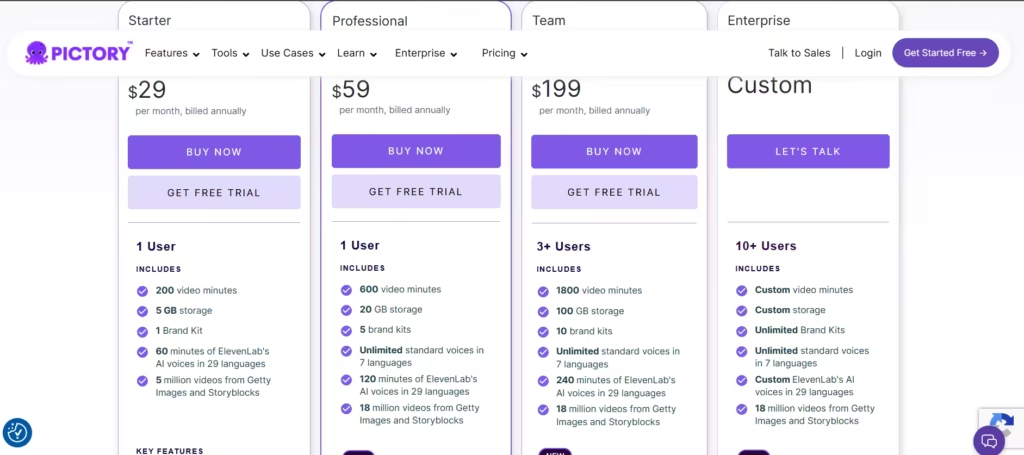
In my view, HeyGen’s $29/month Creator plan is a steal, especially if you value quality and flexibility over quantity. But if your video demands are basic and numerous, Pictory is a better pick.
Ease of Use and Learning Curve
Pictory wins on simplicity. The core workflow, paste a URL, generate a video, make minor adjustments, export, takes about five minutes on your first try. The interface is clean, the auto-generated videos are respectable out of the box, and there’s very little you need to configure before getting a usable result.
HeyGen has a steeper on-ramp than its marketing suggests. When I first created a custom avatar, the recording session took three attempts to get the lighting and framing right, and the 24-hour processing wait was frustrating when I just wanted to test the output.
Even working with stock avatars, you’ll spend more time fine-tuning pacing, expressions, and scene layout to get results that look polished. Expect 10–15 minutes to produce your first solid video, and more time beyond that for genuinely high-quality output.
Note: Both tools are web-first with no robust mobile editing experience.
HeyGen vs Pictory: Which Tool Fits Your Workflow?
The decision isn’t really HeyGen vs Pictory, it’s a question of what problem you’re solving. If your goal is to put a credible on-camera presence in your videos without filming, build multilingual content from a single recording, or run personalized video outreach through a CRM, HeyGen earns its price tag.
The avatar quality and lip-sync translation are genuinely difficult to replicate elsewhere at this price point. But if you’re producing content at volume, turning every blog post into a LinkedIn clip, cutting webinar highlights, or giving a written newsletter a video life, Pictory is faster, cheaper, and purpose-built for that workflow.
The gap between what Pictory produces in 7 minutes and what would take an editor 45 minutes is real and repeatable. Where the choice gets genuinely hard is if you need both: a presenter-led format for hero content and high-volume repurposing for distribution. In that case, running both tools in parallel is worth the combined cost for teams publishing at scale.
Pros and Cons
HeyGen
- Pros: Polished AI avatars, voice cloning, best-in-class multilingual dubbing with lip-sync, strong API and CRM integrations
- Cons: Expensive at scale, significant price jump to Business tier, limited stock footage library, no content repurposing workflow
Pictory
- Pros: Fast content repurposing, large stock media library, affordable entry pricing, strong captioning, and highlight tools
- Cons: No avatar support, limited personalization, no video translation, output can feel generic without customization
HeyGen vs Pictory: Final Verdict
HeyGen and Pictory are not competing for the same user: they solve different problems. If you’re in sales, HR, or enterprise communications and need a credible on-camera presence without a film crew, HeyGen is the clear choice.
Its avatar quality, voice cloning, and video translation put it ahead of the field for that specific use case.
If you’re a content marketer, blogger, or creator who needs to turn written or recorded content into video efficiently and affordably, Pictory is the better tool. It’s faster to start, cheaper to maintain, and purpose-built for the repurposing workflow that drives most content marketing volume.
The only scenario where the choice is difficult is if you need both a presenter-led format and content at scale. In that case, running both tools in parallel is worth considering.
